
A common challenge among IT teams managing virtual desktop infrastructure (VDI) environments is identifying the exact executable paths of Java processes running on their VDI machines. In a recent inquiry, a ControlUp user sought to locate Java processes and determine the full execution path of these processes on their VDIs using ControlUp dashboards. Although they were able to create a dashboard widget that revealed the folder structure, they found no direct way to report the full executable path for historical data within ControlUp.
The root cause identified is that ControlUp does not retain the full executable path information as part of its historical data records. Instead, this level of process detail—specifically the executable path—is only available in live, real-time data monitoring. For those needing to track Java process paths over time, this limitation means historical analysis of full executable paths is not natively supported by ControlUp’s historical data collection.
Several users acknowledged that having the executable path data visible and reportable in a historical context would be highly valuable, especially for use cases such as identifying outdated Java runtime versions and understanding diverse Java process usage patterns across an organization’s VDI environment. While real-time data is sufficient for immediate troubleshooting, historical visibility would enhance trend analysis and proactive software management.
As a practical workaround, it was suggested to leverage ControlUp’s live monitoring capabilities combined with recurring data exports using the ControlUp PowerShell module command `Export-CuQuery`. By regularly exporting live process data—including executable paths—over time, teams can build their own longitudinal datasets outside of ControlUp. This approach allows filtering and analysis of Java process paths beyond what the platform currently stores in its historical database.
Regarding the broader context of Java monitoring integration into ControlUp for Azure Virtual Desktop (CU4A), current support remains focused on real-time visibility, with no confirmed release date for extending these capabilities to historical data or enhanced Java-specific monitoring features. Users are encouraged to stay updated through official ControlUp resources.
For further details on ControlUp capabilities, data export options, and dashboard customization, users may consult the ControlUp Knowledge Base at https://docs.controlup.com and the ControlUp Academy at https://cuacademy.controlup.com.
Read the entire article here...
Microsoft Azure Virtual Desktop (AVD) Related Training & Support Archives
Microsoft Azure Virtual Desktop (AVD) training and support-related archives from inside the ControlUp Community on Slack.
How to Auto Log Off Idle Users in Azure Virtual Desktop Using ControlUp Triggers and Scripts
Several ControlUp community members discussed how to configure a trigger to automatically log off idle users from Azure Virtual Desktop (AVD) hosts using the ControlUp Agent for Virtual Desktop Infrastructure (VDI). One common solution is to leverage existing trigger packs within ControlUp, which include triggers designed to log off a user session after a specified period of inactivity. These triggers can be customized based on time thresholds that fit the organization’s session management policies.
An example script and detailed guidance were shared from ControlUp’s official script library, which provides automation for disconnecting or logging off idle sessions. This script can be adapted and deployed within ControlUp's automation policies to monitor session activity and log off users automatically when idle thresholds are met. The relevant resource is available at https://www.controlup.com/script-library-posts/disconnect-or-log-off-idle-sessions/.
Additional insights were shared from a ControlUp blog post that focuses on session resource optimization through automation. This post outlines best practices and practical examples of using ControlUp automation to manage session states efficiently, including auto-logout for idle sessions. The blog can be found here: https://www.controlup.com/blog/controlup-automation-session-resource-optimization/.
While native solutions like DaaS IQ might offer built-in functionality for auto-logging off idle users, many organizations have adopted ControlUp triggers as a practical workaround until formal approval or integration of native options is completed. The combination of ControlUp’s flexible triggers and scripting capabilities allows administrators to enforce session timeout policies effectively within AVD environments, optimizing resource utilization and enhancing security.
Read the entire article here...
Read the entire article here...
ControlUp Community Meetup 15: How to: Connecting MCP AI to your Real-Time Data
Learn how to connect AI to live enterprise data using the ControlUp MCP Server. In this session, Chris Twiest explains the fundamentals of Model Context Protocol (MCP), including LLMs, prompts, system prompts, tool calling, and retrieval, before demonstrating how to connect Claude Desktop to ControlUp. Watch a live walkthrough of configuring the MCP Server, querying real-time endpoint data, visualizing application crashes, comparing results against historical baselines, and using system prompts to dramatically improve AI accuracy. The session also explores practical use cases, including upgrade planning, combining multiple MCP servers, building custom AI interfaces, and the future of autonomous endpoint management.
Read the entire article here...

Read the entire article here...
How to Diagnose Microsoft Teams SlimCore Optimization in Citrix and Other VDI Environments Using PowerShell Scripts
This discussion highlights two PowerShell scripts developed to aid tracking and diagnosing Microsoft Teams SlimCore Optimization specifically within Citrix environments, with potential applicability to Azure Virtual Desktop (AVD), Windows 365 (W365), and VMware Horizon sessions. SlimCore is an optimized media stack used in virtual desktop infrastructure (VDI) scenarios to enhance Teams call performance by offloading audio and video processing to the client side.
Read the entire article here...
Read the entire article here...
Troubleshooting EUC test failures after updating HIVE to 1248
A user reported trouble with EUC tests failing after updating HIVE to version 1248. The ControlUp team suggested enabling debug mode, zipping and sending the logs, as well as the Scout ID in a support ticket to troubleshoot the issue. It was also mentioned to make sure the Scoutbees Hive service is healthy and running.
Read the entire article here...
Read the entire article here...
ControlUp Community Meetup #14: Inside ControlUp DaaS IQ — A Deep Dive with PM Gilad Broun
AVD management doesn’t have to be hard and expensive.
If you run Azure Virtual Desktop, you know the pain: unpredictable costs, fragile PowerShell scripts, fragmented visibility, and tab-hopping between the Azure Portal, Intune, and a dozen custom tools just to keep the lights on.
ControlUp’s answer is DaaS IQ — a purpose-built control plane for AVD that replaces the chaos with smart, reusable policies, centralized lifecycle management, and real-time cost intelligence.…
Read the entire article here...

Read the entire article here...
ControlUp Synthetic Monitoring Workflows and Workarounds
A user named Alexander asked Nathan about a known limitation with ControlUp Synthetic Monitoring - specifically, that the server_name is often empty for NetScaler Gateway scouts. Nathan recommended a few different workarounds for auto-restart and suggested adding more fields to the webhook payload for debugging. The suggested workflow was to use resource and query ControlUp Real-Time DX / CVAD for machines or sessions matching the published resource.
Read the entire article here...
Read the entire article here...
Troubleshooting Greyed Out AVD User Sessions in the ControlUp DEX Portal
A user asked if the fix for Real-Time DX (build 733) would solve their issue of the value being greyed out in the DEX portal for AVD user sessions. ControlUp recommended upgrading to the latest 9.2.0.733 build and opening a support ticket if the issue persists.
Read the entire article here...
Read the entire article here...
Troubleshooting Partial Data in ControlUp after Agent Replacement on AVD Session Host
A member reported that after replacing the agent on the AVD Session Host, they were only receiving partial data. They were still getting data on "Logon Duration" but not on CPU utilization. After troubleshooting, it was determined that the monitor server was causing the issue, but it has since been resolved.
Read the entire article here...
Read the entire article here...
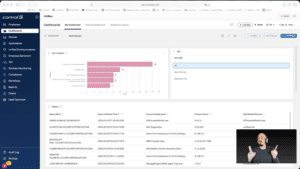
Widget Wednesday #15: Advanced Dashboard Filters — Simpler, Smarter, Global
Widget Wednesday #15 introduces advanced global filtering in ControlUp Dashboards, enabling more precise, real-time filtering across devices, attributes, and conditions without complex variable setup.
Read the entire article here...
Read the entire article here...