
A user asked for the results of a script on ControlUp and was directed to check the Device Events or System Events screens. Another user mentioned the possibility of viewing data in a custom index and asked for screenshots. ControlUp then apologized for the late response and offered training courses at https://cuacademy.controlup.com/choose-your-path/.
Read the entire ‘How to View Script Results on ControlUp’ thread below:
hey folks, noob question
we created some scripts we can run on machines,
i tried running one, where can i see the results of the script?
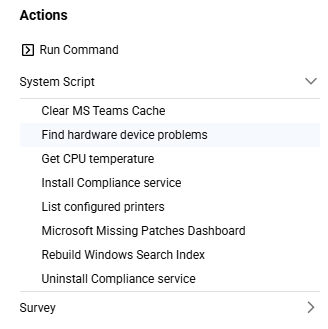
like this one
"This script gets all the computer devices and checks the status. Any device that does not have the status ‘OK’ is recorded in the data index."
how can i get the result from the data index which is "hardware_devices"?
Hi @member , usually, you can see the script results / output in the Device Events view or the overall System Events screen
In addition. If the scripts writes output to a custom index, you can view data directly in the index view
@member maybe you can share some screenshots?
@member hey, sorry for our late response, you can see here how to find information about the script. And afterwards, you can create a report on this information. Have you seen our training courses?
Yu can find them here if you want, just let me know if you have any questions: https://cuacademy.controlup.com/choose-your-path/
Continue reading and comment on the thread ‘How to View Script Results on ControlUp’. Not a member? Join Here!
Categories: All Archives, ControlUp Scripts & Triggers