
A user is experiencing an issue with the PowerShell cmdlet Invoke-CUQuery and discusses it in a Slack conversation with @members. They expected a timestamp to change whenever a value changes, but this is not the case. They share a screenshot of the issue and mention their understanding of the documentation. Another user explains that whenCreated reflects when a computer record was created in the internal database and gives a recommendation for a better approach. The original user shares their use case for needing a timestamp that shows when a record was last changed, but is informed that this data is not currently available. Other potential solutions and a discussion take place.
Read the entire article here...
Databases Related Training & Support Archives
Databases training and support-related archives from inside the ControlUp Community on Slack.
Understanding CPU Max in ControlUp Performance View
A user asked for clarification on the CPU utilization graphs in the User Session Details / Performance view. Another user explained that the CPU Max graph shows the highest 3-seconds sample during a 5-minute period, which can cause spikes of 100% even if the host and user CPU numbers are only at 10%. The original user was directed to the documentation for further explanation.
Read the entire article here...
Read the entire article here...
Widget Wednesday #5: Troubleshooting “No Data Available” in Dashboards
In this episode of Widget Wednesday, Chris Twiest tackles a question almost every dashboard builder encounters at some point: why does a widget show “no data available”? The session focuses on practical troubleshooting techniques to help identify the root cause quickly and restore meaningful data in ControlUp dashboards.
Read the entire article here...
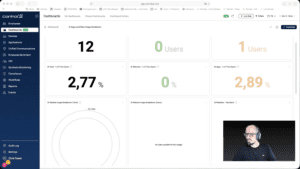
Read the entire article here...
Modifying the Analyze Logon Duration Script for JSON Output
A member asked for help with modifying the analyze logon duration script to output json instead of a text file. Another member offered a modified version from a year ago and will set a reminder to share it tomorrow, with the original use case being to send the data to CU4D for processing. The modifications are between lines 5017 and 5290, but a call can be arranged to simplify it if needed.
Read the entire article here...
Read the entire article here...
Creating Expressions and Dashboards in ControlUp
The user is inquiring about the creation of expressions in ControlUp, specifically trying to create a dashboard for CU customers. Another user suggests the use of CU Workflows to gather data and create custom indices for dashboarding. While a suggestion is made to potentially use Expert Builder, it is confirmed that this functionality is not available in filtering.
Read the entire article here...
Read the entire article here...
Monitoring NIC Dropped Packets in ControlUp
A user asked about viewing historical information for NIC dropped packets, but it is not stored in the historical database. They explored creating triggers to monitor it, but it did not seem to be the root cause. They ended the discussion wishing everyone a great day.
Read the entire article here...
Read the entire article here...
Understanding ControlUp Monitor Database and Query Options
There were questions about where the ControlUp monitor database is stored and what tables are available. It was suggested that the database is stored in RAM and data is only exported to the cloud backend for long enough. There were suggestions to use the powershell invoke-cuquery or api to query the database. It was also mentioned that the export-cuquery may have less impact on the monitor and export more data at a time.
Read the entire article here...
Read the entire article here...
Troubleshooting Location Issues in ControlUp
The team discusses a location issue, with one user's location showing up incorrectly. They speculate that the location may be based on the user's ISP address or obtained by the user's device. It is also mentioned that the red icon should show the location obtained by the user's device. The discussion does not provide a definitive solution.
Read the entire article here...
Read the entire article here...
Troubleshooting the SECOCL64.exe Crash in ControlUp.
The conversation on the company ControlUp discusses a crash occurring with the SECOCL64.exe application. Possible causes mentioned include a bug in the application binary, incompatible DLL injection, or a corrupt installation. It is suggested to check the event viewer, verify the installed version, and look for conflicting software. Other solutions suggested include reinstalling or repairing the application and checking for Windows updates. A custom dashboard will soon be released to make it easier to track crashes in an organization. It is also recommended to update audio drivers and disable DLL injections. Registries to enable crash dumps for SECOCL64 are provided for root cause proof.
Read the entire article here...
Read the entire article here...
How to Create Toast Notifications in CU VDI using PowerShell and ControlUp
A user is asking for help writing a trigger in CU VDI that alerts users to clean up their D drive. Another user suggests using PowerShell with BurntToast to create toast notifications, but notes that it must be run in the user's session. They provide several methods for doing so, including running in each user's session and creating a scheduled task. Another user suggests writing a script that runs on the monitor instead of the target machine and uses Invoke-CUQuery and Invoke-CUAction to get information and run the toast notification script on the user's session. They note that there are some nuances that need to be figured out and suggest using Get-CUAvailableActions to get the action ID of the toast script. A working example is requested.
Read the entire article here...
Read the entire article here...