
• Skip to primary navigation
  • Skip to main content
  • Skip to primary sidebar
  • Skip to footer
ControlUp Community

ControlUp Community

Connect, Learn, and Grow

  • Blog
  • Archives
  • Findings
  • Meetups
  • Videos
  • Events
  • Categories
    • ControlUp One Platform
    • ControlUp for Apps
    • ControlUp for Compliance
    • ControlUp Dashboards
    • ControlUp for Desktops
    • ControlUp for VDI
    • ControlUp Scripts & Triggers
    • ControlUp Synthetic Monitoring
    • ControlUp Workflows
  • Topics
    • Logos & Wallpaper
    • ControlUp.com
  • Join

Understanding ControlUp’s Device Health & Rightsizing Dashboard

Posted on April 7, 2026

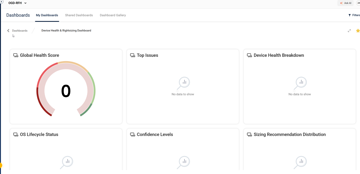
A question was asked about the Device Health & Rightsizing Dashboard and whether its time frame could be manually reconfigured. The response was no, as the backend automatically calculates data for the past 30 days. It is possible to make a request for this feature in the future. It was also clarified that the dashboard is not populated with data from multiple tenants. The AI assistant provides important information, including the fact that the dashboard shows data as soon as devices become active and the 30-day window is used for scoring and to smooth out daily fluctuations. Users are encouraged to use the Confidence Level filter for accurate recommendations.


Read the entire ‘Understanding ControlUp’s Device Health & Rightsizing Dashboard’ thread below:

The documentation shows that the Device Health & Rightsizing Dashboard works off a 30-day trailing window. Can this be manually reconfigured to a time frame we desire? If not is there plans to allow such action if desired?


no and no as far as I know, the calculation doesn’t happen on the fly when you open the dashboard but is done automatically in our backend. Feel free to open a feature request for it though


The dashboard is not populated with data in multiple tenants. Is this correct?

The AI assistant shows me the following.:

Key Takeaways

The dashboard doesn’t wait 30 days to show anything — data appears as soon as devices are active.

The 30 days refers to the maximum lookback window used for scoring; it smooths out daily fluctuations for more reliable recommendations.

Devices with very little usage (e.g., shared or rarely-used machines) may stay at "Insufficient data" longer simply because they don’t accumulate enough active session time.

• The Confidence Level filter at the top of the dashboard is your best indicator of data readiness — filter for High/Medium confidence to see actionable recommendations.
Continue reading and comment on the thread ‘Understanding ControlUp’s Device Health & Rightsizing Dashboard’.  Not a member? Join Here!


Categories: All Archives, ControlUp Dashboards

Ask Us Anything, Connect, Learn, and Grow with the ControlUp Community!

Login to the ControlUp Community to ask us anything, stay up-to-date on what’s new and coming soon and meet other like-minded techies like you.

Not already a member? Join Today!

Primary Sidebar

ControlUp Academy

Enroll in ControlUp Academy for expert-led technical training, equipping you with skills to effectively deploy, manage, and grow your ControlUp investment.

Learn here >

Rotating Images

Hidden Gem from our Community on Slack!

ControlUp Betas - What's Coming Next?
NEW ControlUp Features - Stay Up-to-Date!
ControlUp Scripts - Scripting, Zero to Hero
Latest KB Articles - Be the First to Learn

Video Tutorials Library

Visit our technical how-to videos, offering step-by-step tutorials on advanced features, troubleshooting, and best practices.

Watch here >

ControlUp Blog

Check out the ControlUp blog for expert advice and in-depth analysis.

Read here >

ControlUp Script Library

Visit the ControlUp technical script library, which offers a multitude of pre-built scripts and custom actions for your monitoring and troubleshooting requirements.

See here >

ControlUp Support

Visit the ControlUp support home and to delve deeper into ControlUp DEX solutions.

Browse here >

Footer


ControlUp Community
Of Techie, By Techie, For Techie!

Terms of Use | Privacy Policy | Security
Dive Deeper, Learn more at ControlUp.com

  • facebook
  • twitter
  • youtube
  • linkedin

© 2023–2026 ControlUp Technologies LTD, All Rights Reserved.

We use cookies to ensure that we give you the best experience on our website. by continuing to use this site you agree to our Cookie policy..