
A user asked about viewing installed store apps in ControlUp. Eugene mentioned that this is currently being worked on and may be included in the upcoming "Agent ONE" release. In the meantime, he suggested using a custom script to create and implement a custom index for reporting on store apps. The script was also shared for convenience.
Read the entire ‘How to View Installed Store Apps in ControlUp’ thread below:
Can CU see store apps that are installed
Even asked AI and this is what returns
New Outlook isn’t registered as a traditional installed app — this is expected, as it deploys as a Store/MSIX package
i want to see the outlook version thats install but if users are using the new version olk then we cant see it as an installed app ?
hey Eugene! not in the current SIP agent sadly. although, this is currently being worked on in our efforts to build "Agent ONE" – this was explicitly stated as an improvement. no solid release date on that one as of yet, but we should hopefully be expecting GA for this in the next couple months 🙂
if you need to get this working right now, you may be able to create and implement a custom script with detection logic surrounding this, then sending this into a new index to report/dashboard from.
@member this script you can use to make a custom index while waiting to be included
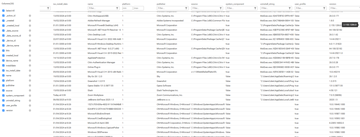
“`# ============================================================
Installed Applications Collector (Win32 + UWP)
– Console table
– JSON for SIP/Elastic
– CSV export
============================================================
Safe UTF8 handling
try {
[Console]::OutputEncoding = [System.Text.Encoding]::UTF8
} catch {
# Non-console host (service / scheduled task), ignore
}
Default/fallback install date
$global:default_date = [System.DateTime]::Parse("01/01/2000")
$global:dateFormats = @("yyyyMMdd", "dd/MM/yyyy")
————————————————————
Helpers
————————————————————
function Get-InstallDate {
param ($app)
$installDate = $default_date
$str_date = [string]$app.InstallDate
if ([string]::IsNullOrWhiteSpace($str_date)) {
$file = [string]$app.DisplayIcon
if ([System.IO.File]::Exists($file)) {
$installDate = [System.IO.File]::GetCreationTimeUtc($file)
} else {
$file = [string]$app.UninstallString
if ([System.IO.File]::Exists($file)) {
$installDate = [System.IO.File]::GetCreationTimeUtc($file)
}
}
} else {
$dt = $default_date
foreach ($format in $dateFormats) {
if ([System.DateTime]::TryParseExact($str_date, $format, $null, 0, [ref]$dt)) {
$installDate = $dt
break
}
}
}
return $installDate
}
function Get-InstalledAppInfo {
param ($app)
$AppInfo = [ordered]@{}
$AppInfo["name"] = [string]$app.DisplayName.Trim()
$AppInfo["version"] = [string]$app.DisplayVersion
$AppInfo["publisher"] = [string]$app.publisher
$installDate = Get-InstallDate -app $app
$AppInfo["installdate"] = $installDate.ToString("yyyyMMdd")
$AppInfo["iso_install_date"] = $installDate.ToString("O")
$AppInfo["source"] = [string]$app.InstallSource
$AppInfo["uninstall_string"] = [string]$app.UninstallString
$AppInfo["platform"] = 1 # Windows
$AppInfo["system_component"] = "false"
$AppInfo["user_profile"] = "false"
return $AppInfo
}
function Add-AppInfo {
param ($dictionary, $key, $value)
if (-not $dictionary.ContainsKey($key)) {
$dictionary.Add($key, $value)
}
}
————————————————————
Main dictionary
————————————————————
$InstalledApps = New-Object ‘System.Collections.Generic.Dictionary[string, psobject]’
———– Win32 apps (HKLM + HKU) ———–
$AppList = Get-ItemProperty HKLM:\Software\Microsoft\Windows\CurrentVersion\Uninstall* -ErrorAction SilentlyContinue
foreach ($app in $AppList) {
if ([string]::IsNullOrWhiteSpace($app.DisplayName)) { continue }
if ($app.PSObject.Properties.Name.Contains("ParentKeyName")) { continue }
$Key = [string]$app.PSChildName
$AppInfo = Get-InstalledAppInfo -app $app
$AppInfo["bits"] = "64"
$AppInfo["system_component"] = "true"
Add-AppInfo -dictionary $InstalledApps -key $Key -value $AppInfo
}
$AppList32 = Get-ItemProperty HKLM:\Software\Wow6432Node\Microsoft\Windows\CurrentVersion\Uninstall* -ErrorAction SilentlyContinue
foreach ($app in $AppList32) {
if ([string]::IsNullOrWhiteSpace($app.DisplayName)) { continue }
if ($app.PSObject.Properties.Name.Contains("ParentKeyName")) { continue }
$Key = [string]$app.PSChildName
$AppInfo = Get-InstalledAppInfo -app $app
$AppInfo["bits"] = "32"
$AppInfo["system_component"] = "true"
Add-AppInfo -dictionary $InstalledApps -key $Key -value $AppInfo
}
$hkUsers = [Microsoft.Win32.RegistryKey]::OpenBaseKey([Microsoft.Win32.RegistryHive]::Users, 0)
foreach ($userKey in $hkUsers.GetSubKeyNames()) {
if ($userKey.EndsWith("_Classes")) { continue }
if ($userKey.Equals(".DEFAULT")) { continue }
if ($userKey.StartsWith("S-1-5") -and (-not $userKey.StartsWith("S-1-5-21-"))) { continue }
$userAppPath = "Registry::HKEY_USERS\$userKey\SOFTWARE\Microsoft\Windows\CurrentVersion\Uninstall\*"
$userAppList = Get-ItemProperty -Path $userAppPath -ErrorAction SilentlyContinue
foreach ($app in $userAppList) {
if ($app -eq $null) { continue }
if ([string]::IsNullOrWhiteSpace($app.DisplayName)) { continue }
$Key = "$userKey-$($app.PSChildName)"
$AppInfo = Get-InstalledAppInfo -app $app
$AppInfo["bits"] = "64"
$AppInfo["user_profile"] = "true"
Add-AppInfo -dictionary $InstalledApps -key $Key -value $AppInfo
}
$userAppPath32 = "Registry::HKEY_USERS\$userKey\SOFTWARE\Wow6432Node\Microsoft\Windows\CurrentVersion\Uninstall\*"
$userAppList32 = Get-ItemProperty -Path $userAppPath32 -ErrorAction SilentlyContinue
foreach ($app in $userAppList32) {
if ($app -eq $null) { continue }
if ([string]::IsNullOrWhiteSpace($app.DisplayName)) { continue }
$Key = "$userKey-$($app.PSChildName)"
$AppInfo = Get-InstalledAppInfo -app $app
$AppInfo["bits"] = "32"
$AppInfo["user_profile"] = "true"
Add-AppInfo -dictionary $InstalledApps -key $Key -value $AppInfo
}
}
———– UWP / AppX apps ———–
$AppxApps = Get-AppxPackage -AllUsers -ErrorAction SilentlyContinue | ForEach-Object {
$installDate = $default_date
if ($_.InstallDate) { $installDate = $_.InstallDate }
elseif (Test-Path $_.InstallLocation) { $installDate = (Get-Item $_.InstallLocation).CreationTimeUtc }
[ordered]@{
name = $_.Name
version = $_.Version.ToString()
publisher = $_.Publisher
installdate = $installDate.ToString("yyyyMMdd")
iso_install_date = $installDate.ToString("O")
source = $_.InstallLocation
uninstall_string = ""
platform = 1
bits = ""
system_component = "false"
user_profile = "true"
}
}
$i = 0
foreach ($app in $AppxApps) {
$Key = "UWP-$i"
Add-AppInfo -dictionary $InstalledApps -key $Key -value $app
$i++
}
————————————————————
Console output
————————————————————
Write-Host "`n=== Installed Applications (Readable View) ===" -ForegroundColor Cyan
Write-Host "Found $($InstalledApps.Count) applications (Win32 + UWP)." -ForegroundColor Yellow
if ($InstalledApps.Count -gt 0) {
$InstalledApps.Values |
ForEach-Object { [PSCustomObject]$_ } |
Sort-Object name |
Select-Object name, version, publisher, bits, installdate, user_profile, system_component, source |
Format-Table -AutoSize
} else {
Write-Host "⚠️ No installed applications detected." -ForegroundColor Red
}
————————————————————
JSON output for SIP / Elastic
————————————————————
Write-Output "`n### SIP DATA BEGINS ###"
$InstalledApps.Values | ConvertTo-Json -Compress -Depth 4
Write-Output "### SIP DATA ENDS ###"
————————————————————
Export to CSV
————————————————————
$csvPath = "C:\Temp\InstalledApps.csv"
try {
$folder = Split-Path $csvPath -Parent
if (-not (Test-Path $folder)) {
New-Item -ItemType Directory -Path $folder -Force | Out-Null
}
$InstalledApps.Values |
ForEach-Object { [PSCustomObject]$_ } | # flatten OrderedDictionary
Sort-Object name |
Export-Csv -Path $csvPath -NoTypeInformation -Encoding UTF8
Write-Host "✅ Exported Installed Apps to $csvPath" -ForegroundColor Green
}
catch {
Write-Host "⚠️ Failed to export to CSV: $($_.Exception.Message)" -ForegroundColor Red
}“`
Continue reading and comment on the thread ‘How to View Installed Store Apps in ControlUp’. Not a member? Join Here!
Categories: All Archives, ControlUp Dashboards, ControlUp for Desktops, ControlUp Scripts & Triggers