
There is an issue with Dashboard permissions – Editor role functions as intended, but Viewer role lacks necessary permissions to view data in dashboards. No unexpected permissions in either role. Support ticket may need to be opened to investigate further and collect a HAR file for DEX login process.
Read the entire ‘Issues with Dashboard Permissions’ thread below:
We have a small issue with the Dashboards permissions.
In our organisation we have 2 specific Dashboard roles, Editor, Viewer
They do however not work as we intend.
The Editor role has all the available permissions (View custom, Edit Custom, Edit Organizational) and works fine.
The Viewer role only has View custom.
This is however not enough as users with the Viewer role cannot se the data in the dashboards, ONLY if we also assign Edit Custom is the user able to view the data.
Have others experienced this and is it a known bug.
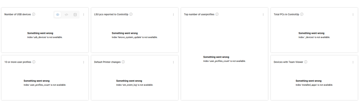
Hi Carsten, I hope you are well. By chance does the editor role also give more permissions on the CU4D side? That specific error indicates the user isn’t seeing several indexes when we request it from CU4D.
No other permissions.
If we just add the editor permission to the Viewer role, data is available, but also the ability to create your own dashboards.
We would very much like the viewer role to be just that, only able to view shared dashboards
We may need a support ticket to keep investigating as the expected behavior is the viewer role allows you to view the actual dashboards but doesn’t gate product level permissions (Desktops). When you open a support case, can you collect a HAR file of the full DEX login process, then opening the dashboard?
Send me a PM if you have further questions!
Continue reading and comment on the thread ‘Issues with Dashboard Permissions’. Not a member? Join Here!
Categories: All Archives, ControlUp Dashboards