
A user asked about logging for ControlUp triggers. Other users recommended checking the incidents pane and audit log for information, as well as looking into Windows events for SBA. One user suggested creating a trigger to email when a trigger does not run for easy tracking.
Read the entire ‘Managing ControlUp triggers and logging information’ thread below:
ok, love triggers, and SBA’s off those triggers, but I really need to have some logging. is there a place to see if a trigger was triggered or some way to know why it may not have triggered?
The incidents pane in the RTC and the audit log in DEX.
But those just show what trigger fired, not why one might not have fired.
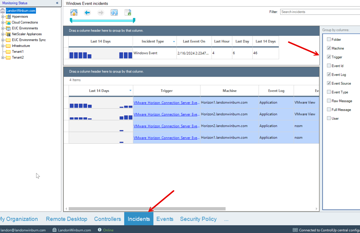
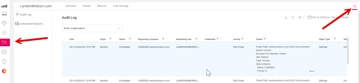
and not scheduled triggers right?
also u have windows events for SBA i think they are ID 5000 and 5005
oh nice. thanks guys. ill check this out
I suggest to also write an event in application log when a trigger fires. Makes it also quite easy to see if it ran…
You can then go further and create a trigger that emails you if a trigger not ran 🙂
Continue reading and comment on the thread ‘Managing ControlUp triggers and logging information’. Not a member? Join Here!
Categories: All Archives, ControlUp Scripts & Triggers