
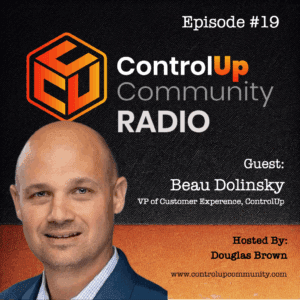
Tune in to Episode #19 of ControlUp Community Radio, where host Douglas Brown interviews Beau Dolinsky, Vice President of Customer Experience at ControlUp. Beau shares insights from his impressive career, including roles at Citrix and Zoom, and discusses his passion for creating exceptional experiences.
Beau emphasizes the value of a “customer-obsessed” culture, detailing how addressing customer pain points and actively incorporating feedback can significantly reduce churn and enhance overall satisfaction.…
Read the entire article here...
Zoom Related Training & Support Archives
Zoom training and support-related archives from inside the ControlUp Community on Slack.
Using Synthetic Monitoring to Monitor External Services, URL Recommendations from ControlUp Members
Members discuss using synthetic monitoring to monitor external services such as Zoom, Telegram, Discord, and Slack. They mention the benefits of receiving alerts for service outages, and the need to determine reliable URLs for monitoring. Netify.ai's list of applications with their corresponding URLs is suggested as a starting point. There is also a mention of possibly bundling apps to streamline the process.
Read the entire article here...
Read the entire article here...
Understanding the Installed Apps Report on ControlUp’s DEX Portal
A user asked if the DEX portal's installed apps report gathers info on per user installs. Another user was unsure and asked for clarification from a member involved with report descriptions. The answer is that the report shows both per user and system-wide installs, and the user can use filters to sort through the data. Citrix Published apps are also included in the report.
Read the entire article here...
Read the entire article here...
Troubleshooting the ControlUp Onboarding Process
Users discuss the onboarding process for ControlUp, particularly creating app groups which may not have occurred automatically for some users. The onboarding wizard may need to be manually triggered and there is currently no easy restart option. An offer is made for assistance through a zoom call. The issue seems to be known and will be fixed in a future update. Note: previous instructions directed at by @member and @member.
Read the entire article here...
Read the entire article here...
Troubleshooting Duplicating Monitors in ControlUp Solve
Monitors are occasionally duplicating in Solve under the Machines node. A known bug in 9.0.0, this issue was improved in 9.0.5 but may not be fixed completely until 9.1. @member is currently working on resolving known bugs for this feature and is willing to troubleshoot the issue together. It's recommended to upgrade to the latest 9.0.5 build to potentially resolve some of the issues. The duplicating monitors may be more than just a visual quirk, but it's assigned to a specific role and doesn't affect other functionality.
Read the entire article here...
Read the entire article here...
Analyzing Windows Shell and Active Setup to Improve Performance
A question was raised about improving performance by zooming in on Windows Shell and Active Setup after analyzing logon duration. A blog post shared by a member titled "ControlUp: Analyze Logon Duration after hours" may provide further insights. The URL for the blog post is https://www.controlup.com/resources/blog/controlup-analyze-logon-duration-after-hours-an-extended-webinar-qa/
Read the entire article here...
Read the entire article here...
Troubleshooting ControlUp Error Message
The team discussed an error message that was appearing when trying to access ControlUp. It was suggested to check the URLs needed to access the service, SSL inspection, and network communication. Some URLs required for v9 may need to be whitelisted. A tool was released to test network connectivity to ControlUp cloud services. The URLs and relevant validation results can be found at https://support.controlup.com/docs/how-to-check-network-connectivity-to-controlup-cloud-services?highlight=netwrok%20test%20tool.
Read the entire article here...
Read the entire article here...
ControlUp Remote Shell Screen Discussion
A discussion took place about the remote shell screen in ControlUp - one user suggested adding an option for customizing the screen size. It was mentioned that the screen size can be adjusted through resolution or using the zoom button. The function works well with remote control from Mac to Windows or Linux, and also from Windows to macOS. However, some users experienced a fixed screen size depending on their resolution.
Read the entire article here...
Read the entire article here...
Understanding Auto-Remediate Feature in ControlUp
A user asked about the auto-remediation feature and questioned if it had patched their Zoom version, wondering where to find logs and traces. A ControlUp representative confirmed the feature works for both CVE and 3rd party applications, and directed the user to a video demonstration and price inquiries to sales. The feature and its benefits are also discussed. The video can be found at https://vimeo.com/926561424.
Read the entire article here...
Read the entire article here...
Troubleshooting High Peak User Input Delays in ControlUp
A user asked for recommendations to diagnose high Peak User Input Delays. Another user suggested zooming in on the time of the delay and checking memory usage. They also shared how to find information on what application is slow to respond to user input. The discussion then focused on how to identify the cause of a slow application, often due to resource constraints. The team provided examples, such as MMCexe processing event logs, and suggested that more resources may not always solve the issue.
Read the entire article here...
Read the entire article here...