
A user asked for assistance in getting past a screen when trying to deploy to a pilot group. They had set up extension deploy to a tag and enabled the Application module in settings. Another user suggested checking settings and opening a support ticket if needed. Eventually, the issue was resolved without any action from the user.
Read the entire ‘Troubleshooting Deployment Issues with ControlUp’ thread below:
I feel like I’m missing something here – how do I get past this screen?
I don’t want to deploy to all devices – just a pilot group. I’ve setup extension deploy to a tag, and can see the extension on the pilot device. I’ve enabled the Application module in settings.
Everytime I reload this page its all I get. What’s next?
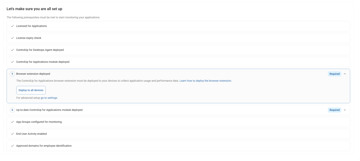
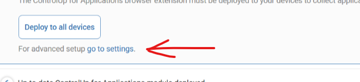
You should do to settings and setup for your pilot group. If it is getting stuck hear then please open a support ticket
Thanks Luke – I did nothing, and it just started working 🤷
it was probably delayed in the extension been deployed for some reason would be my guess
Continue reading and comment on the thread ‘Troubleshooting Deployment Issues with ControlUp’. Not a member? Join Here!
Categories: All Archives, ControlUp for Apps