
A user asked if there is a way to hide device location information on ControlUp from certain users or groups. Another user suggests checking if the setting is turned off for the group, while a third user advises checking with someone from ControlUp before changing any settings. The location information can be found under Settings > Agent > Extended Settings.
Read the entire ‘How to Hide Device Location Information on ControlUp’ thread below:
Hey everyone, before I submit a feature request I’m really hoping there’s already a way to handle this. In our organization we must hide the location of our devices from the majority of users who will have access to ControlUp. It’s a privacy requirement, and while I don’t have all the details behind it, it’s nonnegotiable.
Is there a way through RBAC to hide device location information from certain users or groups? I’ve looked around but haven’t found an obvious setting, though it’s possible I’m just not looking in the right place.
@member, check if this is turned off for the group ?
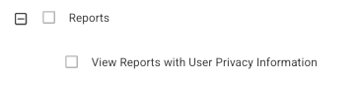
I’ll try shortly. I’m referring to the Devices landing page where the map shows the degices location.
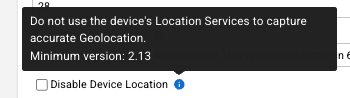
Or you need to turn this on but that will be then for all your devices

Where is this setting located?
Settings (Top right corner) – Then click settings on the left -> Agent -> Extended Settings
But first check with someone from CU before you turn it off
Continue reading and comment on the thread ‘How to Hide Device Location Information on ControlUp’. Not a member? Join Here!
Categories: All Archives, ControlUp for Desktops