
Users discussed an issue with Workflows in ControlUp. While there have been successful runs, the Flows page still shows a failure status. Some users attempted to solve the issue by cloning workflows. The issue is being experienced by multiple users.
Read the entire ‘Troubleshooting issue with Workflows in ControlUp’ thread below:
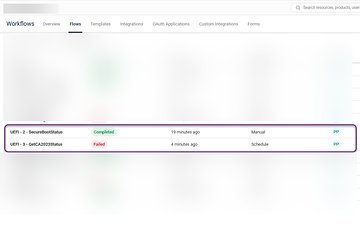
Has anyone run into an issue with Workflows not providing an accurate status? I have some flows I depend on for a project and they all say failure (they all failed a few nights ago.) but there has been successes since then. The only way I can tell if they succeeded is if I go into the run history.
are you able to see the reason that reason for the failure? When the workflows fails are you getting the correct Failed status in the overview page?

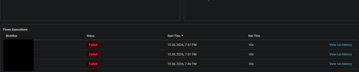
I figured out the failure. What I can’t figure out is when I runs successful it still shows a failure on the Flows page.
Tried cloning two of my workflows. Hoping that the cloned workflows would display clean statuses. It worked for one but not the other.
On the Overview Page, it shows accurately, but on the Flows page

Continue reading and comment on the thread ‘Troubleshooting issue with Workflows in ControlUp’. Not a member? Join Here!
Categories: All Archives, ControlUp Workflows