
Members of ControlUp discussed the use of workflows, templates, and importing libraries for automation. One user wanted clarification on how variables work, specifically how to access data generated by other nodes. Another user shared an example using the {{Start.event.associated_id}} variable. They also mentioned the ability to use data from multiple nodes, such as the start node and the List Devices node.
Read the entire ‘Understanding Variables in ControlUp Workflows’ thread below:
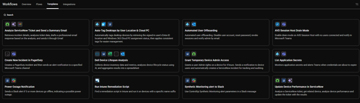
Hi. I can foresee that workflows will be an amazing tool. Are there any examples out there or libraries I can import from?
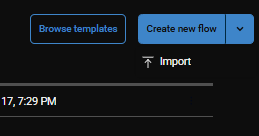
Hi @member we do have the template section which would be the current equivalent of libraries and the ability to import already. Could you expand more on what you would need.
Cc @member
I’m interested in examples of how variables work etc. Im trying to create a flow to check for 365 licenses and remove them but the variables are a bit confusing
Thanks Paul @member @member @member would prob be the best to answer this.
I don’t use the formal "set variables" node.
I assume when you say variables, you mean how do I access data generated by other nodes. For example this flow.
It starts with a listener, some event happens. In my case an alert is triggered.
I do not use input, global or output variables.
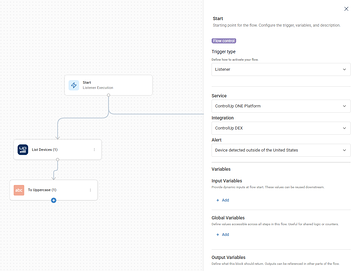
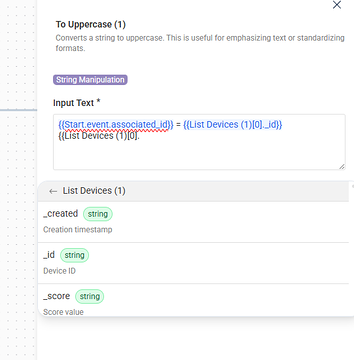
I do use {{Start.event.associated_id}} in the next node. Which is referring to the start node. More specifically the associated ID property of the event property.
So why do I know I can use {{Start.event.associated_id}}? Because I ran a test run and looked at the details.
This will also enable the variables button to auto complete for you.
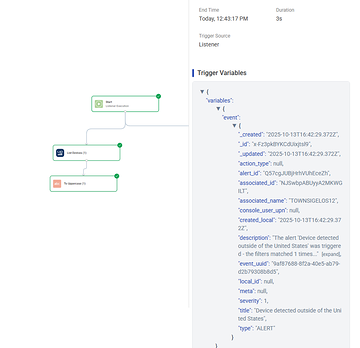
Same concept with the List Devices node.
I can access both the data from the start node and the outcome from the List Devices node.
Continue reading and comment on the thread ‘Understanding Variables in ControlUp Workflows’. Not a member? Join Here!
Categories: All Archives, ControlUp Scripts & Triggers, ControlUp Workflows