
A user requested help in narrowing down the results of their session activity report to only show users who have launched a VDI session, and received suggestions to use a Powershell script. The script was provided and instructions on using it for Citrix platforms can be found at the given URL. The script can be modified for different timeframes and export locations.
Read the entire article here...
ControlUp Scripts & Triggers Training & Support Archives
ControlUp Script and Trigger training and support-related archives from inside the ControlUp Community on Slack.
Can you Monitor Linux for Instant Clones with ControlUp?
A customer had an issue with configuring ControlUp for Linux instant clones. It was determined that Linux support for VDI is not currently available. The agent can be installed directly from the command line, but currently there is no option to register by device name. ControlUp for Desktops (CU4D) is used for monitoring Linux devices, but not for master image or instant clones scenarios. The customer was informed that this is a feature question on the roadmap, but no timeline is available yet.
Read the entire article here...
Read the entire article here...
Big News: ControlUp Expands AI Leadership with Unipath Acquisition
Today, ControlUp announced the strategic acquisition of Unipath, an AI-powered security automation and SOAR platform.
Read the entire article here...

Read the entire article here...
ControlUp Releases NEW Live Remote Management
ControlUp is happy to announce Live Remote Management, a new capability in the ControlUp Platform that adds true, on-demand, real-time visibility and control across endpoints.
Read the entire article here...

Read the entire article here...
Assigning Multiple Triggers for a Script in ControlUp
A question was asked about assigning multiple triggers to one script. The solution was found to use Workflows or admin can directly do it in Devices.
Read the entire article here...
Read the entire article here...
Introducing ControlUp’s Secure Boot Migration Dashboard
A member shared a new dashboard for tracking the Windows Certificate Secure Boot Migration, with feedback being welcome. Deployed and tested in their own environment with success. A screenshot of the dashboard was requested for privacy.
Read the entire article here...
Read the entire article here...
ControlUp DEX Portal: Missing Features and Limitations
A discussion about the missing features and limitations of the DEX Real-Time Portal compared to the classic ControlUp Real-Time Console. Users share their experiences and preferences, including the ease of reading and filtering events and the lack of real-time data in the DEX portal. Some suggest separating data into different tabs for better troubleshooting, while others note that some columns in DEX show no data for the same server. A suggestion is made for a session with the product manager to improve understanding and workflow of the DEX portal.
Read the entire article here...
Read the entire article here...
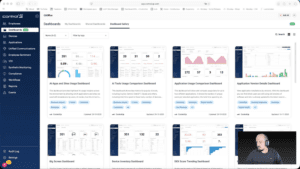
Widget Wednesday #7: Using DEX Score Trending to Spot Problems Before Users Feel Them
In this episode of Widget Wednesday, Chris Twiest walks through the DEX Score Trending Dashboard and shows how it helps surface device performance issues before they turn into widespread employee experience problems inside ControlUp.
Read the entire article here...
Read the entire article here...
Improving Granularity in Script Access with DEX RBAC and Platform Tagging
Multiple users shared their struggles in effectively organizing script access, with one suggesting the use of DEX RBAC and the new platform tagging system to improve granularity. The ControlUp team will discuss this internally.
Read the entire article here...
Read the entire article here...
Setting Up a File-Triggered Maintenance Mode in ControlUp
A question was asked about creating a trigger that would monitor a file on a server and put the server into maintenance mode if it does not exist. The response suggested using a scheduled trigger with a PowerShell script to check the file's presence. The suggested script can be found at \\SERVERNAME\Core\ControlUpFileShareTest.txt and can be run with the command "powershell.exe -file c:\tech\scripts\find_files.ps1."
Read the entire article here...
Read the entire article here...