
A user requested assistance for creating an advanced trigger in ControlUp. The trigger is in the "general" pack of the trigger packs knowledge base and can help release resources if a user has not been active on a machine for a day or two. The user was provided with a link to the relevant trigger in the knowledge base.
Read the entire ‘How to Create an Advanced Trigger in ControlUp?’ thread below:
Hi, I need help with creating an advanced trigger where if user sessions have changed to "Disconnected" and there are no processes running on the machine for a day or two, a log off action should be taken on those machines. Basically we are trying to release resources if user has just connected to machine and not doing anything on it. Any help or pointers will be highly appreciated.
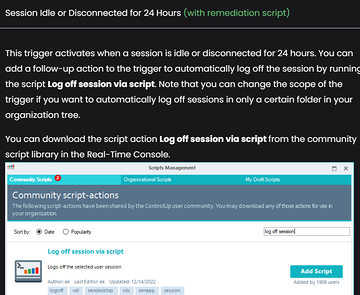
We have our triggers packs KB that has this trigger in the general pack. This should address the issue you are referring to above.
https://support.controlup.com/docs/trigger-packs?highlight=triggers#general
Continue reading and comment on the thread ‘How to Create an Advanced Trigger in ControlUp?’. Not a member? Join Here!
Categories: All Archives, ControlUp for VDI, ControlUp Scripts & Triggers