
Multiple users discussed issues with triggers, specifically the event log trigger causing an error message and items getting stuck in the monitor queue. Suggestions were made to check the machine column in the incidents pane, clear the queue or restart the monitor service. It was also mentioned to check and possibly increase the MaxAutoExecQueueSizeTotal and MaxAutoExecQueueSizeTarget settings. A ControlUp team member offered to look into the issue further.
Read the entire article here...
Automation Related Training & Support Archives
Automation training and support-related archives from inside the ControlUp Community on Slack.
Automation Help for DX Mac Agent Deployment in Intune
A user is seeking help with automating the deployment of DX Mac Agent in Intune. Another user offers a script from a customer, with the tenant and device registration code needing to be specified on lines 10 and 11. Additional instructions for scripted deployment of the Mac Agent Manager are provided, with a note that this should only be used for fresh installs.
Read the entire article here...
Read the entire article here...
Troubleshooting ControlUp Advanced Session Triggers
A user is looking for a way to have a Citrix virtual machine with ControlUp Agent detect if the launching machine does not have ControlUp Remote DX installed. They set up an Advanced Session Trigger with a filter for the Remote DX version, but it did not trigger as expected. Others suggest using the User Logged On trigger instead and making sure all machines are on the latest version of Remote DX. One user is testing this and will update later. However, there may be an issue with the Advanced Session Trigger not recognizing the Account Name and may need to be addressed with ControlUp support.
Read the entire article here...
Read the entire article here...
Enabling Idle to Disconnect Feature in ControlUp
A user asked about the idle to disconnect feature in ControlUp and how to enable it on a specific set of servers. Another user shared that these triggers can be found under the triggers tab and can be enabled by downloading the required scripts. A blog article was also shared about ControlUp's automation and resource optimization features. One user mentioned that it should work in Horizon without any issues.
Read the entire article here...
Read the entire article here...
ControlUp Community Radio Episode #8 – A Conversation with Guy Leech, CTP, MVP & VIPP
Join us in Episode #8 of ControlUp Community Radio, where your host, Douglas Brown, welcomes Guy Leech, a distinguished CTP, MVP, and VIPP.
Read the entire article here...

Read the entire article here...
Efficient Deployment Strategies for ControlUp Users
Members of the ControlUp team discussed how to handle deployment scripts requiring an install file or certificate. Suggestions included using a shared location or a platform such as MS Intune/SCCM, although issues with Edge DX were noted. Another option would be to manually install through remote control, but automation is preferred. Some members have found success with using workarounds involving Google Drive and PowerShell scripts.
Read the entire article here...
Read the entire article here...
ControlUp Community Radio Episode #7 – Conversation with Ryan Ververs-Bijkerk & Eltjo van Gulik from Go-EUC.com
In Episode #7 of ControlUp Community Radio, Douglas Brown interviews Ryan Ververs-Bijkerk and Eltjo van Gulik from Go-EUC.com. This podcast delivers an in-depth view of end-user computing (EUC), focusing on the contributions and discoveries of GO-EUC, as well as a thorough examination of user experience and remoting protocols like HDX and ICA.
Read the entire article here...

Read the entire article here...
Generating Daily Unregistered Citrix VM Report from ControlUp
A user asked if it's possible to generate a daily report of unregistered Citrix VMs from ControlUp. Another user responded that it can easily be exported using the PowerShell module and further detail was provided. Automation is also possible through a scheduled trigger or SBA. A script in the library was mentioned but the first user was recommended to use the new script. Steps for running the script and setting up automation were detailed.
Read the entire article here...
Read the entire article here...
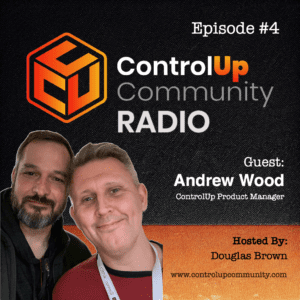
ControlUp Community Episode #4 – Conversation with Andrew Wood, ControlUp Product Manager
In this dynamic episode of ControlUp Community Radio, host Douglas Brown engages with Andrew Wood, a seasoned EUC industry expert who recently embarked on a new journey as a Product Manager at ControlUp. Their conversation, rich with laughter and insights, delves into a broad spectrum of topics, highlighting Andrew's extensive experience and the evolving landscape of end-user computing (EUC).
Read the entire article here...
Read the entire article here...
Solving Issues with the ControlUp Monitors Role
A user was experiencing issues with their security policy graying out the ControlUp Monitors role, preventing access to agents. KB article on security best practises was suggested, along with adding the service account to an appropriate role. It was noted that 8.8 On-Prem was released, containing the bugfix, and that the user would be sent a download link. Release notes were also provided.
Read the entire article here...
Read the entire article here...