
When troubleshooting issues with ControlUp endpoint installations where the Agent Manager installs correctly but additional components like SIP, EdgeDX, or Remote DX do not, the primary locations for diagnostic information include the Windows Event Viewer (Application logs) and the folder at C:\ProgramData\ControlUp\Logs. However, users have reported that this logs folder might sometimes exist but be empty, making Event Viewer logs the primary source for troubleshooting.
One potential root cause identified is related to the Version Control settings in the ControlUp portal. These settings can delay or prevent the deployment of additional components beyond the Agent Manager. Verifying and adjusting the Version Control configuration is recommended to ensure it is not interfering with installation timing.
Besides configuration settings, antivirus or endpoint security solutions frequently interfere with ControlUp installations. It is important to check that all ControlUp-related folders and files are excluded from real-time scanning and quarantine, as security software blocking these files can halt installation progress without clear error messages.
Another consideration is the deployment method used for Remote DX, which differs from the Agent Manager and may require separate deployment steps or tools. This factor should be verified, especially in complex or staged deployments.
While there is an MSI installer log that could provide more detailed insights and may reside under the ControlUp program data path, its location and availability may vary based on setup. Users are advised to consult the ControlUp documentation on Version Control and agent deployment for the latest guidance. If further help is needed, providing Event Viewer logs, any available installation logs, and screenshots of Version Control settings to ControlUp support will facilitate resolution.
For more details on controlling agent versions and deployment, see the official ControlUp documentation at https://support.controlup.com/docs/agent-version-control.
Read the entire article here...
ControlUp Insights Related Training & Support Archives
ControlUp Insights training and support-related archives from inside the ControlUp Community on Slack.
Automating Quarterly VDI “Unique Users” Reports with ControlUp Workflows and Custom SQL Queries
A common request in VDI environments is automating the generation and distribution of quarterly reports that include metrics such as "Unique Users" along with detailed user session data. One such use case involves producing an Excel (CSV/XLSX) report that captures the list of users who logged into the VDI environment during the previous quarter and sending it automatically to management via email.
ControlUp does not offer a direct, out-of-the-box report that automates this exact task with both unique user counts and full session data in one export, nor does it natively support emailing such reports on a quarterly schedule through the product UI alone. However, this requirement can be addressed using ControlUp’s extensibility and automation features, particularly by leveraging ControlUp Workflows and custom SQL queries within the ControlUp Insights platform.
One practical implementation involves creating a custom SQL query that extracts user session activity data—such as usernames and counts of sessions per user over the desired interval. This query can be run on a schedule aligned to quarters. The results are then exported into Excel format using the Microsoft Excel integration available within ControlUp Workflows. An automated workflow can then use the Microsoft Outlook integration to send the generated report via email to predefined recipients at the beginning of each quarter, with the data covering the previous quarter.
A useful example comes from a community user who adapted the "Device Inventory Report to Email" workflow template for their use case. They included a custom SQL query to capture user session activity over the last set number of days, generating a report of users and their session counts. This workflow creates a document (Excel file) and attaches it in an email sent automatically to recipients whose addresses are stored in a global variable, enabling easy customization of distribution lists. This approach requires the integrations of ControlUp for VDI, Microsoft Excel, and Microsoft Outlook to function smoothly.
While this method does not currently exist as a pre-built ControlUp dashboard or report that directly sends emails on a quarterly schedule, using the powerful combination of custom SQL queries, Workflows automation, and Office integration provides a viable and robust solution. For organizations that cannot utilize AI assistance due to policy restrictions, this approach offers a fully scriptable, controlled, and customizable method to achieve the quarterly "Unique Users" report and distribution goal without manual intervention.
ControlUp customers interested in implementing such solutions can explore the ControlUp Workflows feature, the SQL Query Editor in ControlUp Insights, and the email and Excel integrations detailed in the ControlUp documentation and the ControlUp Academy tutorials at https://academy.controlup.com. Additionally, the official workflow templates available in the ControlUp Console or downloadable from the ControlUp community can form a good starting point for customization.
Read the entire article here...
Read the entire article here...
Analyzing User Login Time Trends Using ControlUp’s Session Activity Report and AI Tools
Analyzing login time trends for a large number of users over a specific period can be efficiently accomplished using ControlUp's Session Activity report. This report provides detailed historical data on user sessions, including logon durations, which are essential for identifying performance trends.
**Accessing and Exporting Session Activity Data**
To begin, navigate to the Session Activity report within ControlUp. This report offers various grid presets, such as Session Activity, Session Resources, and Session UX, each displaying different metrics related to user sessions. For analyzing login times, the Session Activity preset is most relevant. ([support.controlup.com](https://support.controlup.com/docs/user-sessions-activity-report?utm_source=openai))
Once you've selected the appropriate preset, you can export the data to a CSV file for further analysis. Click the download icon at the top-right corner of the report page to open the Export Report window. Choose CSV as the format and specify the desired time range. After configuring the export settings, click Download to generate the CSV file. ([support.controlup.com](https://support.controlup.com/docs/export-to-csv?utm_source=openai))
**Analyzing Login Time Trends**
With the exported CSV file containing session data, you can analyze login time trends using various tools. For instance, importing the CSV into AI platforms like Claude, Gemini, or ChatGPT can facilitate the analysis of logon duration trends over the past weeks. These AI tools can process the data and provide insights into performance patterns, helping to identify any anomalies or areas for improvement.
**Utilizing ControlUp's AI Assistant**
Alternatively, ControlUp offers an AI Assistant integrated into its platform, designed to assist with IT operations tasks. This AI Assistant can interpret natural language queries and execute complex actions, such as analyzing performance metrics and generating reports. By leveraging this feature, you can streamline the process of monitoring and analyzing login times for multiple users. ([support.controlup.com](https://support.controlup.com/docs/ai-assistant?utm_source=openai))
By following these steps, you can effectively monitor and analyze login time trends for a large user base, enabling proactive management of user experience and system performance.
## Highlights:
- [ControlUp snaps up Unipath to broaden AI capabilities](https://www.itpro.com/business/acquisition/controlup-snaps-up-unipath-to-broaden-ai-capabilities?utm_source=openai), Published on Monday, February 02
Read the entire article here...
Read the entire article here...
Efficiently Combining and Processing Large Index Datasets in ControlUp Workflows Without Native Loop Constructs
A community member faced challenges building a workflow in ControlUp to combine two indexes dynamically for a nightly dashboard summarizing the previous day’s environment status. The primary difficulties arose from limitations in the workflow engine compared to PowerShell scripting, particularly related to looping constructs, array size management, and efficient data handling. Attempting to accumulate all data into a single large array caused performance degradation, and efforts to split data handling into groups of 100 records ran into issues because workflows lacked a traditional for-loop or the ability to reinitialize variables inside loops.
ControlUp experts clarified that appending to arrays in loops is generally inexpensive, but performance issues often stem from JSON modification or calculation nodes that operate on the entire array each iteration. Instead of keeping large arrays in memory, a recommended pattern is to flip the subflow logic: allow the subflow to write records directly to the target custom index and return no data to the main flow. The main flow can paginate data requests using Get Custom Data (which supports paging via from/size parameters), looping over pages where each subflow processes one page end-to-end, avoiding large in-memory arrays and reinitialization challenges.
To emulate traditional loop behavior, a “fake while loop” workaround was suggested by creating a dummy array representing the number of iterations desired (e.g., 20), then looping over that array. Combined with OpenSearch’s partitioning (`include > partitions` and `include > num_partitions`), this approach divides large datasets into manageable buckets processed in separate iterations. The configuration can be sized to match the environment—for example, capturing 4,000 records per iteration across 20 iterations to cover up to 80,000 results, adjustable as needed.
A practical example from the discussion involved combining device data from two ControlUp indexes: one filtering Windows devices by specific event logs, and the other fetching device information filtered by the extracted device IDs. Merging these on the device ID with the "Preserve structure from: both" option enabled results in a unified dataset ready for further processing or custom indexing. This workflow ran efficiently in about four seconds on test data. To control data volume, filtering steps were added to isolate devices exhibiting significant event counts (e.g., more than 5 events in 24 hours), which reduced processing load while focusing on impactful network issues.
The conversation highlighted the current lack of a native "for" loop feature in ControlUp workflows, but noted this capability is planned for future releases. Meanwhile, users can leverage paging, subflows writing directly to indexes, and OpenSearch partitions to manage large datasets effectively. Per-iteration writes to custom indexes are feasible if API rate limits and retry logic are properly handled. For large data reads, Get Custom Data is preferred over Get Data Index because of its paging capabilities. These insights provide a reliable framework for users needing to aggregate and analyze dynamic multi-index data in ControlUp workflows while balancing performance and complexity.
For additional guidance on ControlUp workflow nodes and custom data handling, refer to ControlUp’s official knowledge-base and documentation at https://docs.controlup.com and https://cuacademy.controlup.com.
Read the entire article here...
Read the entire article here...
Understanding the Absence of Window Title Data in ControlUp’s app_focus Index with End User Activity Module Enabled
In ControlUp's app_focus index, users may notice that the Window Title column does not populate any data despite the End User Activity module being enabled. This was raised by a community member whose security team was interested in accessing window title information for monitoring purposes. The inquiry sought to clarify whether this behavior is expected or if the Window Title should be displaying active window titles as part of its collected data.
Upon investigation, it appears that this behavior reflects a current limitation within the product rather than a configuration issue. The absence of window title data in the app_focus index under the End User Activity module is identified as a gap in functionality. No special settings or additional steps are needed to enable this feature presently because it is not yet supported.
ControlUp's support team acknowledged this shortfall after a preliminary check and initiated the process to address it via a support ticket, indicating the company's commitment to enhancing the module to meet user needs in the future. For now, users requiring detailed window title data for security or monitoring purposes will need to consider this limitation.
For further insights on the End User Activity module and its current capabilities, users can consult the official ControlUp documentation at https://docs.controlup.com or reach out to ControlUp support for updates on feature enhancements.
Read the entire article here...
Read the entire article here...
ControlUp Community Meetup #17 — ControlUp AI: How It Works, Where It Helps, and What’s Coming
Our latest ControlUp Community Meetup recording is live. Shay Dezaldety breaks down the ControlUp AI Assistant: how it picks the right tools and data from your environment, how RBAC and approval gates keep admins in control, and a live demo troubleshooting poor digital experience, memory and Wi-Fi issues, and BSOD remediation. Copilot, not autopilot.
Read the entire article here...

Read the entire article here...
How to Monitor Hyper-V Hosts in ControlUp After Migrating from ESX
When transitioning from VMware ESX to a Hyper-V environment for Citrix, monitoring Hyper-V hosts through the ControlUp Management Console requires a different setup than for ESX hosts. Unlike ESX, which can be monitored directly once properly connected, Hyper-V monitoring in ControlUp necessitates deploying the ControlUp agent on each Hyper-V host. This agent installation allows ControlUp to gather detailed performance and health data from the Hyper-V hypervisors.
A common issue encountered during this transition is that ControlUp might mistakenly identify a few virtual machines as Hyper-V hosts instead of the actual hypervisor servers. This usually happens if the agents are not installed on the Hyper-V hosts themselves, or if the connection configuration is not correctly set up for Hyper-V clusters. Therefore, simply having the hypervisor hosts visible in the environment without the agent does not provide full monitoring capabilities.
To properly monitor Hyper-V clusters with ControlUp, administrators should follow the official guidance for connecting to Hyper-V hypervisors. The key step is to deploy the ControlUp agent on every Hyper-V host within the clusters. This enables comprehensive visibility into the hypervisor layer similar to what was available for ESX hosts. Detailed instructions and best practices for this process can be found in the ControlUp documentation at https://support.controlup.com/docs/connect-to-your-hypervisors#connect-a-hyperv-hypervisor.
In summary, migrating from ESX to Hyper-V environments requires deploying the ControlUp agent on Hyper-V hosts to achieve effective hypervisor monitoring. Proper identification of Hyper-V hosts and cluster setup within ControlUp hinges on this agent deployment, ensuring accurate and actionable insights for Citrix environments running on Hyper-V.
Read the entire article here...
Read the entire article here...
Troubleshooting AI Query Errors for Connection Failure Metrics and Using ControlUp Dashboards as an Alternative
A user encountered difficulties querying connection failure data within a specified time range using the ControlUp AI assistant. Despite attempting a straightforward query to count connection failures during a certain period, the AI repeatedly generated errors instead of delivering the requested information. This issue highlighted limitations or temporary glitches in the AI interface for composing complex filter criteria involving time intervals.
Upon reporting the problem to the ControlUp support team, it was acknowledged as potentially related to recent network issues, which may have contributed to the AI malfunction on the previous day. The team requested formal feedback submission to investigate the problem further and verify if it could be reliably reproduced under similar conditions.
In the meantime, a practical alternative was suggested from within the community: a pre-built Citrix connection failures dashboard created by a peer user. This dashboard presents connection failure metrics in an organized and visually accessible format, allowing administrators to monitor relevant data without relying solely on raw AI-driven queries. Such dashboards provide easier insights into connection issues and can be a more reliable solution for identifying failure trends over time.
For users experiencing similar problems with AI query errors related to connection failure data, exploring the ControlUp dashboard options is recommended as an effective workaround. Additionally, reporting such AI issues to ControlUp support ensures ongoing improvement of AI capabilities for querying monitoring data. More information on creating and customizing monitoring dashboards can be found in the ControlUp Knowledge Base at https://docs.controlup.com and tutorials at the ControlUp Academy https://cuacademy.controlup.com.
Read the entire article here...
Read the entire article here...
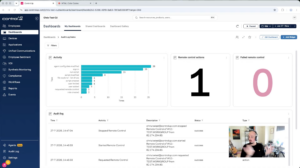
Widget Wednesday #25: Building Dashboard Widgets with Audit Log Data
This week’s Widget Wednesday introduces a new data source for ControlUp Dashboards: the Audit Log.
Read the entire article here...
Read the entire article here...
How to Auto Log Off Idle Users in Azure Virtual Desktop Using ControlUp Triggers and Scripts
Several ControlUp community members discussed how to configure a trigger to automatically log off idle users from Azure Virtual Desktop (AVD) hosts using the ControlUp Agent for Virtual Desktop Infrastructure (VDI). One common solution is to leverage existing trigger packs within ControlUp, which include triggers designed to log off a user session after a specified period of inactivity. These triggers can be customized based on time thresholds that fit the organization’s session management policies.
An example script and detailed guidance were shared from ControlUp’s official script library, which provides automation for disconnecting or logging off idle sessions. This script can be adapted and deployed within ControlUp's automation policies to monitor session activity and log off users automatically when idle thresholds are met. The relevant resource is available at https://www.controlup.com/script-library-posts/disconnect-or-log-off-idle-sessions/.
Additional insights were shared from a ControlUp blog post that focuses on session resource optimization through automation. This post outlines best practices and practical examples of using ControlUp automation to manage session states efficiently, including auto-logout for idle sessions. The blog can be found here: https://www.controlup.com/blog/controlup-automation-session-resource-optimization/.
While native solutions like DaaS IQ might offer built-in functionality for auto-logging off idle users, many organizations have adopted ControlUp triggers as a practical workaround until formal approval or integration of native options is completed. The combination of ControlUp’s flexible triggers and scripting capabilities allows administrators to enforce session timeout policies effectively within AVD environments, optimizing resource utilization and enhancing security.
Read the entire article here...
Read the entire article here...