
A team member reached out for assistance with an issue involving Built-in Folder Synchronization. They have checked all requirements and made sure the necessary permissions are enabled in the security policy, but the VMs are still present in the environment after 7 days. Another team member suggested a solution for this issue. This issue has been seen before in a previous build and the solution is to set specific settings in the Folder Mappings.
Read the entire ‘Troubleshooting Built-in Folder Synchronization Issues’ thread below:
Hello team,
Could you please help me with an issue I’m currently facing?
I have already double-checked the requirements for the Built-in Folder Synchronization, but so far I haven’t identified anything that could be causing the problem.
Issue:
I configured the sync to run every 1 hour and set the removal of VMs without contact to 72 hours. However, it has now been 7 days, and the VMs are still present in my environment and have not been removed.
I have also ensured that the required permissions are properly enabled in the security policy.
Could you please advise on what might be missing or what else I should verify?
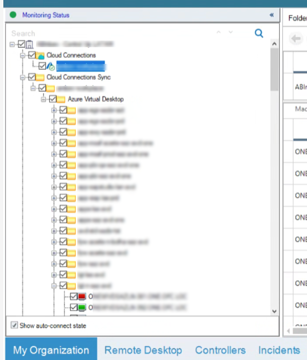
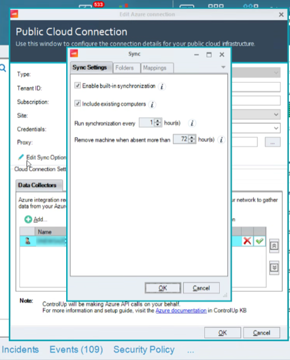
So the devices are no long part of any avd pool
I’ve seen this issue before with 9.1.5 build. The fix for that is to set in the Folder Mappings the following:
2,*,\EUC Environments Sync
Yes Luke, my customer created new vm’s and remove the olders. But, the sync doesn’t deleted the older machines after the 72h
tks Nazy, i will try.
Continue reading and comment on the thread ‘Troubleshooting Built-in Folder Synchronization Issues’. Not a member? Join Here!
Categories: All Archives, ControlUp for VDI