
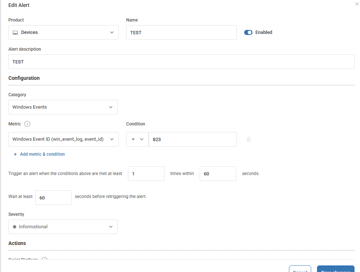
Some members discussed problems they were having with configuring Alerts Rules based on Event ID’s. They discovered that the event was being captured and could be found in the win_event_log index, but the alert was not triggering. After further checking, it was determined that the data could be found by filtering in the data index. The eventID field should be used with the equals (=) operator since it is a number field.
Read the entire ‘Troubleshooting ControlUp Alert Rules Based on Event ID’s’ thread below:
Has anyone had problems configuring Alerts Rules based on Event ID’s
I am testing some alert rules and it does not seem to create an alert based on a specifik event ID.
The Event appears in the win_event_log index, but the alert never triggers
Is the event you’re alerting on configured to be captured?
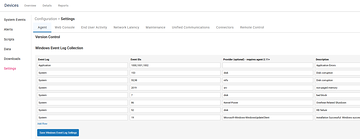
Yes,
The event is captured and can be found in the win_event_log index
No problems triggering on performance data, only eventlog
hmm. If the event exist, your configuration should be fine. Since the eventID field is a number (long) using the equals (=) operator should be fine as well.
Last check, you are able to find it by filtering the win_event_log table manually in devices > configuration > data > win_event_log?
Yes,
The data can be found by filtering in the data index
Continue reading and comment on the thread ‘Troubleshooting ControlUp Alert Rules Based on Event ID’s’. Not a member? Join Here!
Categories: All Archives, ControlUp Scripts & Triggers