
A user was troubleshooting their trigger settings for excluding a drive. Different variations of entering the drive name were tried with no success. Another user suggested using a powershell script for testing.
Read the entire ‘Troubleshooting Drive Exclusions in ControlUp’ thread below:
I had a thread for this but don’t recall the result. I want to exclude a drive from the Disk space trigger. Do i enter the Drive name as V, V:, or V:\ in the filter?
This didn’t work and neither did v:\
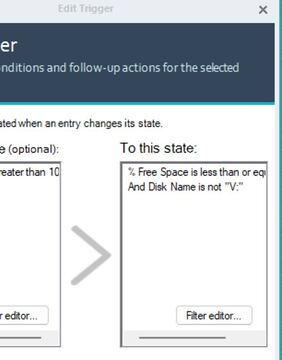
V:\ should work. Values you use in triggers should be the same as the values you see in the UI.
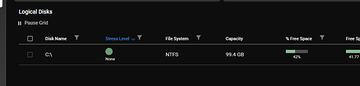
I don’t remember if text fields are case sensitive or not. So I typically try to account for casing as well. Which you did in your screenshot. But just wanted to mention it.
There is a powershell script that will test your triggers. I can dig it up if you’d like. We mostly use it for internal/support purposes.
V:\ did not work. Well either try the trigger tester or use the reg key
Continue reading and comment on the thread ‘Troubleshooting Drive Exclusions in ControlUp’. Not a member? Join Here!
Categories: All Archives, ControlUp Scripts & Triggers