
A user encountered an issue while conducting a survey on User Sentiment during a management call, as only one out of three participants received the survey popup. The user has confirmed that the devices are online and on the latest GA, with all necessary settings in place. After further testing, the user has discovered that the survey was sent but did not display properly. A ticket has been requested to further investigate the issue.
Read the entire ‘User Experiences Issue with User Sentiment Survey in ControlUp’ thread below:
Good day
i dont see a channel for user sentiment , so im going to ask here
Sitting with management on a call to do a show and tell on User sentiment
Created a Survey that is on demand
selected the 3 of the people on the call and only 1 out of the 3 got the survey popup , Gave it a few sec and tried sending it again and again same exp, was a bit embarrassing when they want to see something that they want to do on a LARGE scale and could not even get it to send to 2 people
Devices are online
Agent is on the latest GA
Even tried sending it to 2 users that were not on the call, so device is not in idle state or any state that would block the popup
Where do i start investigating why they did not get it
what did u set here?
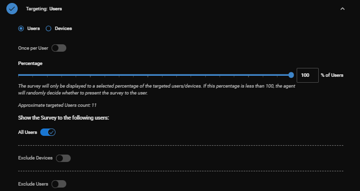
and what did it say here

are local device times different
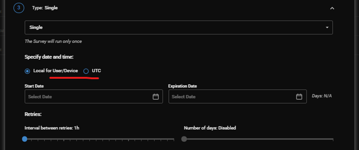
Hi Luke, Type is On demand so then this is not a option .
sorry 🙂 mised that
did a test just now can see the windows event to say the survey was sent but didn’t display. can u raise ticket please so can proper look at it.
Will do.
Continue reading and comment on the thread ‘User Experiences Issue with User Sentiment Survey in ControlUp’. Not a member? Join Here!
Categories: All Archives, ControlUp for Desktops