
A discussion about code-signing Script Actions with the .NET Execution Engine and signed scripts was started by a customer. The conversation included links to relevant documentation and personal testing by a team member. The complexities of using mechanisms like AppLocker or WDAC for enforcing signed certificates were also mentioned. No definitive answer was given, but the team member thanked the customer for bringing up the issue.
Read the entire ‘Code-Signing Script Actions in ControlUp’s .NET Execution Engine’ thread below:
[Q] Script Actions with .NET Execution Engine and signed scripts. (CU4VDI)
In the screenshot in the documentation I see that the script is somehow "obfuscated" and then sent to cuAgent.
Does this somehow make signing the script actions with a code-signing cert "useless"?
Customer asks how’s the way to code-sign Script Actions and I dont want to answer that he had to export the scripts, sign and re-import them 🙂
https://support.controlup.com/docs/net-engine-execution#new-with-net-execution
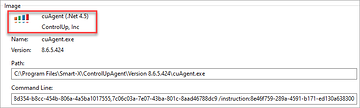
Depends on the mechanism you use to enforce signed certificates I’d guess.
As far as I can tell, the .NET execution engine is generally considered the same as you opening a Powershell prompt and copy/pasting the script content. IE interactive input.
I just ran a short test.
ExecutionPolicy "AllSigned"…
Running "normal" fails (see screenshot 1).
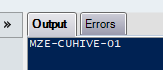
Running ".NET Execution Engine" works (see screenshot 2).
The script is "[Environment]::MachineName"
Maybe because cuAgent.exe is trusted in that case!?

I was mostly thinking about things like applocker or WDAC
If the customer is "just" asking for signed scripts thats ok. With AppLocker I would assume it will also work but WDAC I dont know…
We will see 🙂
Thanks for the hints!
Continue reading and comment on the thread ‘Code-Signing Script Actions in ControlUp’s .NET Execution Engine’. Not a member? Join Here!
Categories: All Archives, ControlUp Scripts & Triggers