
A user requested help setting up an alert in Edge DX to be notified when a macOS device shuts down or goes offline. They specifically asked for the exact Data Index, Field, and Condition to use. Instructions were given to navigate to Events → Alert Rules → Add Alert, set Product to Devices, and use the following settings: Method: Static Threshold, Category: Select the _devices data index, Field: last_communication, Operator: Contains, Time Window: 600 seconds (10 minutes minimum), Hits Required: 1, Retrigger Delay: 3600 seconds (1 hour). They were also reminded to add platform=2 for MacOS only.
Read the entire ‘Setting Up Alerts for Mac Devices in Edge DX’ thread below:
Hi! I need to set up an alert in Edge DX to know when a macOS device shuts down or goes offline (network disconnection).
Since the Mac agent stops sending telemetry during shutdown, what is the exact Data Index, Field, and Condition I should use in Alert Rules to trigger a notification when a Mac stops reporting or misses its heartbeat? Thanks!
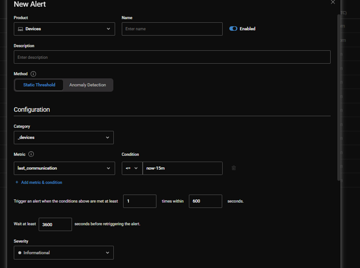
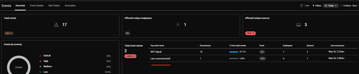
Navigate to Events → Alert Rules → Add Alert, set Product to Devices, and use the following:
Alert Settings
“`Product: Devices
Method: Static Threshold
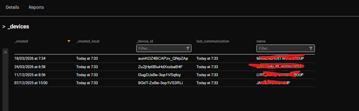
Category: Select the _devices data index
Field: last_communication
Operator: Contains
Condition Value:
Recommended Alert Timing Settings
“`Time Window: 600 seconds (10 minutes minimum)
Hits Required: 1
Retrigger Delay: 3600 seconds (1 hour)“`
Add platform = 2 for MacOS only
Continue reading and comment on the thread ‘Setting Up Alerts for Mac Devices in Edge DX’. Not a member? Join Here!
Categories: All Archives, ControlUp for Desktops, ControlUp Scripts & Triggers