
A user asked for clarification on how to properly format custom settings for capturing VDI data for employees view in Edge DX. Another user provided a solution and mentioned updating the documentation to avoid future errors. A screenshot of the updated JSON was also shared.
Read the entire article here...
Browsers Related Training & Support Archives
Browsers training and support-related archives from inside the ControlUp Community on Slack.
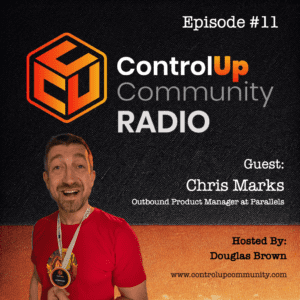
Episode #11 – Conversation with Chris Marks, Principal Outbound Product Manager at Parallels
Join us in Episode #11 of ControlUp Community Radio, where your host, Douglas Brown, welcomes Chris Marks, Principal Outbound Product Manager at Parallels. Chris and Douglas dive into the exciting and evolving world of EUC, exploring what it means for the industry and for Parallels. They discuss Chris’ unique role at Parallels, the company’s innovative solutions for hybrid work and cloud environments, and how Parallels is tackling the challenges of modern application delivery.…
Read the entire article here...
Read the entire article here...
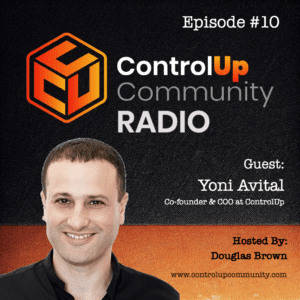
Episode #10 – Conversation with Yoni Avital, ControlUp Co-founder & COO
Join us in Episode #10 of ControlUp Community Radio, where your host, Douglas Brown, welcomes Yoni Avital, the Co-founder and COO of ControlUp. Yoni and Douglas discuss the exciting changes at ControlUp, the evolving DEX market, and innovations on the horizon.
Read the entire article here...
Read the entire article here...
Troubleshooting Citrix EUC Scout and Custom Hive Errors
A user encountered an error while using Citrix EUC scout with a custom hive, which led to authentication failure when enabling Dynamic Flow. More details such as the specific error and versions of Workspace App and Custom Hive were provided. A fellow user suggested a troubleshooting tip which involved stopping the service and running a command with debugging enabled. No solution was yet found, but the debugging tip may help the user pinpoint the issue.
Read the entire article here...
Read the entire article here...
Troubleshooting App Crashes on Windows 11 Devices
Users discussed issues with MS Teams, Edge, and Chrome crashing on Windows 11 devices. The event log showed a Fault bucket event without a corresponding 1000 event, indicating a possible app vendor issue. The ControlUp team has alerted Microsoft and is working to find a solution. The team has also created an alert for the 1001 event, but it does not provide helpful information for resolving the problems.
Read the entire article here...
Read the entire article here...
Troubleshooting EUC Testing in ControlUp
A user faced issues with the Edge browser launching while testing an EUC test with a custom hive. ControlUp support suggested a call to troubleshoot, and the user found a temporary workaround by pinning Notepad to the taskbar. The issue was related to the scout selecting the most left-pinned application or the start menu.
Read the entire article here...
Read the entire article here...
Troubleshooting Client-Side Errors in Citrix Applications with ControlUp
A user asks about monitoring client-side errors when launching Citrix applications, and another suggests using ControlUp to trigger alerts for this issue. There is a question about including the application name in email alerts, but it seems this is not possible with current template variables. Other members may have creative solutions to this issue.
Read the entire article here...
Read the entire article here...
Consistency in ControlUp DEX UI
A user suggests a more consistent UI in ControlUp's DEX, such as using consistent terms and bread crumbs for device navigation. Another user clarifies the difference between devices and details in each product. A screenshot comparison is shared.
Read the entire article here...
Read the entire article here...
Understanding Auto-Remediate Feature in ControlUp
A user asked about the auto-remediation feature and questioned if it had patched their Zoom version, wondering where to find logs and traces. A ControlUp representative confirmed the feature works for both CVE and 3rd party applications, and directed the user to a video demonstration and price inquiries to sales. The feature and its benefits are also discussed. The video can be found at https://vimeo.com/926561424.
Read the entire article here...
Read the entire article here...
Troubleshooting 10ZIGS Devices Not Appearing in ControlUp EdgeDX
A new employee at ControlUp asks for help with getting their 10ZIGS devices to appear in EdgeDX. Another employee suggests checking if there is a proxy blocking the agent from accessing the tenant, and provides a link to the tenant name and instructions for installing the agent. They also mention that the process should be called "sipagent" and logs can be found in /var/log/avacee. The conversation ends with the new employee confirming the process name and stating they will check the logs. There is also a link provided for agent installation instructions.
Read the entire article here...
Read the entire article here...