
Shane mentioned some suggestions for additional CPC Intune Context items, such as provisioning policy, network method, region, scope, policies applied, user settings, and license type. This functionality is currently being developed and is expected to be available in H2-25. There may be a call with the community in April to gather more insight on what users want to see. One large enterprise also requested the ability to block login to DEX Console and only use enrich as an access method for strict location restrictions.
Read the entire article here...
Microsoft Intune
ControlUp Scripts for Intune Compliance Checks
A user is interested in a ControlUp script to force an Intune Compliance Check on a Windows Device. While there is no official script available, it is a potential future roadmap item for Secure DX. Other users suggest creating a PowerShell script and setting it as an action on the device. A recommendation is made to include a check that ensures the correct components are installed on the device.
Read the entire article here...
Read the entire article here...
Securing Laptops with ControlUp and other Options
A discussion took place about different security options for laptops, specifically a method to prevent bootup in the event of theft. It was mentioned that ControlUp does not have this feature, but there is a user voice open for it. It was also suggested to use MDM or Intune for this purpose, but it was noted that a script will not run if the agent cannot communicate with the device. Some laptops have Absolute software built-in for this purpose. Another possible solution is using BitLocker with TPM+PIN, but it is important to ensure proper policies are in place for it to be effective. URL mentioned: www.absolute.com
Read the entire article here...
Read the entire article here...
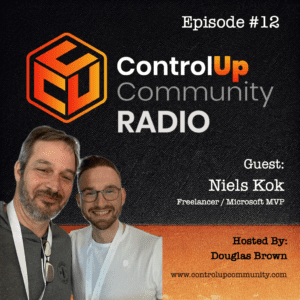
Episode #12 – Conversation with Niels Kok, Microsoft MVP
Join us for Episode #12 of ControlUp Community Radio, where host Douglas Brown sits down with Niels Kok, a Microsoft MVP engineer with over 12 years of experience in Microsoft Cloud solutions. In this episode, Niels shares his insights into the evolving IT landscape and how automation fits.
Read the entire article here...
Read the entire article here...
Troubleshooting Deployment of ControlUp Mac Agent through Jamf
ControlUp users discuss deploying the ControlUp Mac agent through Jamf and possible errors with tenant and code. Troubleshooting advice is given, including recommended locations for script and potential issues with SSL inspection on network. One user also mentions having a script for installing the Mac agent through Intune.
Read the entire article here...
Read the entire article here...
Automation Help for DX Mac Agent Deployment in Intune
A user is seeking help with automating the deployment of DX Mac Agent in Intune. Another user offers a script from a customer, with the tenant and device registration code needing to be specified on lines 10 and 11. Additional instructions for scripted deployment of the Mac Agent Manager are provided, with a note that this should only be used for fresh installs.
Read the entire article here...
Read the entire article here...
Support Requested for Remote Wipe Feature on Edge DX via UserVoice Post
The ControlUp team is seeking support through UserVoice to add a remote wipe feature to Edge DX. Users are encouraged to review and vote on the post, as increased engagement may improve visibility and the likelihood of consideration from the Development team. Currently, the team uses Intune, but they believe the functionality in Edge DX would be beneficial. The proposed remote wipe feature may uninstall applications and the EdgeDX Agent, unregister the device, remove all user accounts and profiles, and potentially factory reset the OS.
Read the entire article here...
Read the entire article here...
ControlUp Community Radio Episode #8 – A Conversation with Guy Leech, CTP, MVP & VIPP
Join us in Episode #8 of ControlUp Community Radio, where your host, Douglas Brown, welcomes Guy Leech, a distinguished CTP, MVP, and VIPP.
Read the entire article here...

Read the entire article here...
Error when Launching ControlUp Console on Windows 10 Machines
Users reported an apparent error when launching the ControlUp Console, asking for tips or help to resolve. The ControlUp team clarified that this is just an informational message rather than an error, and provided links for more information. It was also mentioned that the console must be run from a domain-joined machine using a domain user. Further discussion included potential changes to this requirement in the future.
Read the entire article here...
Read the entire article here...
Efficient Deployment Strategies for ControlUp Users
Members of the ControlUp team discussed how to handle deployment scripts requiring an install file or certificate. Suggestions included using a shared location or a platform such as MS Intune/SCCM, although issues with Edge DX were noted. Another option would be to manually install through remote control, but automation is preferred. Some members have found success with using workarounds involving Google Drive and PowerShell scripts.
Read the entire article here...
Read the entire article here...