
A ControlUp community member developed a native self-service disk cleanup solution for macOS and Windows users, designed to be triggered via ControlUp Edge DX without requiring IT intervention or external tools. The goal was to allow users to safely free disk space through a simple, native dialog that displays current disk usage and offers a checklist of safe-to-clean areas such as Trash, application caches, container caches, logs, Xcode build cache, and old temporary files. Each item is described in plain language and sorted by the space it occupies, allowing users to select and confirm the cleanup themselves.
On macOS, the dialog is implemented using only built-in osascript capabilities—no additional tools like swiftDialog or extra installations are necessary. For both macOS and Windows, the solution emphasizes safety by running a dry-run by default, excluding critical system folders and personal directories such as Documents, Downloads, Keychains, and SSH keys from cleanup. The cleanup operates within the context of the logged-in user, not root, ensuring user-specific data protection. After cleanup, the system verifies the amount of space reclaimed against the actual free volume.
Triggering this cleanup from an Edge DX alert, either automatically due to disk usage thresholds or on-demand, enables a small dashboard that reports on reclaimable and freed disk space, all without requiring elevated permissions, Intune writes, or admin consent. One of the more challenging technical aspects was delivering the cleanup dialog from a root-level agent into the user’s session, given the restrictions of macOS and Windows environments.
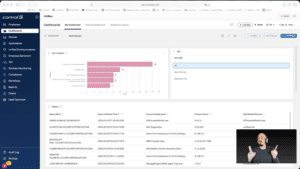
The community member shared that while the script could likely be optimized or shortened by more experienced developers, this version works reliably and safely. Detailed setup documentation is available by request. Additionally, to complement the cleanup tool, the developer created an analytics dashboard to track the cumulative space saved by the script. This solution offers a practical way for organizations using ControlUp Edge DX to empower their end users with safe, controlled disk cleanup capabilities, minimizing helpdesk workload without compromising disk security or user privacy.
For more on creating and managing custom alerts and actions within ControlUp Edge DX, consult the official documentation at https://docs.controlup.com/edge and explore ControlUp Academy at https://cuacademy.controlup.com for training on extending ControlUp functionality.
Read the entire article here...
Microsoft Intune
Monitoring CPU Thermal, Power, and Frequency Throttling with Custom ControlUp Scripts and Dashboards
A common challenge in monitoring CPU performance is that traditional CPU utilization metrics often fail to reveal the underlying causes of slowdowns, especially in cases related to thermal or power throttling that reduce CPU frequency without triggering high CPU%. To address this, a detailed custom PowerShell script and accompanying dashboard have been developed to report CPU temperature, frequency, and distinct throttling signals in a granular and actionable way. This solution creates a dedicated data index named `custom_cpu_throttle` to track multiple independent throttling signals, enabling more precise diagnostics of CPU performance issues.
The core innovation of this approach lies in splitting CPU throttling indicators into three separate categories: thermal throttling (hardware/BIOS-related issues such as overheating or dust), power throttling (policy-related causes like power plans, Intune profiles, or BIOS max-state configurations), and frequency throttling (cases where the CPU clock speed drops below 85% of the rated max under load, capturing otherwise silent throttling scenarios common on AMD processors or CPUs with boost frequencies). By differentiating these factors, the method captures scenarios where traditional Event ID 37 logs or CPU utilization metrics miss critical performance degradations.
The script captures a range of per-device metrics during each run, including temperature and its source, throttle status types, current and maximum CPU frequency with a ratio percentage, and comprehensive throttling evidence logs that correlate performance drops with frequency and utilization data. This data feeds into a customizable ControlUp dashboard that aggregates key performance indicators, categorizes throttle types, tracks frequency trends, and identifies devices exhibiting the hottest or most throttled behavior. The dashboard also correlates these metrics with user experience signals like application crashes and digital employee experience (DEX) scores, enabling targeted troubleshooting from a single pane of glass.
Technical details specify that the solution runs on Microsoft Windows devices using PowerShell scripts triggered every two minutes (120 seconds) with a 60-second timeout and sends data to the `custom_cpu_throttle` index only when devices are online. The solution supports filtering by device, throttle type, and status for focused analysis. While the script covers many AMD-specific throttling scenarios, some complexities remain given AMD's diverse behaviors, though unrealistic values are filtered out to maintain accuracy. This tool is well-suited for IT administrators and helpdesk teams looking to resolve performance tickets where CPU utilization appears normal but throttling impacts response times, such as in Outlook or other user-facing applications.
For detailed setup or a walkthrough, the script (`SP-CPU-Throttle-v2.ps1`) and ControlUp dashboard configuration (`SP-CPU-Throttle-Dashboard.json`) are available on request. This solution is an example of extending ControlUp’s monitoring capabilities via custom scripts and dashboards to deliver deeper insights into CPU performance issues that go beyond default instrumentation.
Read the entire article here...
Read the entire article here...
Managing Local Admin Privileges in ControlUp
A user asked for help with removing users from the local Administrators group when they are not allowed those privileges. Other members suggested using a script through the Action > System Scripts or utilizing the Compliance module. The conversation also touched on using specific triggers and including tags or device groups in the criteria for running the script. Ultimately, the user was able to find a solution through the use of device tags in the Scripts capabilities. The conversation can be found in the #channel channel.
Read the entire article here...
Read the entire article here...
ControlUp Community Meetup #14: Inside ControlUp DaaS IQ — A Deep Dive with PM Gilad Broun
AVD management doesn’t have to be hard and expensive.
If you run Azure Virtual Desktop, you know the pain: unpredictable costs, fragile PowerShell scripts, fragmented visibility, and tab-hopping between the Azure Portal, Intune, and a dozen custom tools just to keep the lights on.
ControlUp’s answer is DaaS IQ — a purpose-built control plane for AVD that replaces the chaos with smart, reusable policies, centralized lifecycle management, and real-time cost intelligence.…
Read the entire article here...

Read the entire article here...
New Feature Request: Automatic Response to Offline Device Notifications
A user discusses a potential new feature for ControlUp - an automatic response to offline device notifications. They suggest a form that would automatically populate with device information to make it easier for the user to provide the appropriate response/action. Other users confirm and suggest a specific format for the link that would fill out certain fields for the user. The discussion can be seen as a potential feature request for ControlUp.
Read the entire article here...
Read the entire article here...
Using CU4D for Troubleshooting at ControlUp
A user discussed using CU4D for troubleshooting an issue where a user's laptop and Citrix session froze and required a forced reboot. There was high memory usage on Edge and WebView2. Others suggested using CU4D to see process stops and app hangs, power events, and on-demand PowerShell scripts. Someone also suggested looking into network latency features and historical graphing for wireless signal strength or network usage. Event ID 1002 for Citrix Workspace could also help identify the issue.
Read the entire article here...
Read the entire article here...
Widget Wednesday #15: Advanced Dashboard Filters — Simpler, Smarter, Global
Widget Wednesday #15 introduces advanced global filtering in ControlUp Dashboards, enabling more precise, real-time filtering across devices, attributes, and conditions without complex variable setup.
Read the entire article here...
Read the entire article here...
Troubleshooting Offline Windows Servers in ControlUp
Some Windows servers appear as offline, but when a user logs in through the hypervisor's remote console, they show as online again. A screenshot was requested and a possible solution was suggested. It was advised to submit a case to support@controlup.com with logs and screenshots for further analysis. Different ways to change logging levels were shared and it was asked if the server has AV in place. A possible explanation was offered and it was mentioned that logs would provide more insight into the issue. One user stated that they had put in exceptions for the AV, and another needed to wait before reporting. Screenshot and log files were recommended to help find a solution.
Read the entire article here...
Read the entire article here...
Troubleshooting Screen Recording in ControlUp for macOS with an MDM Deployment
A user posed a question regarding an MDM deployment of ControlUp for macOS and how the screen recording window should behave when remote access is attempted. Other users clarified that the pop-up is expected and not able to be managed by an MDM due to Apple restrictions. Additionally, it was noted that only standard users can approve screen recording via PPPC and other Quotes could be found. The article available is no longer available.
Read the entire article here...
Read the entire article here...
Exploring ControlUp Workflow: Guidance on Merging Data
A user asked for guidance in their ControlUp Workflow, which involved retrieving data from Intune and ControlUp Desktops and merging it into a single array using the Union action. They had several questions about the process and whether they needed to explicitly convert the results into arrays, iterate through the lists manually, or use the output arrays from previous actions. The user also asked about how to specify matching based on serialNumbers. Another potential approach was suggested, but the user preferred a cleaner array-based solution. A ControlUp team member explained that the feature to merge properties for one object from two arrays is not currently available, so the loop option is the only option for now. No specific solution was provided in the discussion.
Read the entire article here...
Read the entire article here...