
Users discuss setting up a web transaction in Scoutbees. One user successfully records the session but gets a pop-up about missing data when trying to test it. They mention testing in an EUC environment and trying from both custom and cloud hives. Another user suggests the issue could be related to the username or password field and encourages them to open a support ticket. The discussion includes screenshots of the error message and suggests upgrading to the newest hive.
Read the entire article here...
Security Related Training & Support Archives
Security training and support-related archives from inside the ControlUp Community on Slack.
Troubleshooting EUC Scout Configuration and Static MFA Pin
A user was having an issue with their EUC scout configuration and Static MFA pin, and tested it through a browser with no issues. They were going to open a support case, but decided to ask for help in the Slack channel first. Another user suggested stopping the service on the hive and using the "sb-hive.exe debug" command to troubleshoot further.
Read the entire article here...
Read the entire article here...
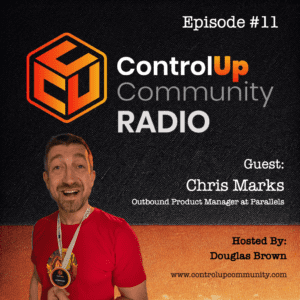
Episode #11 – Conversation with Chris Marks, Principal Outbound Product Manager at Parallels
Join us in Episode #11 of ControlUp Community Radio, where your host, Douglas Brown, welcomes Chris Marks, Principal Outbound Product Manager at Parallels. Chris and Douglas dive into the exciting and evolving world of EUC, exploring what it means for the industry and for Parallels. They discuss Chris’ unique role at Parallels, the company’s innovative solutions for hybrid work and cloud environments, and how Parallels is tackling the challenges of modern application delivery.…
Read the entire article here...
Read the entire article here...
Troubleshooting ControlUp Console Issues
A user was having trouble deselecting the Security Policy "Folder View" on an organization-wide level in the ControlUp Console. It was suggested to remove the "View Folder" permission for the "Org Members" default role on any sub-folder, which resolved the issue. However, there was another issue with the view of a Hypervisor in DEX - VDI&DAAS. After setting additional policies, the problem was solved. Other issues were also addressed, such as missing agents and processes in the view. It was suggested to open a Support ticket for further troubleshooting, potentially with a screen sharing session.
Read the entire article here...
Read the entire article here...
Episode #10 – Conversation with Yoni Avital, ControlUp Co-founder & COO
Join us in Episode #10 of ControlUp Community Radio, where your host, Douglas Brown, welcomes Yoni Avital, the Co-founder and COO of ControlUp. Yoni and Douglas discuss the exciting changes at ControlUp, the evolving DEX market, and innovations on the horizon.
Read the entire article here...

Read the entire article here...
Troubleshooting VDI Module in ControlUp DEX
There were issues with getting the VDI module in DEX to work properly for the help desk team. SAML was causing issues, and a security policy needed to be set up to accept SSO users. A video was suggested and it was recommended to check a certain box in the login methods. The prompt for UPN meant a different logon method was used, so the team was reminded to use SAML. The UPN should be listed if logged on with SAML. By suppressing the other method and reminding the help desk, the issue was resolved.
Read the entire article here...
Read the entire article here...
ControlUp Academy Alert Policy and Scoutbees’ 60 Minute Cap on Test Frequency Explained
A user asked if it was possible to expand the alert policy from scoutbees to one day instead of the capped 60 minute setting. Another user, Joel, explained that this was not possible as it goes against the proactive nature of the synthetic testing, which aims to provide alerts for potential availability issues. @member requested more information about their specific use case, which involved setting up email alerts for expiring SSL certificates. Joel suggested options such as increasing the "subsequent tests" value or checking the "Do not send a notification" option to prevent excessive notifications.
Read the entire article here...
Read the entire article here...
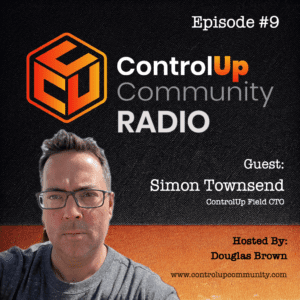
Episode #9 – Conversation with Simon Townsend, ControlUp Field CTO – Part 2
Join us in Episode #9 of ControlUp Community Radio as Douglas Brown chats with Simon Townsend, ControlUp’s Field CTO. Simon shares his journey over the past six months and insights into the evolving EUC market. Don’t miss this must-listen episode for tech industry insights!
Read the entire article here...
Read the entire article here...
Troubleshooting Trigger Notifications for Missing Users on ControlUp Academy
A user asked for assistance regarding trigger notification for a user who is not showing up. Another user suggested adding the account into the security policy section, specifically the CU admins role. It was also mentioned that the user must run the console and sign up in order to have an account on ControlUp Academy. To send emails to users who are not on the list or in a distribution, SMTP should be used. Landon provided the assistance.
Read the entire article here...
Read the entire article here...
Troubleshooting ControlUp Admin Permissions
A customer asked for information about an issue they were having with ControlUp Admin permissions. It was suggested to double check the user's permissions and group membership in the Security Roles tab, and to ensure they are part of the CU Admins group. Another solution mentioned was to add the user to the "ControlUp Admins" role, although there was some uncertainty about the level of permissions this may grant. The customer thanked everyone for their help.
Read the entire article here...
Read the entire article here...