
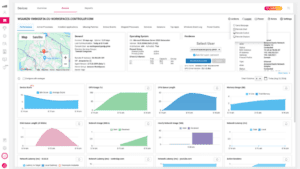
A discussion took place about what metrics an Omnissa Horizon customer may want on a dashboard. Some suggestions were for metrics about pods, connection servers, and virtual desktop infrastructure (VDI) as well as user access gateway (UAG) metrics and creating custom reports with data collected by ControlUp. There was also mention of creating historical reports and making the process of creating custom reports easier within the ControlUp Analytics feature. The team will gather more information and report back.
Read the entire article here...
Unified Communications Related Training & Support Archives
Unified Communications training and support-related archives from inside the ControlUp Community on Slack.
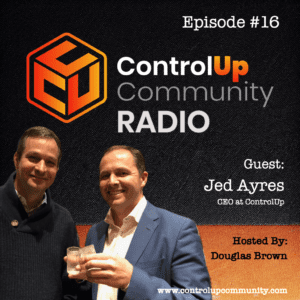
ControlUp Community Radio – Episode #16 – 1st Year Recap with Jed Ayres, CEO of ControlUp
In this milestone episode of ControlUp Community Radio, host Douglas Brown sits down with Jed Ayres, CEO of ControlUp, to reflect on his first year at the helm.
Read the entire article here...
Read the entire article here...
Troubleshooting Error 500 in ControlUp’s Microsoft Teams Integration
Multiple users discussed an error 500 that occurs when configuring Microsoft Teams integration under UC&C. A support article was shared and it was recommended to open a ticket for further investigation. It was also suggested that the error may be due to incorrect use of keys.
Read the entire article here...
Read the entire article here...
ControlUp Community Radio – Episode #15 – A Conversation with Antony Awaida & Andy Tynes of Apporto
Join us for Episode #15 of ControlUp Community Radio, where host Douglas Brown sits down with Antony Awaida, Founder and CEO of Apporto, and Andy Tynes, Head of Sales and Alliances. In this episode, Antony and Andy share the story of Apporto’s growth, its leadership in the education sector, and plans to expand into other industries. They discuss Apporto’s unique cloud-based approach to EUC, innovative technology, and how they’re reshaping the VDI market.…
Read the entire article here...

Read the entire article here...
Enhancing Digital Employee Experience with ControlUp and Amazon WorkSpaces Personal
Amazon WorkSpaces Personal is an excellent solution for giving employees access to their personalized desktop from anywhere, but the real magic happens when you combine it with ControlUp.
Read the entire article here...
Read the entire article here...
Pinging Google and its potential effects on network latency.
The group discusses pinging Google and other options for avoiding latency issues. Some are concerned about Google blacklisting companies for pinging too much, while others defend using ping as a useful feature but acknowledge the need to disable it in certain security situations. OpenDNS and Cloudflare are suggested as alternative options to avoid pinging Google. The group has a meeting with Cloudflare scheduled.
Read the entire article here...
Read the entire article here...
Thread Thursday: Effective Deployment of the New Teams VDI Optimization Agent
This week's thread was shared by a member who had recently effectively deployed the new Team VDI optimization agent using a PowerShell script.
Read the entire article here...
Read the entire article here...
Effective Deployment of the New Teams VDI Optimization Agent
A user discussed deploying the New Teams VDI optimization agent successfully with the help of a provided PowerShell script. Another user suggested using the agent for app patch management and version consistency across devices. Custom software scans and deployments were also mentioned.
Read the entire article here...
Read the entire article here...
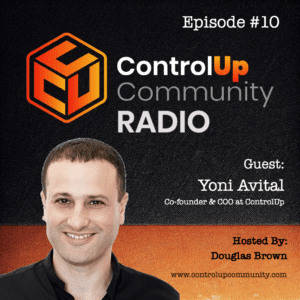
Episode #10 – Conversation with Yoni Avital, ControlUp Co-founder & COO
Join us in Episode #10 of ControlUp Community Radio, where your host, Douglas Brown, welcomes Yoni Avital, the Co-founder and COO of ControlUp. Yoni and Douglas discuss the exciting changes at ControlUp, the evolving DEX market, and innovations on the horizon.
Read the entire article here...
Read the entire article here...
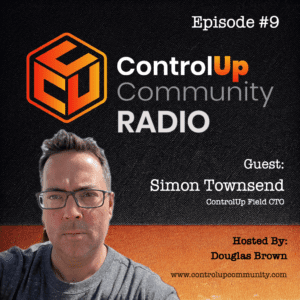
Episode #9 – Conversation with Simon Townsend, ControlUp Field CTO – Part 2
Join us in Episode #9 of ControlUp Community Radio as Douglas Brown chats with Simon Townsend, ControlUp’s Field CTO. Simon shares his journey over the past six months and insights into the evolving EUC market. Don’t miss this must-listen episode for tech industry insights!
Read the entire article here...
Read the entire article here...