
A user asked about a trigger for HZ no available machine and whether the HZ access group is mandatory. It was confirmed that the access group is not mandatory and can be applied to all pools using an asterisk. The trigger pack can be found at https://support.controlup.com/docs/trigger-packs and it needs to run against EUC environments.
Read the entire article here...
VDI Related Training & Support Archives
VDI training and support-related archives from inside the ControlUp Community on Slack.
ControlUp Community Radio #6 – Day 1 with Simon Townsend, ControlUp Field CTO
Join us in this exciting episode of ControlUp Community Radio, where our host, Douglas Brown, talks with Simon Townsend, the newly appointed Field CTO of ControlUp.
Read the entire article here...

Read the entire article here...
Integrating the Enrich Browser Addin to ControlUp’s VDI Platform
A user queried about integrating the Enrich browser addin to ControlUp's VDI platform - currently only available on Edge DX. @member had been looking into ways to extend Enrich with data from the Real-Time DX solution, but feedback from users in the field is required before any decisions can be made.
Read the entire article here...
Read the entire article here...
Sivan’s “Did You Know” – ControlUp FeatureTroubleshooting with Edge DX
Users discuss drilling down to Edge DX from the VDI web browser - this feature allows quick troubleshooting to identify the source of an issue. The requirements for this tool can be found on ControlUp's website.
Read the entire article here...
Read the entire article here...
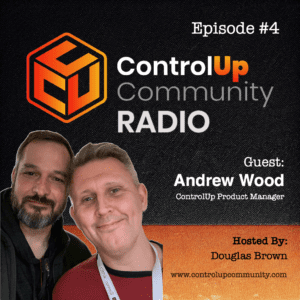
ControlUp Community Episode #4 – Conversation with Andrew Wood, ControlUp Product Manager
In this dynamic episode of ControlUp Community Radio, host Douglas Brown engages with Andrew Wood, a seasoned EUC industry expert who recently embarked on a new journey as a Product Manager at ControlUp. Their conversation, rich with laughter and insights, delves into a broad spectrum of topics, highlighting Andrew's extensive experience and the evolving landscape of end-user computing (EUC).
Read the entire article here...
Read the entire article here...
Giving Non-IT Staff Read Rights in ControlUp DEX using SAML Configuration
A user asked about giving non-IT staff read rights for the DEX platform and viewing the VDI/DAAS dashboard without logging into the console (server). It is possible to achieve this using SAML configuration. For further information on this setup, a link was provided - https://support.controlup.com/docs/saml-sso-for-dex#automatic-vdi-daas-user-account-provisioning.
Read the entire article here...
Read the entire article here...
Error Inviting New User on ControlUp DEX Tenant
The user was having difficulty inviting a new user on their dex tenant. It was suggested that the user should have access to the ControlUp configuration console. However, it was clarified that this is only needed for the VDI and Daas part. The user was advised to open a support ticket to resolve the issue.
Read the entire article here...
Read the entire article here...
Establishing a ControlUp Infrastructure Across Two Sites
A user sought advice on building a ControlUp infrastructure to monitor two geographically distant sites, separated by 2500 km/1500 miles. Experts suggested the user leverage the latest version (8.8) of the ControlUp Console and Optimization Pack, and place all the necessary components, including the Solve and Insight Pack, in the larger site once it is built and ready. It was also suggested that it might be possible to establish a temporary network in Site A to help facilitate easier movement of components. The ControlUp Academy can be found at https://cuacademy.controlup.com/.
Read the entire article here...
Read the entire article here...
Stress Tuning in ControlUp Administration Course
Stress tuning is a common topic discussed between ControlUp customers. There are three videos covering the basics included in the full VDI & Daas admin course which can be found at https://cuacademy.controlup.com/?s=stress. The Stress Calculator can also be used to generate recommendations specific to the customer data found at https://support.controlup.com/docs/stress-level-calculator-tool-v2.
Read the entire article here...
Read the entire article here...
Updated VDI & DaaS Administrator Course on ControlUp Academy
The VDI & DaaS Administrator Course has been updated with information on installing and deploying agents, architecture, stress settings and more. There is also a video showing the differences between Dex and Solve. To view the new content, visit https://cuacademy.controlup.com/course-catalog/.
Read the entire article here...
Read the entire article here...