
A user asked for help with scripts to assist their Help Desk staff, mentioning that they use Microsoft Intune in their Microsoft shop. Another user replied with suggestions for scripts that can automate tasks such as clearing cache and repairing Office. Another user shared two stories about using their ControlUp products to improve their support process and provide a better experience for customers. The community is encouraged to share their own tips and experiences.
Read the entire article here...
Logs Related Training & Support Archives
Logs training and support-related archives from inside the ControlUp Community on Slack.
Troubleshooting Issues with Downloading Files on ControlUp VPN
A user was experiencing issues with downloading files on VPN through the new Management feature. They noticed in the network log that the system was attempting to upload the requested file to Azure before downloading it. The user shared their findings in the ticket and was asked to provide details on their VPN type. They also brought up the need for specific IPs or more granular access for the firewall team. Another user mentioned they were curious if the same issue would occur with their company's new VPN. The original user suggested it was more likely a firewall policy issue than a VPN issue. A request was made for the user to provide unfiltered Wireshark logs for troubleshooting.
Read the entire article here...
Read the entire article here...
Troubleshooting ControlUp Alert Rules Based on Event ID’s
Some members discussed problems they were having with configuring Alerts Rules based on Event ID's. They discovered that the event was being captured and could be found in the win_event_log index, but the alert was not triggering. After further checking, it was determined that the data could be found by filtering in the data index. The eventID field should be used with the equals (=) operator since it is a number field.
Read the entire article here...
Read the entire article here...
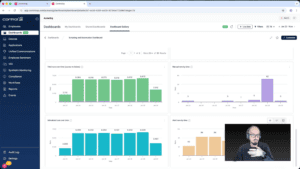
Widget Wednesday #10: Going Beyond Standard Widgets with the Expert Builder
In this episode of Widget Wednesday, we take a closer look at the Scripting and Automation Dashboard, focusing on the Script Execution Summary widget and how it's built.
Read the entire article here...
Read the entire article here...
Running Citrix? ControlUp for VDI 9.2 Beta closes some long-standing gaps
If you are running Citrix in your environment, then I feel you will find ControlUp for VDI 9.2 Beta delivers some very meaningful upgrades: registration failures, connection failures, and “everything looks fine, but users can’t connect.”
Read the entire article here...

Read the entire article here...
ControlUp Release AI Assistant Powered by Pulse AI!
At a technical level, Pulse AI is ControlUp’s intelligence layer. It continuously correlates telemetry across endpoints, sessions, applications, networks, identity, and tickets, understands context, and drives action. Not “AI as a chatbot,” and not dashboards with a different coat of paint—but an agentic service designed to reduce the manual correlation work IT teams are forced to do today.
Read the entire article here...
Read the entire article here...
Understanding the New Live Remote Management File Browser Feature on ControlUp
The new feature for Live Remote Management, File Browser, is discussed in a Slack post. It is helping the user to collect logs and pass files between systems. However, the default deployment settings only allow restricted permissions for Admin accounts. To fully utilize the feature, a custom role with necessary permissions must be created. A link to a blog post discussing the future of DEX management and asking for feedback on the new addition is also shared.
Read the entire article here...
Read the entire article here...
Troubleshooting the Management Option for File and Registry Browsing on ControlUp Live Features
A user encountered an issue with the new live features on ControlUp, specifically with the management option for file and registry browsing. After troubleshooting, it appears to be a permissions issue and potentially a global feature flag. The user was advised to log with support for further assistance.
Read the entire article here...
Read the entire article here...
Configuring SAML SSO in ControlUp
A team member asked about configuring SAML SSO correctly, with a question about the default role and user permission assignments. Other team members clarified that the default role should be the minimum level of permissions and that additional permissions can be assigned through SAML roles. An example was provided of how SAML roles can provide additional permissions for specific users.
Read the entire article here...
Read the entire article here...
Solutions for Purging Specific Records in ControlUp Custom Index
A team member asked about purging specific records from a custom index using the API. Luke responded that it is not possible at this time and suggested raising a feature request. The team discussed different solutions and came up with a suggestion from a PS engineer to use a local script that creates and checks for a file before sending data to avoid duplication. The purpose of the data is for OneDrive migration planning.
Read the entire article here...
Read the entire article here...