
The team discussed the Windows boot certification dashboard and how to get it working properly, including adding a script and following the proper steps. They also mentioned a recently released dashboard to find devices running VBScripts. The Windows boot certification dashboard can be found in the gallery and requires a script to function. Despite this, it has received positive feedback from sys admins.
Read the entire ‘Troubleshooting and Using the Windows Boot Certification Dashboard at ControlUp’ thread below:
Windows boot certification dashboard
It seems there are no data sources selecterd for the new Windows boot certifcation dashboard. Is this by design? as in we should do it ourselfs. Or is it a misconfiguration in the template?
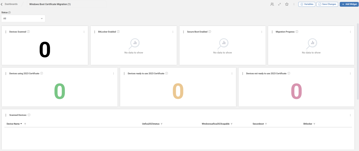
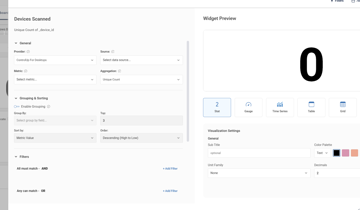
Hi @member, did you add the script?
To start collecting data for the dashboard, simply go to:
Devices → Scripts → Script Library
and import the script Windows Secure Boot Certificate Expiration Status.
Once deployed, the script runs daily and feeds the Windows Boot Certificate Migration dashboard.
oh my bad, will do now!
^ works beautifully as far as i can tell too
Hi @member this dashboard has indeed the prerequisite to run a script first. It’s in the gallery description. We are working on making an even bigger warning when you open a prerequisite dashboard for the first time 🫡
Cool! The dashboard is very well received by our sys admins 🙂 so thanks for making it!
@member thank you ! Today we also released a dashboard to find out which devices still run VBScripts ! It also as a script as a prereq but gives a lot of insight !
Continue reading and comment on the thread ‘Troubleshooting and Using the Windows Boot Certification Dashboard at ControlUp’. Not a member? Join Here!
Categories: All Archives, ControlUp Dashboards, ControlUp Scripts & Triggers