
A user reported a network performance issue at one of their offices where a single computer had downloaded and uploaded several gigabytes of data within approximately the last four hours. They sought a way to determine exactly what data was downloaded and where it was uploaded to after the fact.
ControlUp experts clarified that while ControlUp for Desktops can provide detailed network usage volume information retrospectively, it does not store historical data about the specific destination addresses or detailed process-level network activity. The device’s Performance tab includes historical charts such as Network Usage (MB/s) and Hourly Network Usage (MB), which show the volume of data sent and received over time. This helps confirm the timing and magnitude of a network spike but only at the overall device level, not by specific process or destination.
For live, real-time network connection details—including which process is communicating with which remote IP address—the Network tab and TCP Connections Map can be used. This tab shows detailed, process-to-destination connections but does not retain historical data, so it only helps monitor ongoing network activity. Consequently, if the large data transfer activity occurred several hours ago and is no longer ongoing, ControlUp itself cannot provide retrospective insights into the process or endpoints involved.
To investigate historical transfers of this nature, network security and monitoring should be supplemented with firewall logs, proxy logs, or netflow data, which retain detailed connection records over time. This approach is recommended for network administrators with access to those tools.
For prevention and proactive detection, users can configure static threshold alerts in ControlUp to notify them immediately if network usage exceeds a predefined value in the future. This allows administrators to catch high-volume transfers as they happen and investigate using real-time detail from ControlUp. The documentation for setting static threshold alerts can be found here: https://support.controlup.com/docs/devices-static-threshold-alerts.
Additional guidance on real-time network analysis is available at https://support.controlup.com/docs/live-network-analysis.
Read the entire article here...
Firewall Related Training & Support Archives
Firewall training and support-related archives from inside the ControlUp Community on Slack.
Troubleshooting Issues with Downloading Files on ControlUp VPN
A user was experiencing issues with downloading files on VPN through the new Management feature. They noticed in the network log that the system was attempting to upload the requested file to Azure before downloading it. The user shared their findings in the ticket and was asked to provide details on their VPN type. They also brought up the need for specific IPs or more granular access for the firewall team. Another user mentioned they were curious if the same issue would occur with their company's new VPN. The original user suggested it was more likely a firewall policy issue than a VPN issue. A request was made for the user to provide unfiltered Wireshark logs for troubleshooting.
Read the entire article here...
Read the entire article here...
Troubleshooting ControlUp Upgrade Process
An employee is troubleshooting the upgrade process for ControlUp. They are updating from version 9.0.5.423 to 9.1.5.445 and have encountered an rpc error when trying to add a monitor to a specific region. The issue is due to the console using the Windows identity of the person running the console, so the user may need to run the console as a user with permission or deploy the monitor through PowerShell. The recommended upgrade order is console, monitor, data collector agents, and all other agents. The ControlUp website has a guide for upgrading and the employee has a further question about downloading the Real-Time DX Console.
Read the entire article here...
Read the entire article here...
Generate Network Trace PowerShell Script
Enter the power of ControlUp and the Generate Network Trace script, just one of our many out-of-the-box scripts/automation to help you overcome those pesky problems while automating a solution for the future.
Read the entire article here...
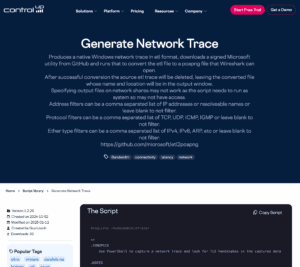
Read the entire article here...
Troubleshooting Monitor Deployment Issues in ControlUp with Trellix
A user encountered issues with the deployment of monitors while using the Real-Time console, resulting in errors and failed services. Another user suggested the issues may be caused by Trellix, a common problem for page timeouts. The solution offered was to either increase the timeout or add the monitor service executable to exclusions. The issue is commonly seen with Trellix but can also affect other antivirus or security tools.
Read the entire article here...
Read the entire article here...
Troubleshooting Error When Installing Edge DX on Base Image from ControlUp Community Members
A user asked for assistance with an error when installing Edge DX on a "Base image". Other users suggested checking if the web filter is doing SSL inspection and if the root certificate is trusted by the machine running the installer. A specific URL was mentioned for troubleshooting.
Read the entire article here...
Read the entire article here...
Troubleshooting the Console Login for ControlUp v9.05
A member asked for the URL that the captcha uses when logging in to the Console of 9.05. Another member shared a KB article with a list of necessary URLs and ports for v9.05 login, including a missing Google one. The article can be found at https://support.controlup.com/docs/communication-ports-used-by-controlup-hybrid-cloud-eu-customers and https://support.controlup.com/docs/communication-ports-used-by-controlup-hybrid-cloud-us-customers for EU and US customers respectively. A specific article for v9 can also be found at https://support.controlup.com/v1/docs/90-communication-ports-and-urls. The issue of not being able to login without allowing through the firewall has been reported and a ticket has been opened to update the documentation with this information.
Read the entire article here...
Read the entire article here...
Troubleshooting CU V8.8 to V9.0 Upgrade Issues
A user is having trouble upgrading from CU V8.8 to V9.0 and requests support. Another user suggests trying to run the console on the monitor itself, which ends up working. There were no firewalls between the servers.
Read the entire article here...
Read the entire article here...
Troubleshooting ControlUp Error Message
The team discussed an error message that was appearing when trying to access ControlUp. It was suggested to check the URLs needed to access the service, SSL inspection, and network communication. Some URLs required for v9 may need to be whitelisted. A tool was released to test network connectivity to ControlUp cloud services. The URLs and relevant validation results can be found at https://support.controlup.com/docs/how-to-check-network-connectivity-to-controlup-cloud-services?highlight=netwrok%20test%20tool.
Read the entire article here...
Read the entire article here...
Understanding the Device Controls Column and Troubleshooting Carbon Black with ControlUp
A user asked what the Device>Controls column does, and others suggested it shows installed but disabled antivirus and deployment products. The user was unsure if Secure DX was accurately displaying the status of Carbon Black. Other users suggested checking services and data being pulled from the device, and to contact support if necessary. Screenshots were shared.
Read the entire article here...
Read the entire article here...