
If you've ever experienced slow user logons, you know it can be a pain to determine the actual cause of the delay. One common culprit? Group Policy processing. That's where the Analyze GPO Extensions Load Time script comes in.
Read the entire article here...
Logs Related Training & Support Archives
Logs training and support-related archives from inside the ControlUp Community on Slack.

Relationship Between ControlUp and DEX Portal Audit Logs
A team member asked about the relationship between ControlUp and DEX portal audit logs. Another team member confirmed that the audit logs in ControlUp do not catch the same logs as those seen in the DEX portal. The user was directed to the VDI tab in ControlUp to access VDI-specific audit logs.
Read the entire article here...
Read the entire article here...
Troubleshooting the ControlUp Agent Installation Process
Multiple users discussed an issue where over 100 machines were not showing up or installing the ControlUp Edge DX SIP Agent. A suggestion was made to check the windows event log for events from the SIP agent, as well as running a network tester and ensuring AV exclusions and other prerequisites were in place. Mentioned links include the support article and a related download.
Read the entire article here...
Read the entire article here...
How to Bypass Step Verification with ControlUp
A team member was looking for help with bypassing a step verification for a client's request. Suggestions included using Security Pen Testing or signing in through SAML with the necessary attributes passed by an IDP. After experimentation, removing the "Sign-in to VDI with LDAP" option was found to work. Others who have issues can add their ControlUp email accounts in the VDI console to access this section through SSO.
Read the entire article here...
Read the entire article here...
How to Clean Up Old Patches on ControlUp Client Devices
A user asked for a way to clean up old patches on client devices without causing any issues. It was recommended to enable logs in the C:\ProgramData\ControlUp\CU4C\logs\files or C:\ProgramData\ControlUp\SecureDX\logs location to check for remediation failures or aborts. It is safe to delete subfolders in the patches folder.
Read the entire article here...
Read the entire article here...
Understanding Windows Event Logs with ControlUp
A team member asked for an explanation on how ControlUp tool triggers windows event logs such as Errors, Hangs, and Freezes. They also asked for recommended solutions. Another member shared that all winevt log information can be found on ControlUp, which can be filtered down by specific errors to see expanded details. To determine impact on users, troubleshooting and testing may need to be done. The application performance dashboard is recommended for this purpose.
Read the entire article here...
Read the entire article here...
ControlUp StoreFront Health Checker
The ControlUp StoreFront Health Checker script automates diagnosing and monitoring Citrix StoreFront servers, ensuring optimal performance and reliability.
Read the entire article here...
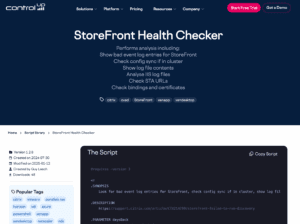
Read the entire article here...
How to Create Triggers for MS Defender Endpoint Scripts in ControlUp
A user created a PowerShell script to check if a machine is running MS Defender Endpoint in EDR Block Mode and asked about setting up a trigger for alerts. Another user suggested using event log entries to trigger actions, citing a thread discussing it on the ControlUp Community Slack. The original script is provided in the discussion for reference and the user updates it to address false positive reports. The final version of the script is tested and confirmed to work.
Read the entire article here...
Read the entire article here...
Configuring ControlUp to Send Logs to On-Prem QRadar using API
A user asked about configuring ControlUp to send logs to an on-prem QRadar using an API. Another user provided the API endpoint and praised ControlUp's developers. The API endpoint can be found at https://api.controlup.io/reference/orgauditlogpubliccontroller_getall
Read the entire article here...
Read the entire article here...
Bug with User Input Delay on Win 11 23h2 to 24h2 Upgrade
Multiple users reported a bug with user input delay when upgrading from Win 11 23h2 to 24h2, with over 25 devices affected. One person suggested rebuilding perfmon counts may solve the issue. The ControlUp team will investigate on Monday as users have already left the office.
Read the entire article here...
Read the entire article here...