
A user encountered an issue with the new live features on ControlUp, specifically with the management option for file and registry browsing. After troubleshooting, it appears to be a permissions issue and potentially a global feature flag. The user was advised to log with support for further assistance.
Read the entire article here...
Microsoft Related Training & Support Archives
Microsoft training and support-related archives from inside the ControlUp Community on Slack.
Finding Little to No Usage in ControlUp’s Delivery Groups
A user asked for suggestions on how to find groups with little or no usage in ControlUp. Another user suggested using Citrix monitor's list of unused applications as inspiration, and another suggested checking each group individually or finding a way to see trends for multiple groups at once. No solution was determined.
Read the entire article here...
Read the entire article here...
Big News: ControlUp Expands AI Leadership with Unipath Acquisition
Today, ControlUp announced the strategic acquisition of Unipath, an AI-powered security automation and SOAR platform.
Read the entire article here...

Read the entire article here...
Troubleshooting Device Details Error in ControlUp Endpoints
There was a discussion about an error message popping up when opening details for a specific device in Physical Endpoints/Dex portal. Support was contacted and a workaround for this issue has been found. A status update was provided and it was suggested to contact support. The maintenance was completed, but some users are still experiencing the error. The fix should be applied shortly, and logging out of SAML and logging back in is suggested to resolve the issue.
Read the entire article here...
Read the entire article here...
Introducing ControlUp’s Secure Boot Migration Dashboard
A member shared a new dashboard for tracking the Windows Certificate Secure Boot Migration, with feedback being welcome. Deployed and tested in their own environment with success. A screenshot of the dashboard was requested for privacy.
Read the entire article here...
Read the entire article here...
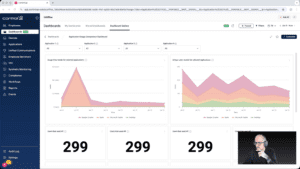
Widget Wednesday #8: Comparing Application Usage the Right Way
In this episode of Widget Wednesday, Chris Twiest walks through the Application Usage Comparison Dashboard from the Dashboard Gallery, focusing on how the full dashboard works together to turn raw usage data into meaningful, actionable comparisons inside ControlUp.
Read the entire article here...
Read the entire article here...
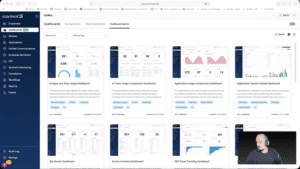
Widget Wednesday #7: Using DEX Score Trending to Spot Problems Before Users Feel Them
In this episode of Widget Wednesday, Chris Twiest walks through the DEX Score Trending Dashboard and shows how it helps surface device performance issues before they turn into widespread employee experience problems inside ControlUp.
Read the entire article here...
Read the entire article here...
Improving Granularity in Script Access with DEX RBAC and Platform Tagging
Multiple users shared their struggles in effectively organizing script access, with one suggesting the use of DEX RBAC and the new platform tagging system to improve granularity. The ControlUp team will discuss this internally.
Read the entire article here...
Read the entire article here...
Troubleshooting ControlUp Academy Registration Issues
A user had trouble registering for ControlUp Academy and reached out for support. Another user suggested lowering browser security settings or disabling DNS-ad blockers may help. It was also mentioned that using a personal computer outside of the corporate network allowed for successful registration. The Academy provides valuable webinars and training for potential use cases. General information can be found at https://cuacademy.controlup.com/
Read the entire article here...
Read the entire article here...
Troubleshooting SAML Login for CU4VDI Users
The discussion revolved around an issue with logging in via SAML for CU4VDI users. The error suggested that there were no Active Directory user accounts, even though SAML was being used. The group brainstormed possible solutions and DM'd the original poster for more specific information.
Read the entire article here...
Read the entire article here...