
A user asked for clarification on the "Disconnected Machines" metric in ControlUp, which refers to machines that were added to the configuration but are currently disconnected from the ControlUp agent. Another user shared that the legacy console is only used for configuration and special tasks, and suggested using the VDI real-time area to see which machines are disconnected.
Read the entire article here...
VDI Related Training & Support Archives
VDI training and support-related archives from inside the ControlUp Community on Slack.
Filtering the Session Activity Report for Remote VDI Users.
A user was trying to filter the Activity Report to show only remote VDI users. They were investigating the OU workaround to get the desired data, and questioned how ControlUp determines which OU to show. It was explained that the user would be in a single OU, which is usually determined by a registry key or AD query. However, ControlUp does not query AD by default to minimize congestion. There was a suggestion to go back to the drawing board.
Read the entire article here...
Read the entire article here...
How to Create Custom Dashboards for Application Performance in ControlUp
A user asked about creating custom dashboards in ControlUp specifically for monitoring the performance of applications such as Office and Outlook. The Support Team suggested utilizing big screen dashboards for this purpose. More information on big screen dashboards can be found at https://support.controlup.com/v1/docs/big-screen-dashboard
Read the entire article here...
Read the entire article here...
Relationship Between ControlUp and DEX Portal Audit Logs
A team member asked about the relationship between ControlUp and DEX portal audit logs. Another team member confirmed that the audit logs in ControlUp do not catch the same logs as those seen in the DEX portal. The user was directed to the VDI tab in ControlUp to access VDI-specific audit logs.
Read the entire article here...
Read the entire article here...
Troubleshooting VDI Errors in ControlUp Environment
A team member reported an error in their VDI environment, with 600 VDIs affected. One solution is to use the Controllers pane to copy the reg key to the other VDIs, but this only works if they are persistent - alternatively, one can open the golden image or set a group policy to correct the key. Opening a support ticket is also recommended if the issue persists.
Read the entire article here...
Read the entire article here...
Troubleshooting Missing Filter Option and Client IP in ControlUp Session Activity Report
A user posted a question about a missing filter option in the Session activity report and troubleshooting why the client IP is not showing. Others chimed in with potential causes and solutions, such as checking for changes in RDP secure gateway, thin clients, and the API. The issue seems to be a bug with the initial client IP column.
Read the entire article here...
Read the entire article here...
Analyze High Latency Issues Script
Can ControlUp help? Yes, out of the box, we provide a pre-built, yet customizable, script that helps you analyze and solve high latency issues!
Read the entire article here...

Read the entire article here...
How to Bypass Step Verification with ControlUp
A team member was looking for help with bypassing a step verification for a client's request. Suggestions included using Security Pen Testing or signing in through SAML with the necessary attributes passed by an IDP. After experimentation, removing the "Sign-in to VDI with LDAP" option was found to work. Others who have issues can add their ControlUp email accounts in the VDI console to access this section through SSO.
Read the entire article here...
Read the entire article here...
ControlUp Week in Review
Happy Tuesday, it’s time for a ControlUp update… what have we been up to? A lot…. That said, here is a recap of the past couple of weeks, in case you missed it ;)
Read the entire article here...
Read the entire article here...
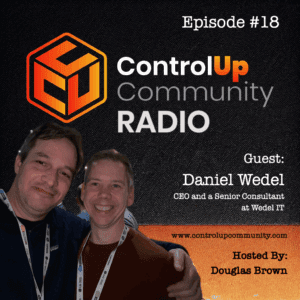
Episode #18 – Conversation with Daniel Wedel, CEO and a Senior Consultant at Wedel IT
Tune in to Episode #18 of ControlUp Community Radio, where host Douglas Brown welcomes Daniel Wedel, CEO and Senior Consultant at Wedel IT. Daniel brings over 20 years of experience in End-User Computing (EUC) and shares his insights on the industry's evolution, emphasizing significant improvements in reliability, management, and technology complexity.
Read the entire article here...
Read the entire article here...