
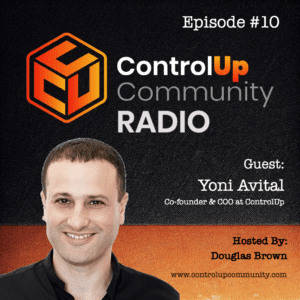
Join us in Episode #10 of ControlUp Community Radio, where your host, Douglas Brown, welcomes Yoni Avital, the Co-founder and COO of ControlUp. Yoni and Douglas discuss the exciting changes at ControlUp, the evolving DEX market, and innovations on the horizon.
Read the entire article here...
VDI Related Training & Support Archives
VDI training and support-related archives from inside the ControlUp Community on Slack.
Troubleshooting VDI Module in ControlUp DEX
There were issues with getting the VDI module in DEX to work properly for the help desk team. SAML was causing issues, and a security policy needed to be set up to accept SSO users. A video was suggested and it was recommended to check a certain box in the login methods. The prompt for UPN meant a different logon method was used, so the team was reminded to use SAML. The UPN should be listed if logged on with SAML. By suppressing the other method and reminding the help desk, the issue was resolved.
Read the entire article here...
Read the entire article here...
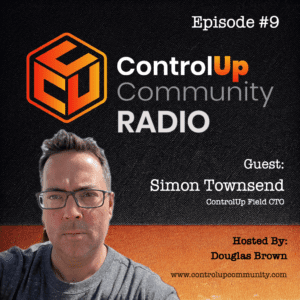
Episode #9 – Conversation with Simon Townsend, ControlUp Field CTO – Part 2
Join us in Episode #9 of ControlUp Community Radio as Douglas Brown chats with Simon Townsend, ControlUp’s Field CTO. Simon shares his journey over the past six months and insights into the evolving EUC market. Don’t miss this must-listen episode for tech industry insights!
Read the entire article here...
Read the entire article here...
Machine/Computer Statistics Report Discussion on ControlUp
There was a discussion about the Machine/Computer Statistics report and the lack of "Max" columns. It was mentioned that the averaged metric values seem watered down and a user asked if there is another Insights report available for this data. It was suggested to use the Metrics as: dropdown. The aggregation for both Insights and the new architecture is the same - flat 24 hours or a selected timeframe, not taking into account a user's workday currently.
Read the entire article here...
Read the entire article here...
Custom DaaS/VDI dashboards and timeline sizes in ControlUp
A user asked for help building a custom DaaS/VDI dashboard and wanted to know where to find the timeline size for the chart, specifically for a timeframe larger than the default 5 minutes. Another user clarified that custom dashboards only show real-time data and not historical data, thus making the requested feature not currently possible.
Read the entire article here...
Read the entire article here...
Improving Troubleshooting with Bluetooth Signal Strength in Remote DX
A user asked about a potential feature in Remote DX related to Bluetooth signal strength and headsets, as it can be a big issue for Unified Communications and VoIP through VDI. Another user suggested suggesting it on user voice. Additionally, the user mentioned they have played around with an audio devices script for Edge DX in the past. After researching, it seems difficult to implement due to driver specificity and limitations in the Windows BT stack.
Read the entire article here...
Read the entire article here...
Understanding DEX User Session Details – Explaining CPU Utilization Percentage Breakdowns
A discussion about the DEX User Session Details reports showing 2 lines on the CPU graph - 1 for computer % utilization and 1 for user %. The user was asking for clarification on what these percentages mean. Another user explained that the user % represents the portion of the CPU utilized by apps launched by the user and their desktop, while the computer % also accounts for the resources needed to keep the OS running. The discussion also touched on how these percentages are broken down on a VM with multiple CPUs assigned and the use of "host machine" in the description. It was mentioned that the computer % will also factor in the usage of other users and system processes on multi-user systems.
Read the entire article here...
Read the entire article here...
Troubleshooting Connection Server Active Connections in ControlUp Desktop Console
A user asked for help locating "HZ Connection Server Active Connections" in the ControlUp desktop console to create a trigger, but it was not available. ControlUp support confirmed it as an internal property and suggested a workaround by creating a trigger on a different metric and then modifying the filter xml to replace it with "HzTotalConnections". The user successfully implemented this workaround. More details can be found at https://support.controlup.com/docs/vmware-horizon-integration-columns-grids-overview.
Read the entire article here...
Read the entire article here...
How to Access Audit Logs for Trigger Edits in ControlUp
A user inquired about audit logs for trigger edits, which are available in ControlUp's own audit log and syslogs if configured. The logs can be found in the VDI menu of DEX.
Read the entire article here...
Read the entire article here...
ControlUp v9 introduces built-in folder synchronization feature
After upgrading to v9 of ControlUp, a user had an issue with a sync using the universal euc sync script. ControlUp support helped them with a new feature of v9 - built-in folder synchronization, which can be found in EUC setup and should replace the previously used script. A link to the documentation for this feature was provided. The user disabled their old scheduled trigger for running the script.
Read the entire article here...
Read the entire article here...