
A user reported trouble with EUC tests failing after updating HIVE to version 1248. The ControlUp team suggested enabling debug mode, zipping and sending the logs, as well as the Scout ID in a support ticket to troubleshoot the issue. It was also mentioned to make sure the Scoutbees Hive service is healthy and running.
Read the entire ‘Troubleshooting EUC test failures after updating HIVE to 1248’ thread below:
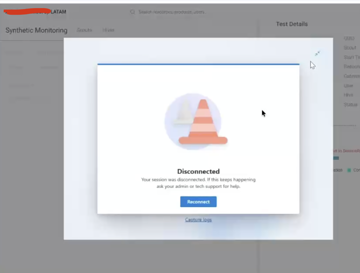
Hey team, I updated my HIVE to 1248, and all my EUC tests for AVD are failing. I am getting this failure message, or the screenshot as evidence. Does anyone have any idea what this could be. I performed a local test on the server, accessing the AVD URL with the same user and testing the same Desktop, and I am able to access it normally. The only thing I do not have on the server is the Windows App application, but I am not sure if that is the issue, since it used to work before.
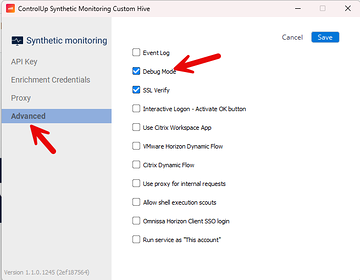
Hi Lucas – is the Scoutbees Hive service healthy and running? If so, feel free to enable Debug mode and zip up the logs (C:\Program Files\Scoutbees Custom Hive\logs), send the Scout ID (it’s in the URL of the scout, usually 5 numerical characters) and send to us in a support ticket (support@controlup.com).
Continue reading and comment on the thread ‘Troubleshooting EUC test failures after updating HIVE to 1248’. Not a member? Join Here!
Categories: All Archives, ControlUp Synthetic Monitoring