
A curated archive of Widget Wednesday videos designed to help you get started with ControlUp Dashboards and go deeper into advanced widgets, filtering, and visualization techniques. Learn by example and build dashboards that deliver real insight.
Read the entire article here...
ControlUp Dashboards

How to Find the “Open Tabs” Index in ControlUp?
A user asked about an index that displays open tabs in a Slack discussion. Another member mentioned it can be found in the builtin_appdx_navigation index and displays the number of open tabs. The original user expressed their gratitude.
Read the entire article here...
Read the entire article here...
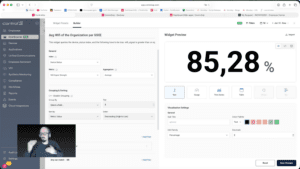
Widget Wednesday #9: Getting Started with ControlUp Dashboards
In this episode of Widget Wednesday, Chris Twiest walks through how to get up and running with ControlUp Dashboards—especially if you’re new, short on time, or not sure where to begin. The session is intentionally practical, with no assumptions or pressure, and focuses on the quickest path to building something useful.
Where to start
The episode opens with the basics of approaching dashboards for the first time.…
Read the entire article here...
Read the entire article here...
Issues with Dashboard Permissions
There is an issue with Dashboard permissions - Editor role functions as intended, but Viewer role lacks necessary permissions to view data in dashboards. No unexpected permissions in either role. Support ticket may need to be opened to investigate further and collect a HAR file for DEX login process.
Read the entire article here...
Read the entire article here...
Using Workflows to Improve WIFI Monitoring on ControlUp
A member asked if it was possible to use the number of samples as a filter when monitoring WIFI signal strength. Another member suggested using a NOT filter on the Wifi Name or using an AND filter to only show desired WiFi information. The issue was that there were over 2000 WIFI AP's and the member wanted to track which ones were delivering subpar performance to endpoints. It was suggested to use workflows to achieve this, and an offer was made to help set it up.
Read the entire article here...
Read the entire article here...
Introducing ControlUp’s Secure Boot Migration Dashboard
A member shared a new dashboard for tracking the Windows Certificate Secure Boot Migration, with feedback being welcome. Deployed and tested in their own environment with success. A screenshot of the dashboard was requested for privacy.
Read the entire article here...
Read the entire article here...
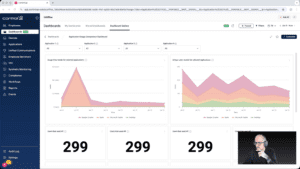
Widget Wednesday #8: Comparing Application Usage the Right Way
In this episode of Widget Wednesday, Chris Twiest walks through the Application Usage Comparison Dashboard from the Dashboard Gallery, focusing on how the full dashboard works together to turn raw usage data into meaningful, actionable comparisons inside ControlUp.
Read the entire article here...
Read the entire article here...
ControlUp’s Options for VDI Utilization Reports and Dashboards
A customer has requested a high-level overview of VDI utilization over a specific period, categorized by VDI class and possibly department. ControlUp's console and VDI REST API can be used to generate customized reports and dashboards, while new updates are being made to include VDI data in existing dashboards. Further discussion includes suggestions for using the API to create custom reports and importing data into other tools. Some existing reports, such as the Session Count report and session activity report, can also provide relevant data.
Read the entire article here...
Read the entire article here...
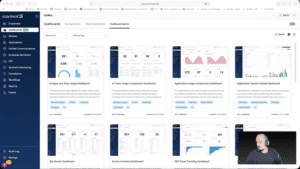
Widget Wednesday #7: Using DEX Score Trending to Spot Problems Before Users Feel Them
In this episode of Widget Wednesday, Chris Twiest walks through the DEX Score Trending Dashboard and shows how it helps surface device performance issues before they turn into widespread employee experience problems inside ControlUp.
Read the entire article here...
Read the entire article here...
Tips for Including IGEL Endpoints in ControlUp Reports and Dashboards
Multiple ControlUp members discussed how to include IGEL endpoints in a report and dashboard. Different solutions were proposed, such as using a custom index and dashboard, or filtering the Device Inventory Dashboard by OS patch string. The issue is planned to be fixed in February, but temporary solutions are available. URL: https://support.controlup.com/hc/en-us/articles/360012939118-Device-inventory-dashboards
Read the entire article here...
Read the entire article here...