
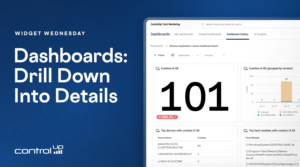
Widget Wednesday #23 introduces linked drill-down dashboards in ControlUp, allowing users to move from overview dashboards to detailed views for crashes, scripting, and AI usage with a single click.
Read the entire article here...
ControlUp Scripts & Triggers Training & Support Archives
ControlUp Script and Trigger training and support-related archives from inside the ControlUp Community on Slack.
Exciting Updates from ControlUp Team
ControlUp has some new updates and one user praised the team for their efforts. The release notes can be found at https://support.controlup.com/docs/release-notes-current. The macOS support for Unmanaged remote and the tagging script are two notable updates. One user is already using and enjoying the tagging script.
Read the entire article here...
Read the entire article here...
How to Pinpoint CPU-Heavy Processes Across Your VDI Fleet with ControlUp
This thread walks through a real customer question: how do you find which processes are eating the most CPU across a large VDI estate (200 servers) over a long period, so you know what to optimize?
It starts in ControlUp Dashboards. Using the VDI process data, you can build a widget showing top processes by CPU, then narrow it to the machines you care about using global filters (filter by folder, or switch to query filters with IS / IS NOT). A table beats a bar chart for a top-50 view, and any filters and time frames you set are saved in the URL, so you can bookmark or share the exact view. The built-in Gallery dashboards (notably "Big Screen Dashboard VDI") already include a processes-by-CPU widget out of the box.
The harder part is the one the customer really cared about: getting a meaningful picture across all machines rather than a single noisy spike on one box. The data is stored per process per 5-minute timeslot, not pre-aggregated per machine, so the practical approach that emerged was:
Filter to the folder containing all target machines.
Use CPU usage P95 to strip out short, expected spikes (with a fallback to average CPU, since P95 returned N/A in some environments — a possible bug worth a support ticket).
Add metrics under Advanced: computer_name (unique count) to see how many machines run the process, and process_name (count) to see how often it appeared (each record ≈ a 5-minute aggregate).
The processes worth optimizing are the ones combining high CPU + high machine count + high record count.
Worked example: a process showing ~1,080 records across 197 machines roughly translates to ~90 hours of activity over 7 days, or a few minutes per machine per day. The same method surfaced candidates like CompatTelRunner.exe, WerFault.exe, and WEM-related activity for further investigation. To go deeper, the App Trends and App Statistics reports let you drill into a specific app, and product_name data helps identify what's actually behind generic process names like setup.exe.
A few important caveats came up: averages hide spikes (10% average could be one minute at 100%), process counts are per machine, and hypervisor-level CPU (e.g., XenServer) can disagree with in-VM agent data when hosts are over-provisioned — which is also why a Sizing Recommendations report may suggest removing vCPUs even on a machine that looks maxed out.
Bottom line: use the dashboard to identify the heavy processes (folder filter + P95/avg CPU + machine count + record count), then use the App Trends report to dig into the details per app.
Read the entire article here...
Read the entire article here...
Automating Notifications for Users with Low WiFi Signal in ControlUp
A discussion was held about using workflows to automate notifications for a high volume of users experiencing low WiFi signal on corporate WiFi. Ideas were shared about centralizing events and using AI features in ControlUp to count the number of affected devices and trigger an email or teams message. The suggested solution involved querying the _devices and device_status to gather relevant data.
Read the entire article here...
Read the entire article here...
Remote Boot Alert and Script Configuration in ControlUp
A user asked about tagging devices in ControlUp and having an alert and script run remotely upon booting up. They clarified that this was for ControlUp for Desktop and mentioned using tags and scripts to remove unwanted machines from the environment. Another user asked for more context and suggested checking if the alert was fired and showed in Events. The user planned to test and shared a screenshot of the script settings.
Read the entire article here...
Read the entire article here...
Using CU4D for Troubleshooting at ControlUp
A user discussed using CU4D for troubleshooting an issue where a user's laptop and Citrix session froze and required a forced reboot. There was high memory usage on Edge and WebView2. Others suggested using CU4D to see process stops and app hangs, power events, and on-demand PowerShell scripts. Someone also suggested looking into network latency features and historical graphing for wireless signal strength or network usage. Event ID 1002 for Citrix Workspace could also help identify the issue.
Read the entire article here...
Read the entire article here...
Troubleshooting a Bitlocker Script Error
A user posted a script that fails with an encoding error, and another user suggested a workaround by removing the whitespace on specific lines. The solution is confirmed to work.
Read the entire article here...
Read the entire article here...
Efficient Scripts for Managing Persistent VM Usage in VDI
A user was looking for a script to manage the usage of persistent VMs in VDI. @member suggested using a dashboard or workflow, and @member had a script for this purpose. Another option mentioned was to check the user session count for a machine to see if it has been used in a given time period. @member explained that this script may not be efficient and provided examples for a better approach. It was also mentioned that a report could be created using this method.
Read the entire article here...
Read the entire article here...
Setting Up Alerts for Mac Devices in Edge DX
A user requested help setting up an alert in Edge DX to be notified when a macOS device shuts down or goes offline. They specifically asked for the exact Data Index, Field, and Condition to use. Instructions were given to navigate to Events → Alert Rules → Add Alert, set Product to Devices, and use the following settings: Method: Static Threshold, Category: Select the _devices data index, Field: last_communication, Operator: Contains, Time Window: 600 seconds (10 minutes minimum), Hits Required: 1, Retrigger Delay: 3600 seconds (1 hour). They were also reminded to add platform=2 for MacOS only.
Read the entire article here...
Read the entire article here...
Code-Signing Script Actions in ControlUp’s .NET Execution Engine
A discussion about code-signing Script Actions with the .NET Execution Engine and signed scripts was started by a customer. The conversation included links to relevant documentation and personal testing by a team member. The complexities of using mechanisms like AppLocker or WDAC for enforcing signed certificates were also mentioned. No definitive answer was given, but the team member thanked the customer for bringing up the issue.
Read the entire article here...
Read the entire article here...