
A user is experiencing an issue with the PowerShell cmdlet Invoke-CUQuery and discusses it in a Slack conversation with @members. They expected a timestamp to change whenever a value changes, but this is not the case. They share a screenshot of the issue and mention their understanding of the documentation. Another user explains that whenCreated reflects when a computer record was created in the internal database and gives a recommendation for a better approach. The original user shares their use case for needing a timestamp that shows when a record was last changed, but is informed that this data is not currently available. Other potential solutions and a discussion take place.
Read the entire article here...
Browsers Related Training & Support Archives
Browsers training and support-related archives from inside the ControlUp Community on Slack.
Troubleshooting an Upgrade from Citrix EUC Custom Hive 1242 to 1244 with Missing Chromium Instances
Troubleshooting an upgrade from Citrix EUC Custom Hive 1242 to 1244 revealed that scouts were no longer reporting and Chromium instances were missing. Support was requested and a similar issue was found on a fresh 1244 installation. A request was made for the 1243 packages to test.
Read the entire article here...
Read the entire article here...
Help Desk Tips and Tricks with ControlUp Products
A user asked for help with scripts to assist their Help Desk staff, mentioning that they use Microsoft Intune in their Microsoft shop. Another user replied with suggestions for scripts that can automate tasks such as clearing cache and repairing Office. Another user shared two stories about using their ControlUp products to improve their support process and provide a better experience for customers. The community is encouraged to share their own tips and experiences.
Read the entire article here...
Read the entire article here...
Comparing Permissions in ControlUp VDI App and RTC
A user asked about permissions in VDI App versus RTC and mentioned having different accounts. Another user requested for more information. A third user chimed in, explaining that the web console will not work like RTC and will have different functionality. The Dev team is working on bringing over all RTC features, but it cannot be done in the same way. Customers have been asking for certain features that are not possible with the RT console.
Read the entire article here...
Read the entire article here...
Sorting issue in ControlUp affecting Machines (VDA) view
Some users are experiencing an issue in ControlUp where sorting by table headings is not possible. This issue seems to only affect the "Machines (VDA)" view and does not occur in the "Sessions" view. Some users have found that recreating their custom views can be a workaround for this issue.
Read the entire article here...
Read the entire article here...
Understanding the New Live Remote Management File Browser Feature on ControlUp
The new feature for Live Remote Management, File Browser, is discussed in a Slack post. It is helping the user to collect logs and pass files between systems. However, the default deployment settings only allow restricted permissions for Admin accounts. To fully utilize the feature, a custom role with necessary permissions must be created. A link to a blog post discussing the future of DEX management and asking for feedback on the new addition is also shared.
Read the entire article here...
Read the entire article here...
Troubleshooting the Management Option for File and Registry Browsing on ControlUp Live Features
A user encountered an issue with the new live features on ControlUp, specifically with the management option for file and registry browsing. After troubleshooting, it appears to be a permissions issue and potentially a global feature flag. The user was advised to log with support for further assistance.
Read the entire article here...
Read the entire article here...
Understanding Permissions for ControlUp File Browser’s Admin Role
A team member asked about the permissions for the Admin role in the newly launched File Browser. The ControlUp team clarified that this is by design and is meant to protect customers from unauthorized access to sensitive files. They suggested creating a separate "Super Admin" role with all the necessary permissions for RRM. More information can be found at https://support.controlup.com/docs/file-browser#permissions
Read the entire article here...
Read the entire article here...
Troubleshooting Device Details Error in ControlUp Endpoints
There was a discussion about an error message popping up when opening details for a specific device in Physical Endpoints/Dex portal. Support was contacted and a workaround for this issue has been found. A status update was provided and it was suggested to contact support. The maintenance was completed, but some users are still experiencing the error. The fix should be applied shortly, and logging out of SAML and logging back in is suggested to resolve the issue.
Read the entire article here...
Read the entire article here...
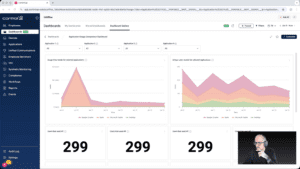
Widget Wednesday #8: Comparing Application Usage the Right Way
In this episode of Widget Wednesday, Chris Twiest walks through the Application Usage Comparison Dashboard from the Dashboard Gallery, focusing on how the full dashboard works together to turn raw usage data into meaningful, actionable comparisons inside ControlUp.
Read the entire article here...
Read the entire article here...