
In a recent discussion regarding device status indicators within ControlUp, a user inquired about the possibility of customizing the timeout period that determines when a device’s online status changes from a green dot to gray after losing connection. Currently, the system shows a green dot for devices that have been contacted within the last 60 minutes. The user wanted to reduce this timeout to 10 minutes so that devices appear offline sooner after losing connection.
It was clarified by a ControlUp expert that the 60-minute window for displaying a device as online is a platform-level behavior that is hardcoded and currently not adjustable by tenants or administrators. The ControlUp agent operates on a fixed heartbeat cycle, and the online or offline status indicator is calculated server-side based on this fixed threshold. As such, there is no existing setting within the Extended Settings or any other configuration that allows users to shorten this timeout period.
Since this timeout value is not configurable via the UI or Extended Settings, changing it would require a formal feature request to ControlUp’s development team. For now, the 60-minute heartbeat interval remains the standard for determining online device status, and users must expect the green dot to persist for up to one hour after the last successful contact. This behavior is consistent and reliable to avoid fluctuating device statuses due to shorter network interruptions.
For more detailed information on ControlUp agent heartbeat and device status indicators, users can consult the ControlUp documentation and knowledge base at https://docs.controlup.com or explore related training resources on the ControlUp Academy at https://cuacademy.controlup.com.
Read the entire article here...
ControlUp Agent Related Training & Support Archives
ControlUp Agent training and support-related archives from inside the ControlUp Community on Slack.
Managing Disk Usage on Laptops with ControlUp SIP Agent
ControlUp provides a scripting engine within ControlUp for Desktops, enabling IT administrators to distribute and execute scripts across devices in their environment. This functionality allows for tasks such as IT administration and data collection. ([support.controlup.com](https://support.controlup.com/docs/scripting-guide?utm_source=openai))
To utilize this feature, navigate to ControlUp for Desktops > Configuration > Scripts to view and manage your scripts. The Scripting Guide offers comprehensive instructions on running scripts in ControlUp for Desktops. ([support.controlup.com](https://support.controlup.com/docs/scripting-guide?utm_source=openai))
For managing disk usage on laptops equipped with the SIP agent, you can adapt existing scripts designed for VDI environments. The Scripting Guide provides detailed information on creating and managing scripts, which can be tailored for laptops. ([support.controlup.com](https://support.controlup.com/docs/scripting-guide?utm_source=openai))
Additionally, the ControlUp Script Library offers a collection of useful scripts compiled by ControlUp, which can be imported and customized for your specific needs. ([controlup.com](https://www.controlup.com/scripts/?utm_source=openai))
By leveraging these resources, you can effectively monitor and manage disk usage on laptops using the SIP agent, similar to the capabilities available for VDIs.
Read the entire article here...
Read the entire article here...
How to Deploy ControlUp Agent via GPO in VDI Environments with MSI Silent Install and PowerShell Automation
Deploying the ControlUp Agent for VDI environments via Group Policy Object (GPO) does not have a dedicated official knowledge-base article, as the installation approach aligns with generic MSI silent installs used in other deployment methods like SCCM or PDQ. The official ControlUp documentation regarding local machine connection and agent communication is the primary reference for deployment: https://support.controlup.com/docs/connect-to-your-machines-locally and https://support.controlup.com/docs/agent-outbound-communication.
For non-persistent VDI setups that use a gold master image, the recommended method is to install the ControlUp agent MSI directly on the master image with specific MSI properties: `MASTER_IMAGE=true`, along with the `AUTHKEY` and `RegistrationKey`. This avoids the need for repeated installations on cloned machines via GPO. For persistent, domain-joined virtual machines, using a GPO Computer Startup Script to run an msiexec command is preferred over GPO Software Installation because it allows passing required MSI properties. An example command line looks like this:
`msiexec /i \\share\ControlUpAgent-xxxx.msi /qn AUTHKEY="" RegistrationKey="" MASTER_IMAGE=true`
The authentication keys are retrieved from the Real-Time Console under Settings → Agent. The Registration Key is mandatory starting from version 9.0. Machines must be manually added to the organization tree unless the agent version is 9.0.5 or higher, which supports self-registration.
When GPO deployment is not optimal, if remote RPC or WMI connectivity is available, deploying the agent remotely via the ControlUp console or Monitor is simpler. For cloud-managed endpoints, Microsoft Intune is the officially documented deployment method.
A practical example was shared demonstrating a PowerShell script to deploy the ControlUp Agent MSI for VDI within a Nerdio scripted action context. The script copies the MSI from a UNC file share to a local temporary path, validates that the MSI file is correctly copied (including a check on the MSI magic bytes), and then executes the msiexec command with silent installation flags, the authentication keys, and logging enabled. It captures and reports installation exit codes and prompts when a reboot is required. The script also includes a post-installation check to list ControlUp-related services to confirm the agent installed and started as expected.
This approach encapsulates the best practice for deploying ControlUp agents in VDI environments using GPO, balancing MSI property requirements, version-specific authentication mechanisms, and practical scripting for automation. For detailed agent deployment contexts and command-line references, the ControlUp official documentation remains the authoritative source: https://support.controlup.com/docs/connect-to-your-machines-locally and https://support.controlup.com/docs/agent-outbound-communication.
Read the entire article here...
Read the entire article here...
NEW ControlUp Disk cleanup script that actually asks the user what to delete
Chris Twiest demos a new interactive disk cleanup utility built by Sebastien Perusat and now baked into the product. Instead of silently cleaning from the system context, it prompts the end user with what can be reclaimed and lets them choose — recycle bin, temp files, browser cache. Works on Windows and macOS, can be triggered manually or from an alert, writes results to a data index and a device event, and is fully editable. Available in the script library now.
Read the entire article here...
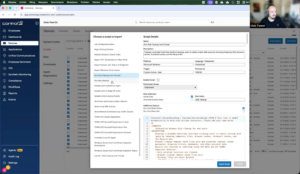
Read the entire article here...
How to Auto Log Off Idle Users in Azure Virtual Desktop Using ControlUp Triggers and Scripts
Several ControlUp community members discussed how to configure a trigger to automatically log off idle users from Azure Virtual Desktop (AVD) hosts using the ControlUp Agent for Virtual Desktop Infrastructure (VDI). One common solution is to leverage existing trigger packs within ControlUp, which include triggers designed to log off a user session after a specified period of inactivity. These triggers can be customized based on time thresholds that fit the organization’s session management policies.
An example script and detailed guidance were shared from ControlUp’s official script library, which provides automation for disconnecting or logging off idle sessions. This script can be adapted and deployed within ControlUp's automation policies to monitor session activity and log off users automatically when idle thresholds are met. The relevant resource is available at https://www.controlup.com/script-library-posts/disconnect-or-log-off-idle-sessions/.
Additional insights were shared from a ControlUp blog post that focuses on session resource optimization through automation. This post outlines best practices and practical examples of using ControlUp automation to manage session states efficiently, including auto-logout for idle sessions. The blog can be found here: https://www.controlup.com/blog/controlup-automation-session-resource-optimization/.
While native solutions like DaaS IQ might offer built-in functionality for auto-logging off idle users, many organizations have adopted ControlUp triggers as a practical workaround until formal approval or integration of native options is completed. The combination of ControlUp’s flexible triggers and scripting capabilities allows administrators to enforce session timeout policies effectively within AVD environments, optimizing resource utilization and enhancing security.
Read the entire article here...
Read the entire article here...
How to Use ControlUp’s Beta Features for Desktops: Deployment, Benefits, and Best Practices
ControlUp has introduced new beta features for its ControlUp for Desktops agent, offering users early access to the latest enhancements and improvements. This beta version is designed to allow IT administrators and users to test new functionalities before they are released for general availability. To participate in the beta, users can configure their agent version control settings to deploy the beta version selectively across specific devices. This targeted deployment helps organizations evaluate the beta features in a controlled environment without impacting their entire infrastructure.
The update has been well-received by the community, highlighting the significant value and innovation brought by the new capabilities. The positive feedback underscores the quality and effort invested by the development team in enhancing the user experience and functionality of the ControlUp agent. Although detailed specifics of the beta features were not outlined in the initial announcement, users are encouraged to review the beta release notes and experiment with the new version in their test environments to understand the full scope of improvements.
As this version is a beta, it is important to note that it may contain experimental features or potential issues not present in stable releases. Organizations should exercise caution by limiting beta deployment to non-critical systems or test groups, monitoring performance, and providing feedback to ControlUp to assist in refining the final release. Users can manage agent versions and access version control documentation at https://support.controlup.com/v1/docs/agent-version-control to ensure proper deployment and rollback options are understood.
For further information on ControlUp agent management, deployment best practices, and how to leverage new updates effectively, consulting the official ControlUp documentation at https://docs.controlup.com and the ControlUp Academy at https://cuacademy.controlup.com is recommended. These resources offer comprehensive guidance on everything from installation to advanced feature configuration, ensuring IT teams maximize the benefits of ControlUp across their digital workplaces.
Read the entire article here...
Read the entire article here...
ControlUp Community Meetup 15: How to: Connecting MCP AI to your Real-Time Data
Learn how to connect AI to live enterprise data using the ControlUp MCP Server. In this session, Chris Twiest explains the fundamentals of Model Context Protocol (MCP), including LLMs, prompts, system prompts, tool calling, and retrieval, before demonstrating how to connect Claude Desktop to ControlUp. Watch a live walkthrough of configuring the MCP Server, querying real-time endpoint data, visualizing application crashes, comparing results against historical baselines, and using system prompts to dramatically improve AI accuracy. The session also explores practical use cases, including upgrade planning, combining multiple MCP servers, building custom AI interfaces, and the future of autonomous endpoint management.
Read the entire article here...

Read the entire article here...
How to Implement Native macOS and Windows Self-Service Disk Cleanup via ControlUp Edge DX Without External Tools
A ControlUp community member developed a native self-service disk cleanup solution for macOS and Windows users, designed to be triggered via ControlUp Edge DX without requiring IT intervention or external tools. The goal was to allow users to safely free disk space through a simple, native dialog that displays current disk usage and offers a checklist of safe-to-clean areas such as Trash, application caches, container caches, logs, Xcode build cache, and old temporary files. Each item is described in plain language and sorted by the space it occupies, allowing users to select and confirm the cleanup themselves.
On macOS, the dialog is implemented using only built-in osascript capabilities—no additional tools like swiftDialog or extra installations are necessary. For both macOS and Windows, the solution emphasizes safety by running a dry-run by default, excluding critical system folders and personal directories such as Documents, Downloads, Keychains, and SSH keys from cleanup. The cleanup operates within the context of the logged-in user, not root, ensuring user-specific data protection. After cleanup, the system verifies the amount of space reclaimed against the actual free volume.
Triggering this cleanup from an Edge DX alert, either automatically due to disk usage thresholds or on-demand, enables a small dashboard that reports on reclaimable and freed disk space, all without requiring elevated permissions, Intune writes, or admin consent. One of the more challenging technical aspects was delivering the cleanup dialog from a root-level agent into the user’s session, given the restrictions of macOS and Windows environments.
The community member shared that while the script could likely be optimized or shortened by more experienced developers, this version works reliably and safely. Detailed setup documentation is available by request. Additionally, to complement the cleanup tool, the developer created an analytics dashboard to track the cumulative space saved by the script. This solution offers a practical way for organizations using ControlUp Edge DX to empower their end users with safe, controlled disk cleanup capabilities, minimizing helpdesk workload without compromising disk security or user privacy.
For more on creating and managing custom alerts and actions within ControlUp Edge DX, consult the official documentation at https://docs.controlup.com/edge and explore ControlUp Academy at https://cuacademy.controlup.com for training on extending ControlUp functionality.
Read the entire article here...
Read the entire article here...
Automating VDI Registration in ControlUp Console
Automating the addition of Virtual Desktop Infrastructure (VDI) machines to the ControlUp console upon agent installation can streamline management and monitoring processes. While ControlUp for Desktops offers a command-line installation method that automatically registers machines, a similar approach for VDIs requires specific configuration.
To achieve automated registration of VDIs, you can utilize the Install-CUAgent PowerShell cmdlet, which is part of the ControlUp Automation module. This cmdlet allows for the download and installation of the ControlUp Agent on local machines, including VDIs. By providing the necessary authentication key during installation, the agent registers the machine with your ControlUp environment. For non-domain-joined machines, an API authentication token is required. ([support.controlup.com](https://support.controlup.com/docs/install-cuagent-install-an-agent?utm_source=openai))
For non-persistent VDIs, such as those created from a master image, it's essential to configure the agent to handle these scenarios appropriately. By setting the agent as a master image, it ensures that new VDIs created from this image will automatically register with the ControlUp console, preventing duplicate entries and maintaining an accurate device inventory. ([support.controlup.com](https://support.controlup.com/v1/docs/agent-outbound-communication?utm_source=openai))
Additionally, enabling folder synchronization with your VDI infrastructure can further streamline management. This feature ensures that VDIs are correctly registered and prevents stale machines from cluttering the interface. By integrating with your VDI environment, ControlUp can automatically detect and manage VDIs, enhancing the efficiency of your monitoring and management processes. ([support.controlup.com](https://support.controlup.com/docs/connecting-to-your-vdi-infrastructure?utm_source=openai))
By implementing these methods, you can automate the addition of VDIs to the ControlUp console, ensuring accurate device registration and efficient management of your virtual desktop environment.
Read the entire article here...
Read the entire article here...
Analyzing Windows Client Boot Time Delays: Using External Scripts to Generate Boot Performance Reports in ControlUp Environments
A community discussion sought an effective method to analyze Windows client boot times with detailed insights into the causes of any delays. The original inquiry focused on whether there was an existing script or dashboard capable of breaking down boot delays, as the environment faced issues with slow client startups. Such diagnostics would provide valuable information to address client performance problems.
In response, a community member shared a beta script designed as a boot analyzer, which generates an HTML report summarizing boot performance. This script creates an output that visually breaks down boot times, helping identify the components or processes causing delays. However, the script does not currently save boot information within the ControlUp platform because the ControlUp agent is not active during the Windows boot phase, preventing direct integration of boot data into ControlUp's indexes.
While the script is substantial and complex, it offers a practical starting point for environments needing detailed boot-time diagnostics. The contributor noted the lack of time to fully test writing the boot data to the ControlUp index but confirmed the HTML report format is functional and aesthetically clear. The shared approach highlights the current workaround for boot analysis within ControlUp environments: external data collection and report generation rather than native ControlUp indexing, due to agent limitations during system startup.
For users seeking to monitor boot performance in Windows clients using ControlUp, this solution involves running external scripts to analyze boot metrics and then reviewing detailed offline reports. Until ControlUp supports native boot-time data collection via its agent during the startup phase, such scripts provide the most direct method to diagnose and troubleshoot boot delays.
Read the entire article here...
Read the entire article here...