
A user asked about viewing installed store apps in ControlUp. Eugene mentioned that this is currently being worked on and may be included in the upcoming "Agent ONE" release. In the meantime, he suggested using a custom script to create and implement a custom index for reporting on store apps. The script was also shared for convenience.
Read the entire article here...
ControlUp Agent Related Training & Support Archives
ControlUp Agent training and support-related archives from inside the ControlUp Community on Slack.
Troubleshooting Missing Machine Metrics in DEX after Updating ControlUp Agents
A user is experiencing issues with machine metrics not showing up in DEX after updating their Horizon Farm to agent 9.2.0.622. Another user suggests that the monitors may not be able to connect to the agents. It is then clarified that agents do not directly connect to DEX and that the issue may be due to a failure in the inbound or outbound connections between monitor and agent. The monitors may still be running.
Read the entire article here...
Read the entire article here...
Troubleshooting Partial Data in ControlUp after Agent Replacement on AVD Session Host
A member reported that after replacing the agent on the AVD Session Host, they were only receiving partial data. They were still getting data on "Logon Duration" but not on CPU utilization. After troubleshooting, it was determined that the monitor server was causing the issue, but it has since been resolved.
Read the entire article here...
Read the entire article here...
Installing ControlUp Desktop Agent in VDI Setup
A discussion was had about how to install the ControlUp Desktop agent in a VDI setup without having it auto update when users log off. One solution suggested was to create a special device group for the VDI desktops and set a fixed version control rule for that group. Links to instructions and relevant downloads were also shared. It was also mentioned that using the Sip agent instead could be the best option in this scenario. No issues were reported with the web portal.
Read the entire article here...
Read the entire article here...
When AI Helps, When It Doesn’t: Notes From a Fireside Chat on IT’s Next Chapter
In our latest ControlUp Community Meetup, Co-Founder Yoni Avital, ControlUp expert Eugene Kalayev, and Shane Kleinert from Choice Solutions sat down for a fireside chat on where EUC is headed. The panel tackled the big question: where does AI actually fit in EUC operations?
Read the entire article here...

Read the entire article here...
Troubleshooting Black Screen Issues on Omnissa Horizon
Users on Omnissa Horizon are experiencing black screen issues when reconnecting to a session. The issue occurs 4-5 times a day and the only workaround is to force a logoff, leading to lost work. The setup and environment are described in detail, along with past troubleshooting attempts. A fellow ControlUp member suggests looking at Horizon Agent logs and utilizing Horizon's API to lock a VM for further investigation.
Read the entire article here...
Read the entire article here...
Troubleshooting High CPU Utilization on ControlUp.
A user was unsure how to interpret the value 190% in a discussion with @member. @member recommended providing more hardware and CPU details for further investigation. It was later discovered that the issue was due to agent deployment with multiple devices reporting under the same ID, causing the CPU load event to be summed up incorrectly. The post serves as a helpful reference for others experiencing a similar issue.
Read the entire article here...
Read the entire article here...
Automating Installation of Compliance Agent on New Devices in ControlUp
Users discuss automatically installing compliance agent on new devices on ControlUp. There is currently no supported way of doing, but a new update will allow for this and controlling the version deployed. One user shares their workaround using a script. Other customers have done similar but it is not a supported method, however a new update will provide ability to push versions to specific tags or device groups.
Read the entire article here...
Read the entire article here...
Troubleshooting ControlUp Agent Installation Errors for New Dev Environment Setup
A user encountered an error when setting up a new dev environment with the ControlUp agent. Another user suggested checking if the machine was already added to the console or if the agent was previously installed in another environment. It was advised to open a support ticket for faster assistance.
Read the entire article here...
Read the entire article here...
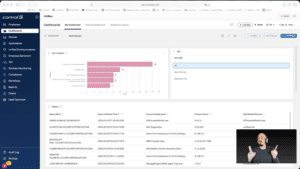
Widget Wednesday #15: Advanced Dashboard Filters — Simpler, Smarter, Global
Widget Wednesday #15 introduces advanced global filtering in ControlUp Dashboards, enabling more precise, real-time filtering across devices, attributes, and conditions without complex variable setup.
Read the entire article here...
Read the entire article here...