
A discussion took place regarding the use of a script to collect pending Windows update reboots from all systems in a tenant. A screenshot of the JSON format was requested, and it was suggested to test the script as a script action on the device. Another script was shared that would output the JSON correctly. This script was suggested for use instead.
Read the entire article here...
Microsoft Windows Related Training & Support Archives
Microsoft Windows training and support-related archives from inside the ControlUp Community on Slack.
Storage Tab Not Showing Reliably in ControlUp Desktop Agent
A user reports that the Storage tab is not showing reliably in the recently installed newer Desktop Agent for a large VDI pool with around 1000 non-persistent machines. They haven't seen any reports of this issue and suggest opening a support case for further investigation. Another user adds that kernel ETW messages may be used for this feature and advises the user to provide more details on how the data is collected for troubleshooting. The affected machines are single-session and a new image is being rolled out, so the user will check if the issue persists and create a case if needed.
Read the entire article here...
Read the entire article here...
Troubleshooting Login Slowdowns: How ControlUp Can Help
A user asked for help with login slowdowns and received suggestions to use CU4VDI trigger to run the ALD script, deploy ControlUp Disk Monitor, and run API queries to gather data. The AI Assistant or Claude/Gemini/ChatGPT can be used to correlate the data and determine the root cause of the issue. The ControlUp PS team is also available for assistance.
Read the entire article here...
Read the entire article here...
Troubleshooting ControlUp Installation Issues for Hyper-V Servers
A user encountered an error while trying to install a new version of ControlUp. They were unable to manage Hyper-V servers and were advised to remove the machines from the old ControlUp organization. The necessary steps were provided along with a link for more information.
Read the entire article here...
Read the entire article here...
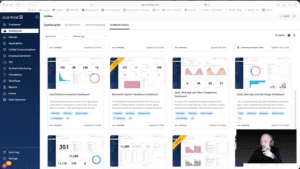
Widget Wednesday #13: Dashboard Updates, Copilot Readiness, and Boot Migration
Widget Wednesday #13 highlights ControlUp dashboard updates, including automated Microsoft Copilot readiness insights, improved crash visibility, and a new Windows Boot Certificate Migration dashboard with remediation capabilities.
Read the entire article here...
Read the entire article here...
Improving Understanding of CPU Queue Events in ControlUp
The group discussed how to better understand the details behind CPU queue events in ControlUp for Desktops. Some suggestions included adding specific event IDs for collection and using the new active processes > threads view to identify threads waiting for CPU availability. Complications to consider include CPU spikes and threads changing state rapidly. Running a WPA CPU trace may provide a better understanding of thread queueing.
Read the entire article here...
Read the entire article here...
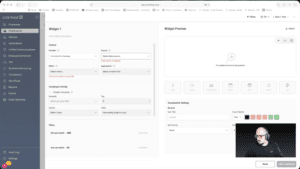
Widget Wednesday #12: Introducing Grid Viewer for Raw Data Exploration
This week’s Widget Wednesday introduces a powerful new widget type in ControlUp Dashboards, the Grid Viewer.
Unlike traditional widgets that summarize data through averages, totals, or grouped metrics, the Grid Viewer gives you direct access to raw data. It’s designed for situations where you want to see exactly what’s happening under the hood and shape the view around your specific needs.…
Read the entire article here...
Read the entire article here...
Troubleshooting Offline Windows Servers in ControlUp
Some Windows servers appear as offline, but when a user logs in through the hypervisor's remote console, they show as online again. A screenshot was requested and a possible solution was suggested. It was advised to submit a case to support@controlup.com with logs and screenshots for further analysis. Different ways to change logging levels were shared and it was asked if the server has AV in place. A possible explanation was offered and it was mentioned that logs would provide more insight into the issue. One user stated that they had put in exceptions for the AV, and another needed to wait before reporting. Screenshot and log files were recommended to help find a solution.
Read the entire article here...
Read the entire article here...
Managing Applications in ControlUp Widgets
Users were discussing how to exclude applications from a widget in ControlUp. One user suggested using a script for macOS, Windows, and Linux to write to a custom index, while another mentioned a new datasource on the roadmap. @member provided a link to a Script Pack that could help with reporting on processes.
Read the entire article here...
Read the entire article here...
Partial Visibility for Windows 365 Cloud PC Via BYOD
A team member needed partial visibility from a BYOD connecting to a Windows 365 Cloud PC. The Cloud PC had Device Agent installed, but not the BYOD. The solution was to install the Remote Client plug-in on the BYOD Windows PC. More information can be found at https://support.controlup.com/docs/windows-365-edge-dx.
Read the entire article here...
Read the entire article here...