
A member asked for known pitfalls when upgrading from ControlUp version 9.2.0622 to 9.2.0711 and mentioned some desired features. A product manager mentioned there as no known pitfalls and 20+customers have already upgraded. The new features were revealed to be Citrix VDA Registration State Monitoring, Windows Process Relationship Monitoring, and Citrix User Connection Failure Monitoring. Another member commented on the benefits of these features.
Read the entire article here...
Microsoft Windows Related Training & Support Archives
Microsoft Windows training and support-related archives from inside the ControlUp Community on Slack.
Installing ControlUp Desktop Agent in VDI Setup
A discussion was had about how to install the ControlUp Desktop agent in a VDI setup without having it auto update when users log off. One solution suggested was to create a special device group for the VDI desktops and set a fixed version control rule for that group. Links to instructions and relevant downloads were also shared. It was also mentioned that using the Sip agent instead could be the best option in this scenario. No issues were reported with the web portal.
Read the entire article here...
Read the entire article here...
Troubleshooting ControlUp Data and Scripts
A user asked about why there wasn't any data showing. Another user explained that there was a prerequisite for it to populate, and guided them to find and enable the necessary script in the Script Library. They also mentioned adding a pop-up to dashboards to make prerequisites clearer. Script locations were shared as well.
Read the entire article here...
Read the entire article here...
Creating a Device Matching Workflow in ControlUp
Multiple members had a discussion on how to create a workflow that would synchronize devices from an Entra ID dynamic group into ControlUp using tags. The matching issue is caused by Entra ID and ControlUp having different device identifiers. Various solutions were presented, such as using a custom query or the Split String node, and eventually a solution was found using the Get Custom Data node. Further details and a visual example can be seen in the discussion.
Read the entire article here...
Read the entire article here...
Troubleshooting Citrix VDI Sessions with FSLogix and the ControlUp ALD Script
A team member asked about the ALD script on Citrix VDI sessions with FSLogix - it doesn't list individual AppX packages, but a warning says that package load times may not show for subsequent logins. Suggestions were given, including a ControlUp blog post on FSLogix optimization and checking specific Event Viewer channels to ensure logs are enabled and have enough space. A team member was also mentioned as being able to help with this issue.
Read the entire article here...
Read the entire article here...
Troubleshooting Black Screen Issues on Omnissa Horizon
Users on Omnissa Horizon are experiencing black screen issues when reconnecting to a session. The issue occurs 4-5 times a day and the only workaround is to force a logoff, leading to lost work. The setup and environment are described in detail, along with past troubleshooting attempts. A fellow ControlUp member suggests looking at Horizon Agent logs and utilizing Horizon's API to lock a VM for further investigation.
Read the entire article here...
Read the entire article here...
Event Severity Issues in ControlUp DEX Console
A user created triggers for "Black Hole Machines" and "Registration Failures" but noticed the event severity was only showing as Informational in the DEX Console. They asked for assistance in changing the severity and shared a screenshot. However, it was confirmed that the severity cannot be changed at this time but may be considered in the future. The user wanted to use this value for reporting dashboards and trends. Support was following up on the issue and confirmed that the severity cannot be changed and all triggers will still create an event, regardless of the register event action configured. The trigger was originally set up to send a webhook to Google Chat, but this was changed to a PowerShell script triggered through Script Action to create ServiceNow incidents in the future. There is no way to define the severity of the event at this time.
Read the entire article here...
Read the entire article here...
Troubleshooting and Using the Windows Boot Certification Dashboard at ControlUp
The team discussed the Windows boot certification dashboard and how to get it working properly, including adding a script and following the proper steps. They also mentioned a recently released dashboard to find devices running VBScripts. The Windows boot certification dashboard can be found in the gallery and requires a script to function. Despite this, it has received positive feedback from sys admins.
Read the entire article here...
Read the entire article here...
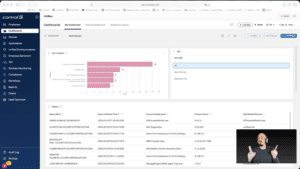
Widget Wednesday #15: Advanced Dashboard Filters — Simpler, Smarter, Global
Widget Wednesday #15 introduces advanced global filtering in ControlUp Dashboards, enabling more precise, real-time filtering across devices, attributes, and conditions without complex variable setup.
Read the entire article here...
Read the entire article here...
Clarifying Output and Index Configuration for “Windows Secure Boot Certificate Expiration Remediation” Script
A discussion about the "Windows Secure Boot Certificate Expiration Remediation" script started, as a user had concerns about the output and index configuration. Another user clarified that the script only sends an Event block to the device events page, while the status script writes to an index. Additionally, the output may not be visible if it is not in the SIP EVENT region.
Read the entire article here...
Read the entire article here...