
A user asked about using CU4C to remediate vulnerabilities on VDIs. It was suggested that both the CU4C and VDI Agents must be installed based on documentation, but this may change when ControlUp Agent ONE is released.
Read the entire article here...
Microsoft Windows Related Training & Support Archives
Microsoft Windows training and support-related archives from inside the ControlUp Community on Slack.
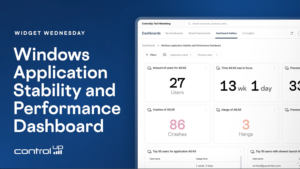
Widget Wednesday #22: Windows Application Stability and Performance Dashboard
Widget Wednesday #22 explores the Windows Application Stability and Performance Dashboard, providing insights into application crashes, hangs, freezes, resource usage, launch performance, and version comparisons.
Read the entire article here...
Read the entire article here...
How to Pinpoint CPU-Heavy Processes Across Your VDI Fleet with ControlUp
This thread walks through a real customer question: how do you find which processes are eating the most CPU across a large VDI estate (200 servers) over a long period, so you know what to optimize?
It starts in ControlUp Dashboards. Using the VDI process data, you can build a widget showing top processes by CPU, then narrow it to the machines you care about using global filters (filter by folder, or switch to query filters with IS / IS NOT). A table beats a bar chart for a top-50 view, and any filters and time frames you set are saved in the URL, so you can bookmark or share the exact view. The built-in Gallery dashboards (notably "Big Screen Dashboard VDI") already include a processes-by-CPU widget out of the box.
The harder part is the one the customer really cared about: getting a meaningful picture across all machines rather than a single noisy spike on one box. The data is stored per process per 5-minute timeslot, not pre-aggregated per machine, so the practical approach that emerged was:
Filter to the folder containing all target machines.
Use CPU usage P95 to strip out short, expected spikes (with a fallback to average CPU, since P95 returned N/A in some environments — a possible bug worth a support ticket).
Add metrics under Advanced: computer_name (unique count) to see how many machines run the process, and process_name (count) to see how often it appeared (each record ≈ a 5-minute aggregate).
The processes worth optimizing are the ones combining high CPU + high machine count + high record count.
Worked example: a process showing ~1,080 records across 197 machines roughly translates to ~90 hours of activity over 7 days, or a few minutes per machine per day. The same method surfaced candidates like CompatTelRunner.exe, WerFault.exe, and WEM-related activity for further investigation. To go deeper, the App Trends and App Statistics reports let you drill into a specific app, and product_name data helps identify what's actually behind generic process names like setup.exe.
A few important caveats came up: averages hide spikes (10% average could be one minute at 100%), process counts are per machine, and hypervisor-level CPU (e.g., XenServer) can disagree with in-VM agent data when hosts are over-provisioned — which is also why a Sizing Recommendations report may suggest removing vCPUs even on a machine that looks maxed out.
Bottom line: use the dashboard to identify the heavy processes (folder filter + P95/avg CPU + machine count + record count), then use the App Trends report to dig into the details per app.
Read the entire article here...
Read the entire article here...
Using CU4D for Troubleshooting at ControlUp
A user discussed using CU4D for troubleshooting an issue where a user's laptop and Citrix session froze and required a forced reboot. There was high memory usage on Edge and WebView2. Others suggested using CU4D to see process stops and app hangs, power events, and on-demand PowerShell scripts. Someone also suggested looking into network latency features and historical graphing for wireless signal strength or network usage. Event ID 1002 for Citrix Workspace could also help identify the issue.
Read the entire article here...
Read the entire article here...
Windows Devices Showing WIfi SSID as “PRIVATE”
Users are reporting issues with their Windows devices where their WIfi SSID is showing as "PRIVATE" and the WIFI signal is at 100% but no data is being shown. Turning off the WIfi access location seems to resolve the issue. More information can be found at https://learn.microsoft.com/en-us/windows/win32/nativewifi/wi-fi-access-location-changes
Read the entire article here...
Read the entire article here...
User Experiences Issue with User Sentiment Survey in ControlUp
A user encountered an issue while conducting a survey on User Sentiment during a management call, as only one out of three participants received the survey popup. The user has confirmed that the devices are online and on the latest GA, with all necessary settings in place. After further testing, the user has discovered that the survey was sent but did not display properly. A ticket has been requested to further investigate the issue.
Read the entire article here...
Read the entire article here...
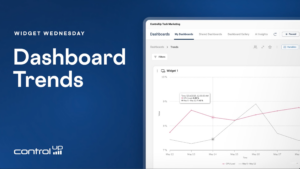
Widget Wednesday #20: Adding Trends to Dashboard Widgets
Widget Wednesday #20 introduces dashboard trends in ControlUp, enabling widgets to compare current metrics against previous periods across gauges, stat widgets, and time series visualizations.
Read the entire article here...
Read the entire article here...
How to View Installed Store Apps in ControlUp
A user asked about viewing installed store apps in ControlUp. Eugene mentioned that this is currently being worked on and may be included in the upcoming "Agent ONE" release. In the meantime, he suggested using a custom script to create and implement a custom index for reporting on store apps. The script was also shared for convenience.
Read the entire article here...
Read the entire article here...
Creating Filters based on ControlUp Data Indexes
Some members of the group discussed the possibility of creating filters based on data indexes in ControlUp. One member suggested creating a custom report and using filters, but another member pointed out that this method doesn't allow for running scripts. The original user requested a feature to allow for selecting all items from a report and running a script. The article will discuss the potential for expanding the existing feature in ControlUp that only applies to fields in the _devices index, to other indexes to make this process easier.
Read the entire article here...
Read the entire article here...
Creating Applications Report for Devices on ControlUp
A user needed help creating a report with data about applications on their devices. They used the 'Installed_apps' data index and wanted to use the 'App focus' or 'builtin_process_stop' data indexes for information about usage, but there was no relationship between the data. Another member suggested using dashboards or workflows to gather the data and provided an example.
Read the entire article here...
Read the entire article here...