
A user encountered an issue with script actions not firing as expected on a ControlUp Moniter. This led to a discussion on potential solutions and troubleshooting steps, including checking the script location and examining monitor logs. The user ultimately decided to look into the issue further when they have access to the customer environment. Troubleshooting steps and suggestions were provided by other members in the Slack discussion.
Read the entire article here...
ControlUp Agent Related Training & Support Archives
ControlUp Agent training and support-related archives from inside the ControlUp Community on Slack.
Troubleshooting W365 CPC Integration and Visibility Issues
A group of ControlUp members discuss issues with the integration between W365 CPC and HDX. They note that EdgeDX does not detect brokering of a Cloud PC session, but the current configuration does show access to TURN and use of UDP. The group mentions that this may be due to the VDA configured on the device. There is also mention of potential confusion around which agent to use for the CPC Desktop, and a suggestion to pull a query to track the number of CPCs with a VDA installed and see what is reported. It is noted that there is interest from established enterprises to go this route.
Read the entire article here...
Read the entire article here...
Troubleshooting the Latest Version of the Omnissa Horizon Agent with ControlUp
A user reported an issue with the latest version of Omnissa Horizon Agent, causing problems with fields not populating correctly and rebranded directories. The issue has not been resolved in the latest ControlUp beta, but support is available by opening a ticket.
Read the entire article here...
Read the entire article here...
ControlUp for VDI v9.1 Beta is HERE!
I am happy to inform you that ControlUp has opened the ControlUp for VDI v9.1 beta! and more….
Read the entire article here...
Read the entire article here...
Using ControlUp Scripts to Power On Virtual Machines
A question was asked about a specific script from the ControlUp Script Library that powers on a virtual machine. The user asked if the script could also run a custom script on the local VM, explaining that their base image requires a specific patch agent service to be enabled and started at power on and disabled at shutdown. Another member replied that the script only performs a poweron action through CUmonitor and uses the hypervisor connection already set up. No reference is included in this summary.
Read the entire article here...
Read the entire article here...
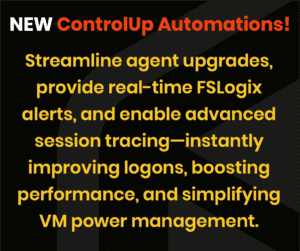
Unveiling Powerful New ControlUp Automations: Agent Upgrades, FSLogix Alerts, and More
NEW - Automated ControlUp Agent upgrades, real-time FSLogix container failure alerts, and robust Procmon activity tracing. Streamline user logons, optimize session performance, and effortlessly manage VM power states all with a few targeted scripts…..
Read the entire article here...
Read the entire article here...
Troubleshooting WMI Memory Leaks with ControlUp cuAgent
A user reported that at a customer, WMI memory leaks were happening due to the use of cuAgent on machines using ControlUp 8.8 or higher. Removing cuAgent resolved the issue and a ticket with support was created. They suggest using a ControlUp script (https://www.controlup.com/script-library-posts/show-local-wmi-activity/) to obtain WMI logs and identify the problematic cuAgent WMI queries.
Read the entire article here...
Read the entire article here...
ControlUp Report Issue: “No Version” Displayed for Machines with Installed Agent
A user encountered an issue with ControlUp report showing "No Version" for some machines, despite the agent being installed and reporting metrics. They asked for clarification on why this was happening, and it was confirmed that there were no other instances with a version number.
Read the entire article here...
Read the entire article here...
ControlUp’s Expansion Plans – Integrating with Other IT Towers and Services
ControlUp is looking to expand their capabilities to support other IT towers such as SD, RDS, and SCCM. There is a request for Jira integration and a suggestion to open a uservoice for SD. A user shares that they are experimenting with n8n as an intermediary between ControlUp and other systems. The possibility of passing data from n8n to an openai ai agent is mentioned. Another user suggests using a plugin on ServiceNow ticket page for troubleshooting and a ControlUp Enrich integration is discussed. The potential for customization through ControlUp's open API is also mentioned.
Read the entire article here...
Read the entire article here...
Troubleshooting Agents Showing Error State – ControlUp Discussion
The discussion revolves around troubleshooting why agents show an error state in the web console every morning, despite being installed on nonpersistent machines with the ONLYSTARTONBOOT and REGISTERBYMACHINENAME options. When looking into the event viewer, an agent was discovered to have started offline with Event ID 98. A member suggests that the terms being used refer to the physical device agent/product, while the .NET console and auto connect are for the virtual/vdi agent/product, prompting a clarification about the intended use of the agents. The end goal is to utilize the reporting within the VDI portion. Assistance is offered to the user if needed.
Read the entire article here...
Read the entire article here...