
When troubleshooting issues with ControlUp endpoint installations where the Agent Manager installs correctly but additional components like SIP, EdgeDX, or Remote DX do not, the primary locations for diagnostic information include the Windows Event Viewer (Application logs) and the folder at C:\ProgramData\ControlUp\Logs. However, users have reported that this logs folder might sometimes exist but be empty, making Event Viewer logs the primary source for troubleshooting.
One potential root cause identified is related to the Version Control settings in the ControlUp portal. These settings can delay or prevent the deployment of additional components beyond the Agent Manager. Verifying and adjusting the Version Control configuration is recommended to ensure it is not interfering with installation timing.
Besides configuration settings, antivirus or endpoint security solutions frequently interfere with ControlUp installations. It is important to check that all ControlUp-related folders and files are excluded from real-time scanning and quarantine, as security software blocking these files can halt installation progress without clear error messages.
Another consideration is the deployment method used for Remote DX, which differs from the Agent Manager and may require separate deployment steps or tools. This factor should be verified, especially in complex or staged deployments.
While there is an MSI installer log that could provide more detailed insights and may reside under the ControlUp program data path, its location and availability may vary based on setup. Users are advised to consult the ControlUp documentation on Version Control and agent deployment for the latest guidance. If further help is needed, providing Event Viewer logs, any available installation logs, and screenshots of Version Control settings to ControlUp support will facilitate resolution.
For more details on controlling agent versions and deployment, see the official ControlUp documentation at https://support.controlup.com/docs/agent-version-control.
Read the entire article here...
ControlUp for Remote Clients
Understanding and Configuring the Location Field for Citrix Cloud Sessions in ControlUp
In ControlUp's Sessions view, the Location field may appear blank even when session information like Client IP is correctly populated. This is because the Location column is specifically linked to Citrix Cloud environments and represents the "resource location" of Citrix Cloud Sessions, not the client's geographic location or data coming from Remote DX. The field corresponds to the `CitrixCloudColumns.Location` attribute in the ControlUp schema, which pulls its data from Citrix Monitor OData through the ControlUp Citrix Cloud EUC connection.
For Citrix Cloud users, ensuring the Location field populates requires that resource locations be properly configured and assigned within the Citrix Cloud administrative portal. Administrators should verify that their resource locations are defined in the Citrix Cloud admin portal under Resource Locations and that these are correctly associated with their sessions and resources. Without proper resource location assignment, ControlUp cannot display this information in the Location column.
This functionality is specific to Citrix Cloud and does not apply to on-premises Citrix deployments or other remote services. It also does not derive from ControlUp Remote DX or other integrations; rather, it depends strictly on the integration between ControlUp and Citrix Cloud session data via the Citrix Monitor OData feed.
To summarize, if the Location field is blank in ControlUp for Citrix sessions, the key step is to confirm that resource locations are configured and assigned within the Citrix Cloud portal. Proper configuration ensures that ControlUp can retrieve and display the location data as intended.
Read the entire article here...
Read the entire article here...
Troubleshooting issues with RemoteDX plugin manager updates
A user asked about issues with the RemoteDX plugin manager updating, and a suggestion was made to open a support ticket. Log paths for troubleshooting were provided. The RemoteDX logs can be found at C:\ProgramData\ControlUp\Remote DX\Logs.
Read the entire article here...
Read the entire article here...
Monitoring Network Connectivity with ControlUp Products
Users discussed methods to monitor connectivity and performance between different sites on the same network using ControlUp products. It was suggested to use the latency test feature with an on-prem hive to measure various aspects, such as network breaks. One user mentioned a customer who used custom hives at different points to gather more specific information on network breakage. The discussion also mentioned the desire for a feature similar to "RemoteDX Client Metrics" to measure latency between hops. The conclusion was that using custom hives is the best approach for this area of ControlUp.
Read the entire article here...
Read the entire article here...
Troubleshooting VDI Details Not Showing Data
A user asked about data not showing up in VDI details even though they have followed the necessary steps, such as installing the Remote DX Agent and enabling the Remote DX Plugin. Another user suggests checking if the virtual channel is enabled, and the first user realizes that they had not enabled it initially. After enabling it, they are still not seeing any data but it is suggested to try a new session or open a support ticket. The relevant ControlUp documentation for enabling the virtual channel is provided. Possible solutions are discussed and the user is advised to open a ticket if the issue persists.
Read the entire article here...
Read the entire article here...
RemoteDX Ping Issue with Citrix Workspace URL
The users were discussing an issue with RemoteDX - not all computers are affected and there is a possibility that ping may be disabled in the environment. Some machines are able to ping while others are not, except for the value given when initially set up to ping the Citrix Cloud Workspace URL.
Read the entire article here...
Read the entire article here...
Citrix Workspace App Access: RemoteDX Plugin and Installation
The RemoteDX Plugin is not installed for users accessing the Citrix Workspace App through a web browser. Both the Workspace App and RemoteDX Plugin need to be installed on the device for session establishment.
Read the entire article here...
Read the entire article here...
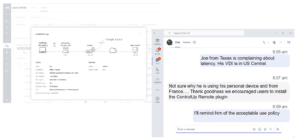
Did You Know? ControlUp Remote DX Can Instantly Reveal User Latency Mysteries!
Did you know... ControlUp for VDI (formerly Real-Time DX) includes the Remote DX plug-in, which collects local network metrics from endpoints, including personal devices outside the corporate network. Do you use it?
Read the entire article here...
Read the entire article here...
Troubleshooting Remote Client Score Metrics in ControlUp after updating environment
A user asked about issues with remote client score metrics after updating their ControlUp environment and corresponding agent. A member from the ControlUp team offered a suggestion to check for specific virtual channels and make sure the cuAgentHelper.exe process was running in those sessions. The user was able to resolve the issue based on this advice.
Read the entire article here...
Read the entire article here...
Understanding the Need for fabric.controlup.com in Testing VDI & DaaS
A user asked about why fabric.controlup.com is included when testing VDI & DaaS. Other members explain that it is needed for Remote DX and suggest adding the URL to documentation about communication ports used by ControlUp. URLs for EU and US customers are provided. The user acknowledges their error in reading.
Read the entire article here...
Read the entire article here...