
A user asked if there was documentation for connecting Power Query and Power BI to their tenant for reporting. Another user shared a link to a ControlUp blog post on visualizing problem desktops with Power BI, but noted that the results may differ due to API changes. It was suggested to obtain an Edge DX API key from support for accurate results. A link to the guide for creating an API key was also provided. The original user has placed a support ticket for assistance.
Read the entire article here...
Scripts Related Training & Support Archives
Scripts training and support-related archives from inside the ControlUp Community on Slack.
Refresh Time for API Connection in ControlUp RealtimeDX
A discussion was held about the refresh time for the API connection and RealtimeDX or Data Collector. It was mentioned that the data collection time for Horizon can be seen through invoke-cuquery, with a cycle starting every 10 seconds after the previous cycle is completed. The RealtimeDX version being discussed is 9.0.0.1680.
Read the entire article here...
Read the entire article here...
Updating the Repair Domain Trust Script for Windows 11 Compatibility
Users discussed updating the Repair Domain Trust script to be compatible with Windows 11 and asked for input from other members. They referenced the script from ControlUp's VDI/DaaS action library and a solution from a third-party website. It was suggested to use the PowerShell cmdlet "Test-ComputerSecureChannel -Repair" and it was confirmed that it works on both Windows 10 and physical devices. The cmdlet can be found at https://learn.microsoft.com/en-us/powershell/module/microsoft.powershell.management/test-computersecurechannel?view=powershell-5.1.
Read the entire article here...
Read the entire article here...
Enabling Scheduled Updates and Run Capabilities on Specific Weekdays in ControlUp
A user requested the ability to choose the 3rd or 4th Saturday of the month for machine updates in ControlUp's monthly patch picker. This would ensure that the updates happen on the same day of the week each month. The company will add this capability. The user also requested a similar feature for running scripts/actions in EDGE DX and has submitted a user voice for it.
Read the entire article here...
Read the entire article here...
ControlUp EdgeDX: Custom Fields and Populating Meta_Strings
In this Slack discussion from ControlUp, a user asked about the availability of custom fields in EdgeDX. Another user mentioned the meta_string_1 through 3 fields which can be populated by running scripts on the endpoint. A sample script was shared by a member and it was suggested to use JSON format when writing to these fields. The discussion also includes a link to the ControlUp support page for scripting and creating custom indexes.
Read the entire article here...
Read the entire article here...
Troubleshooting Reports for Installed Printers in ControlUp
Discussions regarding reports for installed printers took place in the ControlUp Slack channel. A script from the Edge DX script library was suggested as a solution, along with a section with SIP_EVENT tags and information in the script guide. It was mentioned that the script may need to be configured and checked for the overwrite checkbox in order to display properly. Various suggestions for displaying the information in the UI were also given.
Read the entire article here...
Read the entire article here...
Using Tags as Variables in EdgeDX Scripts: A ControlUp Discussion
A discussion took place about using tags as variables in EdgeDX scripts. It was suggested to use Device Groups or environment variables, with some limitations on the characters allowed. There were also discussions about future updates to increase the tag length and whether there is a PowerShell module for EdgeDX. The conversation also touched on the time it takes for a tag to show up on an endpoint and creating new tags through the script. There were some issues with setting the tag initially, but it was resolved by using all lowercase letters and limiting to specific characters. It is possible that the tag length may be increased in the future.
Read the entire article here...
Read the entire article here...
Troubleshooting a ControlUp Alert in Edge DX
A user noticed a change in the way a specific alert in ControlUp works, and was unsure of which computers were triggering the alert. Another user shared a script they had made to gather data, which may be helpful in this situation. Suggestions were made, such as adjusting the retrigger delay and modifying the time window, but the issue remains unresolved. The thread also includes code for a script that may assist with gathering data.
Read the entire article here...
Read the entire article here...
Creating an Alert for Windows 11 Upgrades Using SCCM and Event Logs
The members of the ControlUp community discussed creating an alert for when users upgrade to Windows 11, and potential methods to determine this information. There was talk of using SCCM for confirmation, querying event logs, and even using a custom script that was shared in the text. The script was described as an experiment that the user can share if others are interested.
Read the entire article here...
Read the entire article here...
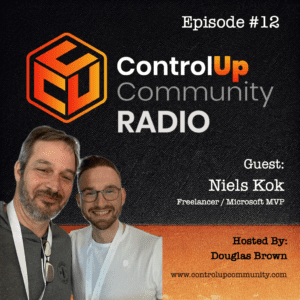
Episode #12 – Conversation with Niels Kok, Microsoft MVP
Join us for Episode #12 of ControlUp Community Radio, where host Douglas Brown sits down with Niels Kok, a Microsoft MVP engineer with over 12 years of experience in Microsoft Cloud solutions. In this episode, Niels shares his insights into the evolving IT landscape and how automation fits.
Read the entire article here...
Read the entire article here...