
A community discussion sought an effective method to analyze Windows client boot times with detailed insights into the causes of any delays. The original inquiry focused on whether there was an existing script or dashboard capable of breaking down boot delays, as the environment faced issues with slow client startups. Such diagnostics would provide valuable information to address client performance problems.
In response, a community member shared a beta script designed as a boot analyzer, which generates an HTML report summarizing boot performance. This script creates an output that visually breaks down boot times, helping identify the components or processes causing delays. However, the script does not currently save boot information within the ControlUp platform because the ControlUp agent is not active during the Windows boot phase, preventing direct integration of boot data into ControlUp's indexes.
While the script is substantial and complex, it offers a practical starting point for environments needing detailed boot-time diagnostics. The contributor noted the lack of time to fully test writing the boot data to the ControlUp index but confirmed the HTML report format is functional and aesthetically clear. The shared approach highlights the current workaround for boot analysis within ControlUp environments: external data collection and report generation rather than native ControlUp indexing, due to agent limitations during system startup.
For users seeking to monitor boot performance in Windows clients using ControlUp, this solution involves running external scripts to analyze boot metrics and then reviewing detailed offline reports. Until ControlUp supports native boot-time data collection via its agent during the startup phase, such scripts provide the most direct method to diagnose and troubleshoot boot delays.
Read the entire article here...
ControlUp Dashboards
How to Alert on Added Storage Devices by Drive Letter in ControlUp Using os_disk_configuration Filters
A community member sought assistance with creating a ControlUp trigger or alert to detect when storage devices are added to a physical endpoint and assigned a drive letter or mounted. The data relevant to this event is visible in the ControlUp 4D (CU4D) Performance tab under the Operating System location and stored in the *_devices* index. Specifically, the data is found in the os_disk_configuration field, which contains a JSON array showing details about mounted drives, including drive letters. The user’s challenge was to configure an alert that could detect any newly mounted drive except the system drive C:\ without having to set multiple alerts for every potential drive letter (e.g., D:\, E:\, etc.). They noted the lack of regex support in the filter queries limited their options.
The issue arises because the os_disk_configuration field holds a JSON array with multiple drive entries, and filtering out drive_letter "C:\" naively removes all entries due to the structure of the array. Attempts to use a “does not contain” filter eliminated all Windows devices, only showing macOS devices, complicating detection on Windows endpoints. The user also tried to narrow the focus to removable media but learned that their security team's use case requires alerting on any disk, mounted by drive letter, which remains the best indicator available.
Advice provided during the discussion included adding filters for platform or OS to ensure the alert targets only Windows devices (e.g., platform set to 1 or OS equals Windows). This helped reduce irrelevant results but did not completely solve the filtering problem. Suggestions included playing with additional filters such as combining conditions to exclude drive_letter "C:\" while explicitly including removable devices, though this required trial and error. A recommendation was to test filter configurations in the CU4D index view, including setting the platform to 1 to target Windows devices specifically.
Ultimately, the thread highlights the challenge in using ControlUp’s current filtering capabilities on complex JSON arrays like os_disk_configuration for dynamic drive letters without regex support. The workaround involves narrowing the scope by platform/OS filters and experimenting with composite negation filters, although a straightforward out-of-the-box solution for this specific alert scenario is limited. Users needing comprehensive coverage for any drive letter other than C:\ must create a series of alerts or await enhanced filter features. For now, leveraging the detailed disk configuration data in the *_devices* index with strategic filter layering is the best approach.
For further reading on creating and troubleshooting alerts and filters in ControlUp, users can consult official documentation at https://docs.controlup.com and explore ControlUp Academy resources at https://cuacademy.controlup.com.
Read the entire article here...
Read the entire article here...
Applying Permanent Filters to ControlUp Dashboards Based on Device Tags
In ControlUp, applying a permanent filter to a dashboard that restricts data to devices tagged with a specific label, such as "Eugene," is not natively supported. While global filters can be set to apply across all dashboards, they cannot be configured to be permanent for a single dashboard or to restrict data to devices with a specific tag.
A workaround involves bookmarking the URL of the dashboard after applying the desired filter. This method ensures that the dashboard opens with the filter applied, displaying only devices tagged with "Eugene." However, this approach has limitations:
- **Manual Application**: The filter must be manually applied each time the dashboard is accessed, as the URL does not retain the filter settings permanently.
- **URL Filter Bug**: There is a known issue with URL filters that is currently being addressed. This bug may affect the functionality of the URL-based filtering method.
For more detailed information on filtering devices by tags and creating customized views, refer to the ControlUp documentation on viewing your list of devices. ([support.controlup.com](https://support.controlup.com/docs/device-dashboard-overview?utm_source=openai))
As of now, there is no built-in feature in ControlUp that allows for the permanent application of a filter to a specific dashboard based on device tags. Users are advised to monitor updates from ControlUp for potential enhancements in this area.
For further assistance or to stay informed about updates, consider reaching out to ControlUp support or visiting the ControlUp Community forums.
([help.controlup.com](https://help.controlup.com/hc/en-us?utm_source=openai))
Read the entire article here...
Read the entire article here...
Resolving UI and Remote Control Discrepancies When Accessing Devices via Global Search in ControlUp 4 Desktop
When using ControlUp 4 Desktop (CU4D), users have observed a discrepancy in the user interface and remote control experience depending on how they access device details. Specifically, accessing a device via the global search feature directs users to a different-looking interface than when navigating through the Devices > Details path. The interface reached through global search appears to be the older Angular-based UI, characterized by a red-themed layout and missing certain functional tabs such as RMM (Remote Monitoring and Management), Internet Explorer management, network, and storage tabs that are present in the modern white-themed interface accessed via the sidebar device menu.
This difference is not just cosmetic; the remote desktop experience also varies between these two paths. The remote control window initiated from the global search interface does not match the one available through the Devices > Details route, indicating that two different backend platforms or UI frameworks are in use. The sidebar route leverages the integrated DEX (Digital Employee Experience) platform embedded in the main ControlUp site, while the global search currently directs users to the legacy environment.
This issue has been acknowledged by the ControlUp team as a known problem. A fix is planned to unify the experience so that both access methods will lead to the modern UI and consistent functionality, including the proper remote control interface and management tabs. The resolution was expected to be rolled out within a few weeks from the time the issue was reported.
Until this fix is deployed, users should expect the global search function to open the older interface with limited features, while the Devices > Details navigation provides the full, up-to-date DEX platform experience. For the latest updates on this issue and other CU4D features, users can refer to the official ControlUp documentation and community resources.
Read the entire article here...
Read the entire article here...
How to Calculate and Display Compliance Percentage Using ControlUp JSON Query and Transformations
This discussion addresses how to display a compliance percentage in a ControlUp dashboard card based on two widget values: total devices and compliant devices. The goal is to calculate and show a compliance rate as a percentage, for example, showing 5% if 10 out of 200 devices are compliant. The solution involves using the ControlUp JSON builder with a custom query and transformation setup.
To achieve this, the key is to use the "CombineMetrics" plugin in the JSON configuration. This plugin allows the calculation of a ratio (a percentage) by specifying the compliant devices count as the numerator and the total devices count as the denominator. Participants shared examples modeled after an AI dashboard where a similar percentage metric—percentage of users accessing AI-related websites—is calculated by summing durations and using filters.
One example query includes the use of "cardinality" aggregation on device IDs, filtering by device groups and OS details to separately count total devices and compliant ones. This data is then fed into a transformation block that scales the ratio by 100 and applies precision to display the percentage nicely. The JSON snippet demonstrates how the numeratorNodeIds and denominatorNodeIds correspond to the compliant and total device counts, respectively, providing a ready-to-adapt template.
Additionally, the conversation touched on the potential for applying conditional palette colors to the percentage display, similar to gauges, to visually represent thresholds (e.g., red for 0%, orange at 50%, green at 100%). Though not yet implemented, this idea is being considered as part of ongoing UI improvements.
For further implementation guidance, ControlUp documentation on custom widgets and the JSON query builder is a useful resource at https://docs.controlup.com. The approach described can support not only two values but can be extended to combine multiple metrics as needed, providing flexible compliance and performance monitoring visualizations in ControlUp dashboards.
Read the entire article here...
Read the entire article here...
How to Use ControlUp Live View to Identify Processes Causing CPU Spikes in VDI Environments
When attempting to diagnose CPU spikes and identify the specific processes responsible using ControlUp, the most effective approach is to utilize the Live view, also known as the VDI page in the ControlUp Web UI. This view provides real-time, granular insights into process-level CPU consumption across virtual desktop infrastructure (VDI) environments. Unlike historical reports, which show aggregated past data such as CPU Utilization Max but lack immediacy, the Live view updates metrics approximately every three seconds, enabling administrators to track CPU spikes as they happen and correlate them with individual processes.
Accessing this Live view requires either appropriate licensing or configuration that may prompt for a user principal name (UPN) login depending on how ControlUp is set up in the organization. When correctly logged in, administrators can drill down into specific machines experiencing CPU spikes and see a detailed, sortable list of CPU-intensive processes. This functionality helps pinpoint the exact processes causing resource bottlenecks, which is critical since the total CPU utilization of a machine does not always equal the sum of all visible processes. This discrepancy arises because kernel interrupts and other system-level operations that consume CPU are not attributed to individual user processes.
Users noted that if access to the Live view is initially unavailable or the relevant VDI tab not visible, it may be due to missing licenses or particular configuration settings controlled by the ControlUp administrator in the environment. In such cases, reaching out to the administrator and providing the UPN for authentication often resolves access issues. Without this, troubleshooting CPU spikes becomes difficult, and users may resort to external scripting solutions like PowerShell, which can be less reliable and less integrated.
Once logged into the Live view, operators can monitor real-time CPU usage per user and process, identify the top five consumers, and respond quickly to performance incidents causing a slowdown in the VDI environment. While the Live view is potent for immediate troubleshooting, storing long-term granular process data in a live manner is impractical due to data volume and cost, so ControlUp uses historical reports for trend analysis. Overall, the Live view is regarded as an essential and powerful feature in ControlUp’s suite for understanding and resolving CPU utilization spikes in virtualized desktop environments.
For further information on configuring and accessing the Live view in ControlUp, administrators can consult the official ControlUp documentation at https://docs.controlup.com and the ControlUp Academy at https://cuacademy.controlup.com. These resources cover licensing requirements, configuration steps, and best practices for effectively using real-time monitoring to maintain optimal VDI performance.
Read the entire article here...
Read the entire article here...
Monitoring CPU Thermal, Power, and Frequency Throttling with Custom ControlUp Scripts and Dashboards
A common challenge in monitoring CPU performance is that traditional CPU utilization metrics often fail to reveal the underlying causes of slowdowns, especially in cases related to thermal or power throttling that reduce CPU frequency without triggering high CPU%. To address this, a detailed custom PowerShell script and accompanying dashboard have been developed to report CPU temperature, frequency, and distinct throttling signals in a granular and actionable way. This solution creates a dedicated data index named `custom_cpu_throttle` to track multiple independent throttling signals, enabling more precise diagnostics of CPU performance issues.
The core innovation of this approach lies in splitting CPU throttling indicators into three separate categories: thermal throttling (hardware/BIOS-related issues such as overheating or dust), power throttling (policy-related causes like power plans, Intune profiles, or BIOS max-state configurations), and frequency throttling (cases where the CPU clock speed drops below 85% of the rated max under load, capturing otherwise silent throttling scenarios common on AMD processors or CPUs with boost frequencies). By differentiating these factors, the method captures scenarios where traditional Event ID 37 logs or CPU utilization metrics miss critical performance degradations.
The script captures a range of per-device metrics during each run, including temperature and its source, throttle status types, current and maximum CPU frequency with a ratio percentage, and comprehensive throttling evidence logs that correlate performance drops with frequency and utilization data. This data feeds into a customizable ControlUp dashboard that aggregates key performance indicators, categorizes throttle types, tracks frequency trends, and identifies devices exhibiting the hottest or most throttled behavior. The dashboard also correlates these metrics with user experience signals like application crashes and digital employee experience (DEX) scores, enabling targeted troubleshooting from a single pane of glass.
Technical details specify that the solution runs on Microsoft Windows devices using PowerShell scripts triggered every two minutes (120 seconds) with a 60-second timeout and sends data to the `custom_cpu_throttle` index only when devices are online. The solution supports filtering by device, throttle type, and status for focused analysis. While the script covers many AMD-specific throttling scenarios, some complexities remain given AMD's diverse behaviors, though unrealistic values are filtered out to maintain accuracy. This tool is well-suited for IT administrators and helpdesk teams looking to resolve performance tickets where CPU utilization appears normal but throttling impacts response times, such as in Outlook or other user-facing applications.
For detailed setup or a walkthrough, the script (`SP-CPU-Throttle-v2.ps1`) and ControlUp dashboard configuration (`SP-CPU-Throttle-Dashboard.json`) are available on request. This solution is an example of extending ControlUp’s monitoring capabilities via custom scripts and dashboards to deliver deeper insights into CPU performance issues that go beyond default instrumentation.
Read the entire article here...
Read the entire article here...
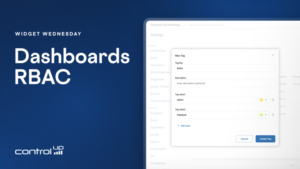
Widget Wednesday #24: Managing Dashboard Access with Roles and Tags
Widget Wednesday #24 explores new dashboard roles, tags, and sharing capabilities in ControlUp Dashboards, helping administrators organize dashboards and control user access more effectively.
Read the entire article here...
Read the entire article here...
Utilizing Microsoft Teams API with ControlUp UCC dashboards
A user named Seb shared three ControlUp UCC dashboards that use Microsoft Teams API data only - no CU4D agent needed. The dashboards show real Teams call quality and usage before the agent reaches the endpoints. It includes graphs for daily, weekly, and monthly trends, as well as MOS bands and per-user statistics. These dashboards can be customized to specific needs. Other users showed appreciation for Seb's contribution.
Read the entire article here...
Read the entire article here...
Proactively Managing Thin-Client SSD Wear: A New Endpoint Script from ControlUp Community Members
A user shared an endpoint script (zzSP_Prod_IGEL_Thinclient_SmartStatus) that can be used in IGEL or thin-client environments to gather information about SSD and storage wear. The script shows important details such as wear level, TB written, and pre-EOL state and can be helpful in proactive hardware-lifecycle management. The dashboard and script are available for use.
Read the entire article here...
Read the entire article here...