
A user asked about issues with CPU utilization data not showing in the App Trends report, to which Yoni responded that it is common for many processes to sit at 0% CPU and suggested checking the distribution for more insights. Another user inquired about checking successful vs failed sessions, to which another user requested clarification about what is meant by "failed sessions." The discussion included a screenshot and example of checking process distribution.
Read the entire article here...
ControlUp Dashboards
ControlUp Dashboards and Exciting New Features
Discussion about using ControlUp dashboards and the new features, including a request for multiple queries in a single time series and options for truncating strings in transformations. The team shares that multi-metric functionality is in the works and upcoming training on how to use advanced features within dashboards.
Read the entire article here...
Read the entire article here...
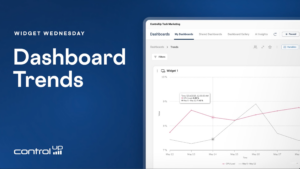
Widget Wednesday #20: Adding Trends to Dashboard Widgets
Widget Wednesday #20 introduces dashboard trends in ControlUp, enabling widgets to compare current metrics against previous periods across gauges, stat widgets, and time series visualizations.
Read the entire article here...
Read the entire article here...
How to View Installed Store Apps in ControlUp
A user asked about viewing installed store apps in ControlUp. Eugene mentioned that this is currently being worked on and may be included in the upcoming "Agent ONE" release. In the meantime, he suggested using a custom script to create and implement a custom index for reporting on store apps. The script was also shared for convenience.
Read the entire article here...
Read the entire article here...
Creating a Public Link for Custom NOC Display Dashboards in ControlUp
A user is interested in creating a public link for their customized NOC display dashboard using ControlUp's built-in Big Screen Dashboard feature. Other users have also expressed a need for this feature and it seems to be gaining momentum. ControlUp knows about the request but has not found a secure way to implement it yet, as each widget on the dashboard is a live query requiring a token from the user. The suggestion is to create a service account and properly set up permissions for the dashboard to display it on digital signage.
Read the entire article here...
Read the entire article here...
Creating Applications Report for Devices on ControlUp
A user needed help creating a report with data about applications on their devices. They used the 'Installed_apps' data index and wanted to use the 'App focus' or 'builtin_process_stop' data indexes for information about usage, but there was no relationship between the data. Another member suggested using dashboards or workflows to gather the data and provided an example.
Read the entire article here...
Read the entire article here...
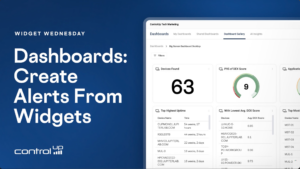
Widget Wednesday #19: Create Alerts Directly from Widgets
Widget Wednesday #19 introduces the Create Alert feature in ControlUp Dashboards, allowing users to generate alerts directly from widgets with pre-filled settings, flexible thresholds, and integrated automation actions.
Read the entire article here...
Read the entire article here...
ControlUp Community Meetup #13 — Dashboards Masterclass with Chris Twiest
In this session, Chris Twiest from ControlUp joined us for a hands-on Dashboards Masterclass. Chris walked through the newest dashboard features, built several dashboards live, and then opened the floor for an extended community Q&A.
Read the entire article here...

Read the entire article here...
Troubleshooting Index Issue in ControlUp Academy
ControlUp Academy - a training platform with free self-training and instructor-led content, where certifications from ControlUp can be obtained. There are no recent changes to Dashboards, and an index issue is discussed. Steps to fix the issue are provided. The PowerShell script was updated. The index is split into multiple indexes over time and it displays the first payload's column type.
Read the entire article here...
Read the entire article here...
Using ControlUp to Search for Not Installed Apps
A user asked about showing devices without specific software installed and was informed that this cannot be done with a NOT statement in the Installed Applications data index. Instead, a workflow and data comparison must be used. It was also suggested to try using the CU AI tool, which is based on ElasticSearch. Another user asked about needing a CU One license for MCP server, and was informed that it is not necessary to use the free version of Claude desktop. The process for connecting the server and using it to search for not installed apps was also briefly explained. Relevant links were provided for documentation and a tutorial video.
Read the entire article here...
Read the entire article here...