
A user asked for help in creating a report to track trends and confirm impact of their work on reducing "Black Hole Machines" alerts, and wondered which Source to use in order to add a widget. Another user mentioned that Events are stored platform-wide and can be accessed through the Events section, but may need to be exposed via API.
Read the entire article here...
Automation & Alerting Related Training & Support Archives
Automation & Alerting training and support-related archives from inside the ControlUp Community on Slack.
ControlUp Community #12 – Fireside Chat about the Future of EUC in an AI World
In this ControlUp Community Meetup, ControlUp Co-Founder Yoni Avital, longtime ControlUp expert Eugene Kalayev, and Sr. Architect Shane Kleinert from Choice Solutions sit down for an unscripted conversation about where EUC is headed in an AI-driven world.
Read the entire article here...

Read the entire article here...
Using Variables in ControlUp Notification Creation
A discussion took place regarding the use of variables in notification creation based on the Citrix Connection Failures Advanced trigger. It was suggested to test a trigger with the Citrix Connection record type to see if the variables resolve. It was also mentioned that a ticket may need to be opened to gather logs for further investigation.
Read the entire article here...
Read the entire article here...
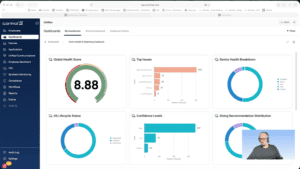
Widget Wednesday #17: Device Health and Rightsizing Dashboard
Widget Wednesday #17 introduces the Device Health and Rightsizing Dashboard, a read-only dashboard with pre-calculated health scores based on 30-day data, providing consistent and up-to-date device health insights.
Read the entire article here...
Read the entire article here...
Tips for Building Conditions without False Alerts
A member asked about conditions in their environment and how to prevent false alerts from being created. They mentioned using Datadog to log incidents.
Read the entire article here...
Read the entire article here...
Understanding the API Rate Limit and Cooldown Period at ControlUp
A user asked about the cooldown period for the API rate limit and received information from a colleague stating that there is a limit of 60 requests per user per minute or 200 per minute for the entire organization, with the cooldown period showing up in the header of the API query for retry attempts. The user was unsure if this applied to compliance APIs as well and was reassured that the limit is consistent across all APIs.
Read the entire article here...
Read the entire article here...
Event Severity Issues in ControlUp DEX Console
A user created triggers for "Black Hole Machines" and "Registration Failures" but noticed the event severity was only showing as Informational in the DEX Console. They asked for assistance in changing the severity and shared a screenshot. However, it was confirmed that the severity cannot be changed at this time but may be considered in the future. The user wanted to use this value for reporting dashboards and trends. Support was following up on the issue and confirmed that the severity cannot be changed and all triggers will still create an event, regardless of the register event action configured. The trigger was originally set up to send a webhook to Google Chat, but this was changed to a PowerShell script triggered through Script Action to create ServiceNow incidents in the future. There is no way to define the severity of the event at this time.
Read the entire article here...
Read the entire article here...
How to Change the ‘From’ Email Address in ControlUp Web Console
A user asked if it's possible to change the 'from' email address in the ControlUp web console. Another user suggested using workflows to listen for the alert and retrieve information from {{start.event}} variables to modify the email. No direct way to change the email was mentioned.
Read the entire article here...
Read the entire article here...
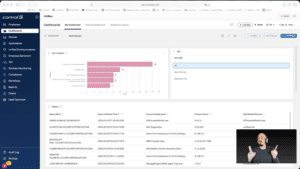
Widget Wednesday #15: Advanced Dashboard Filters — Simpler, Smarter, Global
Widget Wednesday #15 introduces advanced global filtering in ControlUp Dashboards, enabling more precise, real-time filtering across devices, attributes, and conditions without complex variable setup.
Read the entire article here...
Read the entire article here...
Using Event Alerts to Monitor Registry Key Values with ControlUp
A user asked about using event alerts to monitor a specific registry key value. They were given a solution by another member to run a PowerShell script and write the result to ControlUp's System Events log using the SIP EVENT pattern. This can be done by importing a sample script to write values to a custom data index. Further assistance can be reached out to the Account team.
Read the entire article here...
Read the entire article here...